page | 92
Web Interface
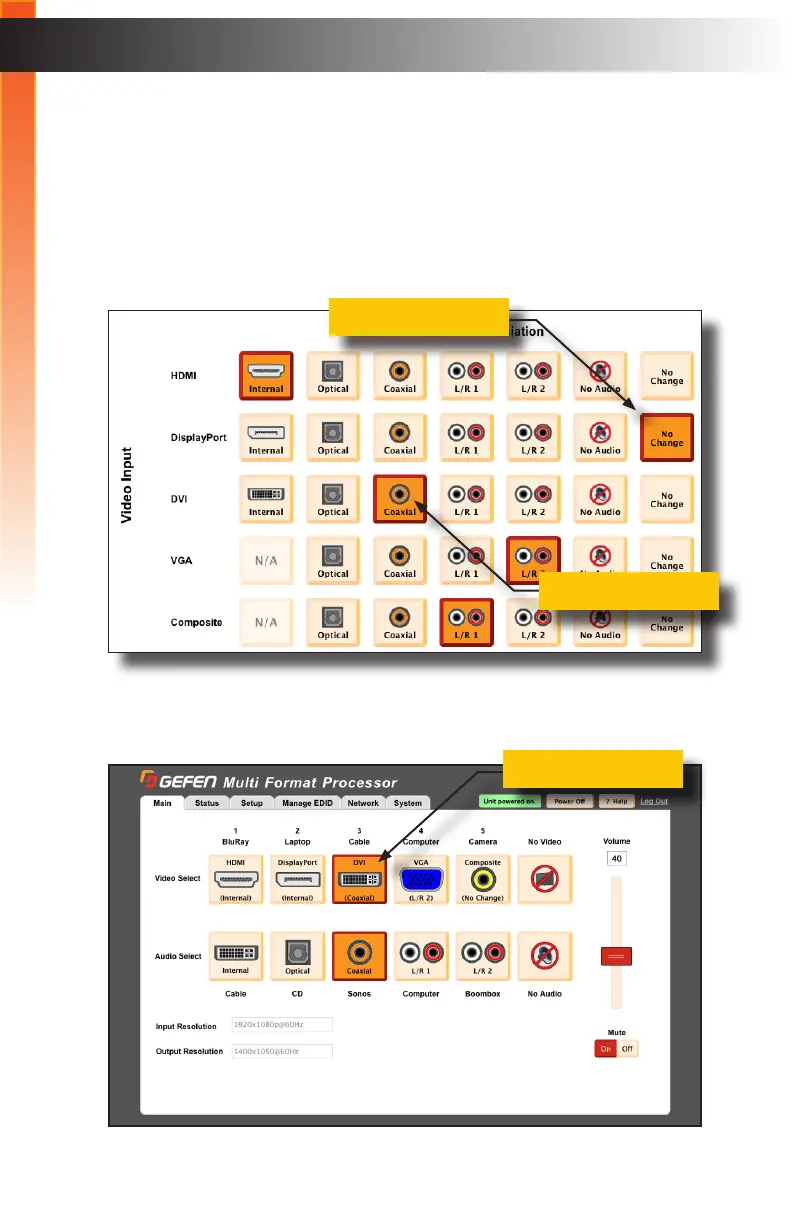
As previously mentioned, the No Change button will prevent the audio source from
changing when switching video inputs.
Example: Let say we have an DVI source using the Coaxial audio input. We want to
switch to DisplayPort but use the audio from the Coaxial input. Here are the steps:
1. Under the Setup > Audio tab, we will set the DisplayPort audio input to No Change.
This will prevent selecting of the DisplayPort input from changing the audio input.
2. From the Main tab, the DVI input is using the Coaxial audio input. We can also see
this association in the Setup > Audio tab, above.
Basic Operation
No Change button
DVI selected
Coaxial selected
Basic Operation



 To Next Page