page | 93
Web Interface
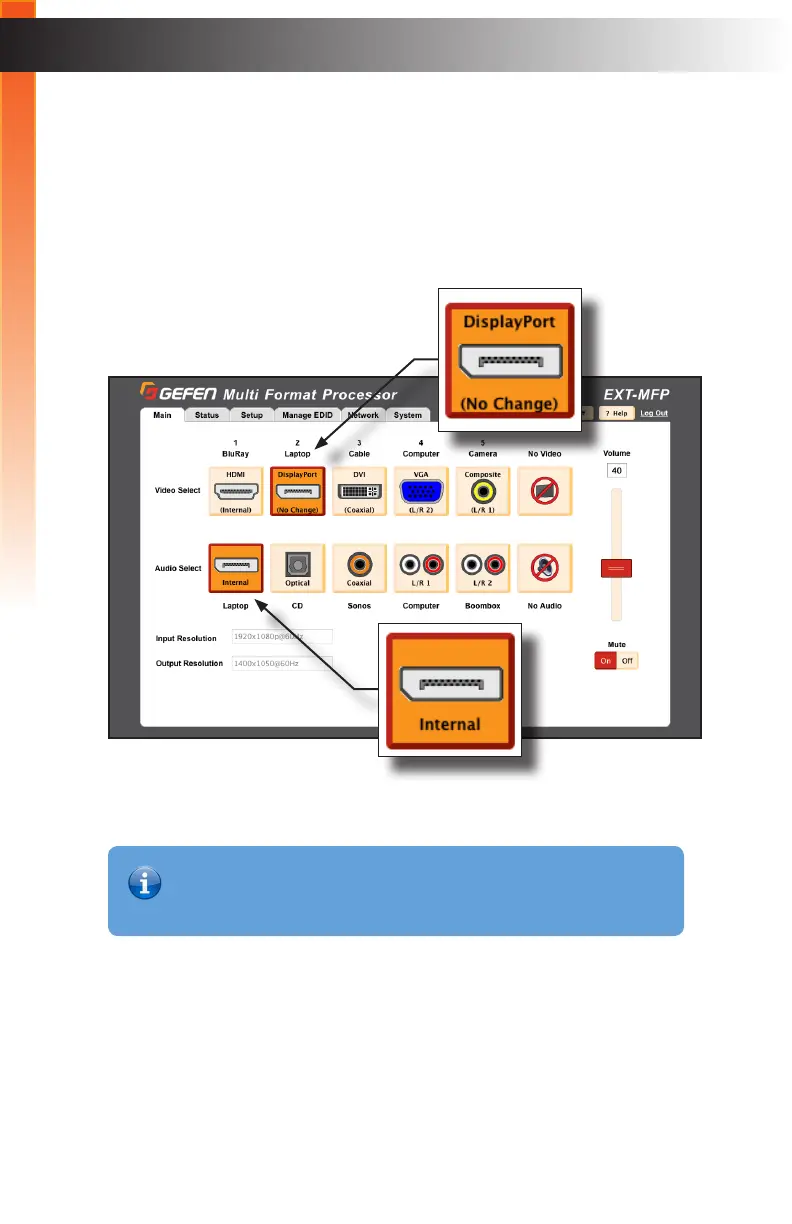
3. Now, we’ll switch to the DisplayPort video input.
4. The DisplayPort video input is labeled as “(No Change)”. This indicates that the
audio source will not changed when switching to this video input.
Also note that the Audio Select row shows a diagram of the DisplayPort interface and
labels it as “Internal”. This means that the digital audio channels embedded in the
video signal is selected. Note that only the audio channels from the currently selected
digital video source are available as the “Internal” selection.
Basic Operation
Information
If the audio selection is Internal and VGA or Composite Video are selected
with “No Change” set, then there will be no audio output.



 To Next Page