Page 110 VRC2000 Installation and Operations Manual
Technical or Setup Assistance
Telephone: 800.945.7730 (USA) or 801.975.7200 (worldwide) • Worldwide Web @ http://www.gentner.com
The following exercises will help you understand how the VRC2000 operates in
the local and remote modes. See Also Remote/Local Modes (Page 5).
Local Mode
The following examples will help you understand how the VRC2000
operates in the local user mode. A dial-up telephone line is not required for
the local user mode, although the Initialization procedure should already be
complete (Page 6).
With a standard DTMF telephone connected, power up the VRC2000. Pick
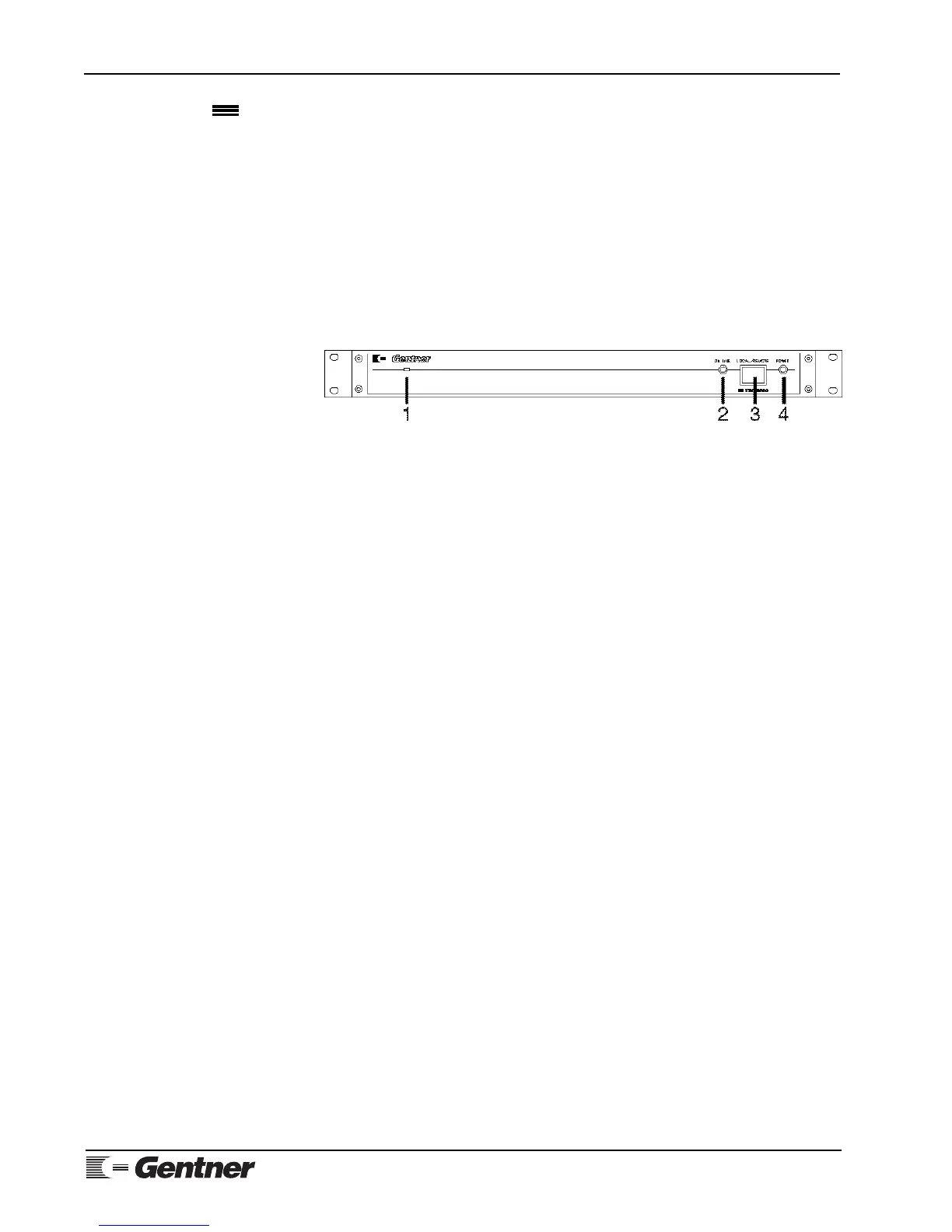
up the telephone handset and listen, then push in the LOCAL/REMOTE
button [3] (See Figure 28, below.) on the VRC2000’s front panel. The button
will light red.
Appendix F: Remote/
Local Tutorial
LOCAL/REMOTE NOTE:
This button must remain ON as long as you require local control of the
VRC2000.
You will hear the VRC2000 say
• SETUP ENABLED. PLEASE ENTER SYSTEM ACCESS CODE.
Immediately following this message, use the telephone’s DTMF pad to enter
the following sequence of numbers:
☎ “1 2 3 4 5 6 7”
If you entered this sequence correctly, the VRC2000 will respond:
• THANK YOU. PLEASE SELECT FUNCTION FOR PROGRAMMING.
ACCESS CODE NOTE:
If the access code was entered incorrectly, the VRC2000 will stop supplying
power to your telephone handset. The VRC2000 will allow you only one attempt
to enter the proper access code. To re-enter the access code, press the LOCAL/
REMOTE button [3] to return to remote mode, then press the button again to
attempt local connection again.
Once you have properly entered the access code and gained access to the
VRC2000, you are in the Local Setup mode. Local Setup allows you to
program various functions into your VRC2000. For now, switch
immediately into the Local User mode to avoid entering unwanted
programming information into the VRC2000.
To enter the Local User mode, enter the following sequence on your DTMF
phone:
☎ “9 2 0”
The VRC2000 will respond:
• USER ENABLED.
Figure 28. VRC2000 front-panel
controls



 To Next Page