52
GERBERplotter MP Series User Manual
English
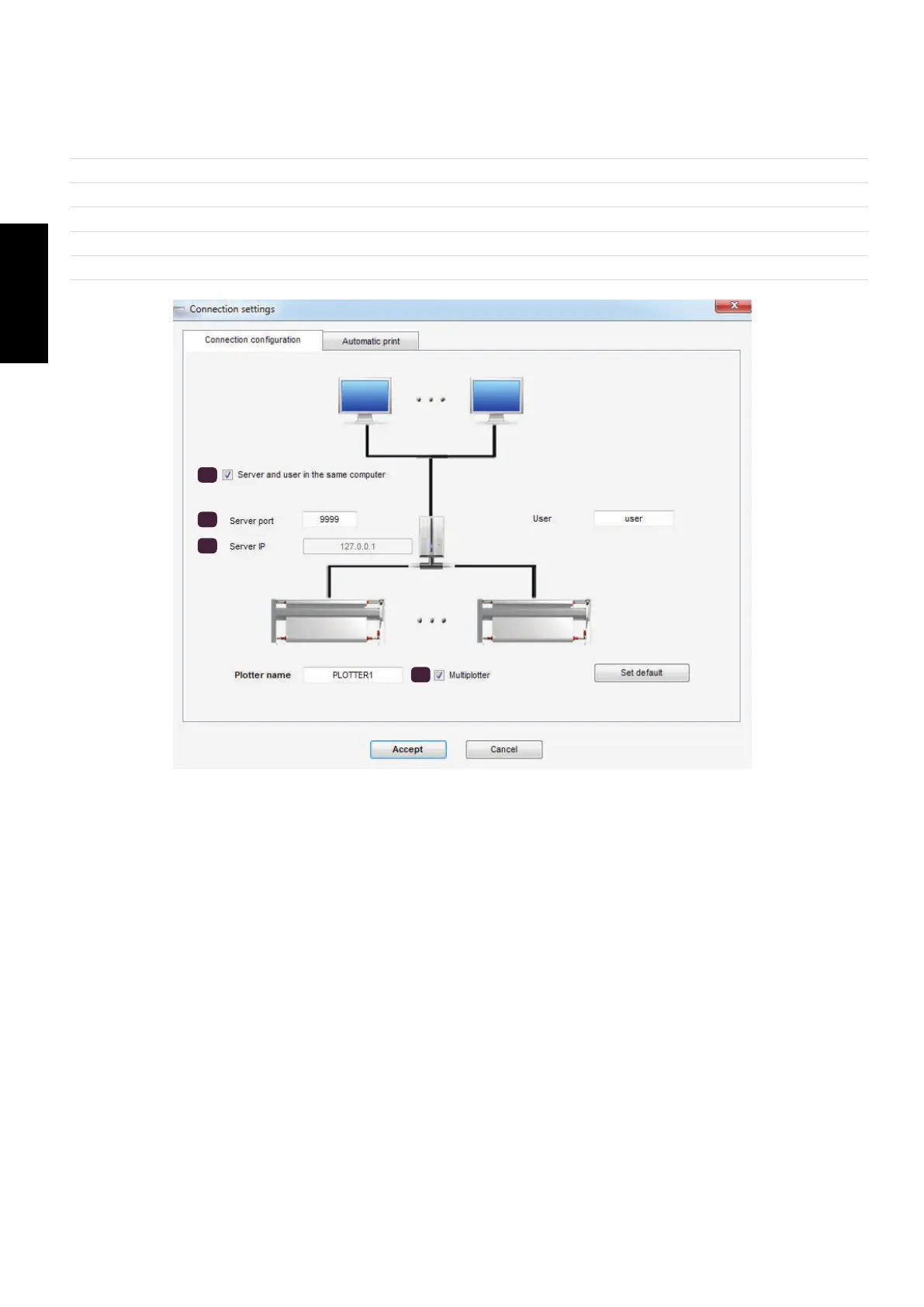
Sending jobs to a plotter from more than one computer
To add an additional computer, install User Manager and have network access to the computer that runs Server Man-
ager. (You need to know the IP address for the Server Manager computer.)
1
Open User Manager.
2
Click Program Options / Connections.
3
Clear the Server and user in the same computer check box.
4
Enter the IP address of the computer that has Server Manager installed.
5
Select the same number of server ports of the Server Manager.
6
Clear the Multiplotter check box.
3
4
5
6


 To Next Page