GM Energy V2H Bundle Installation Manual 65
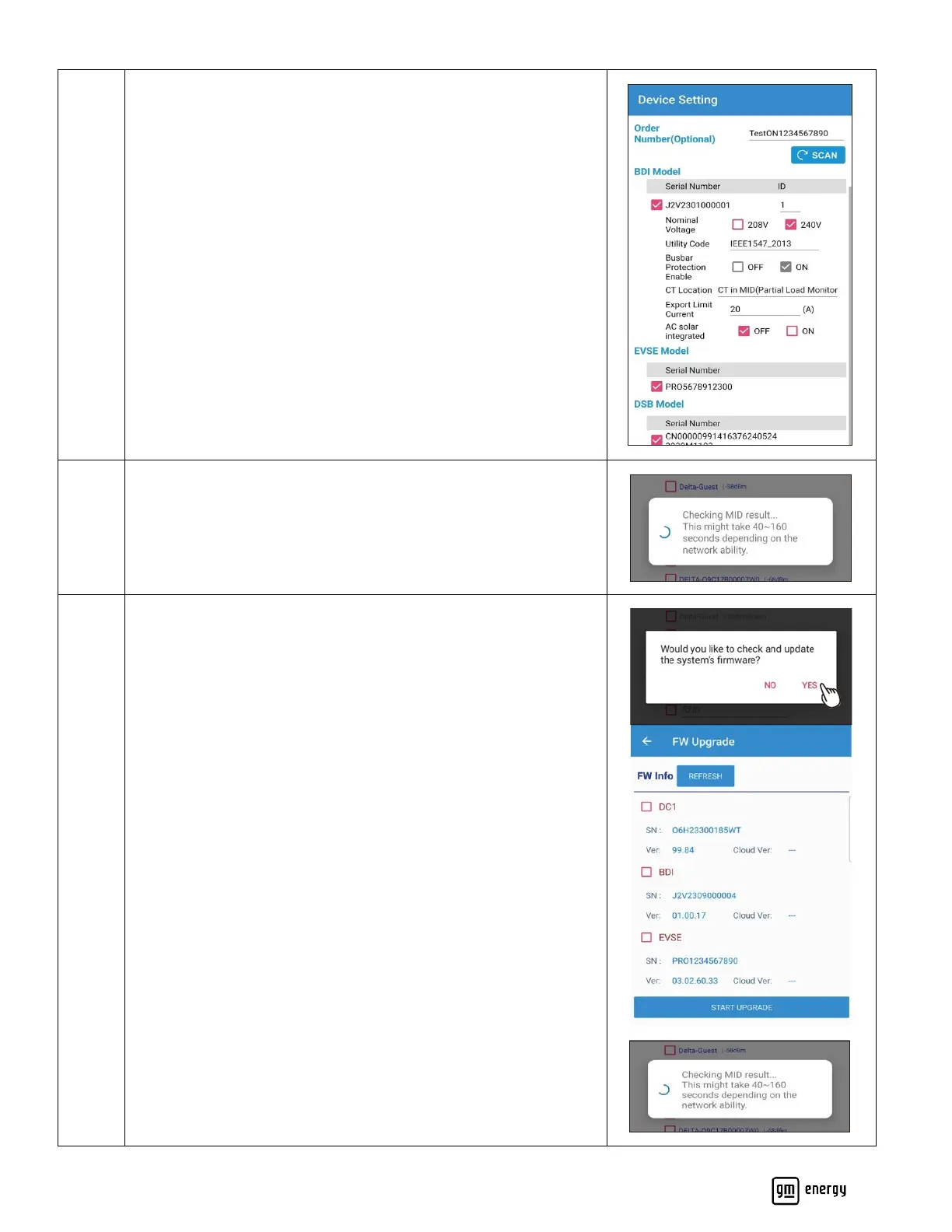
If available, please enter the order number associated with this
hardware.
Set up the BDI Device Settings (Refer to Appendix G for Inverter
device settings support information)
Confirm EVSE Model
Confirm DSB Model
Complete registration
Once completed, the following message should pop up.
Click Ok to proceed to the next step.
Check for System Firmware updates.
Click Refresh to search for most recent FW updates. Select
device(s) requiring updates and Start Upgrade.
Note: DC1 refers to the datalogging module in the MID.
The following message should pop up once the Update is complete.



 To Next Page