GM Energy V2H Bundle Installation Manual 69
MAINTENANCE
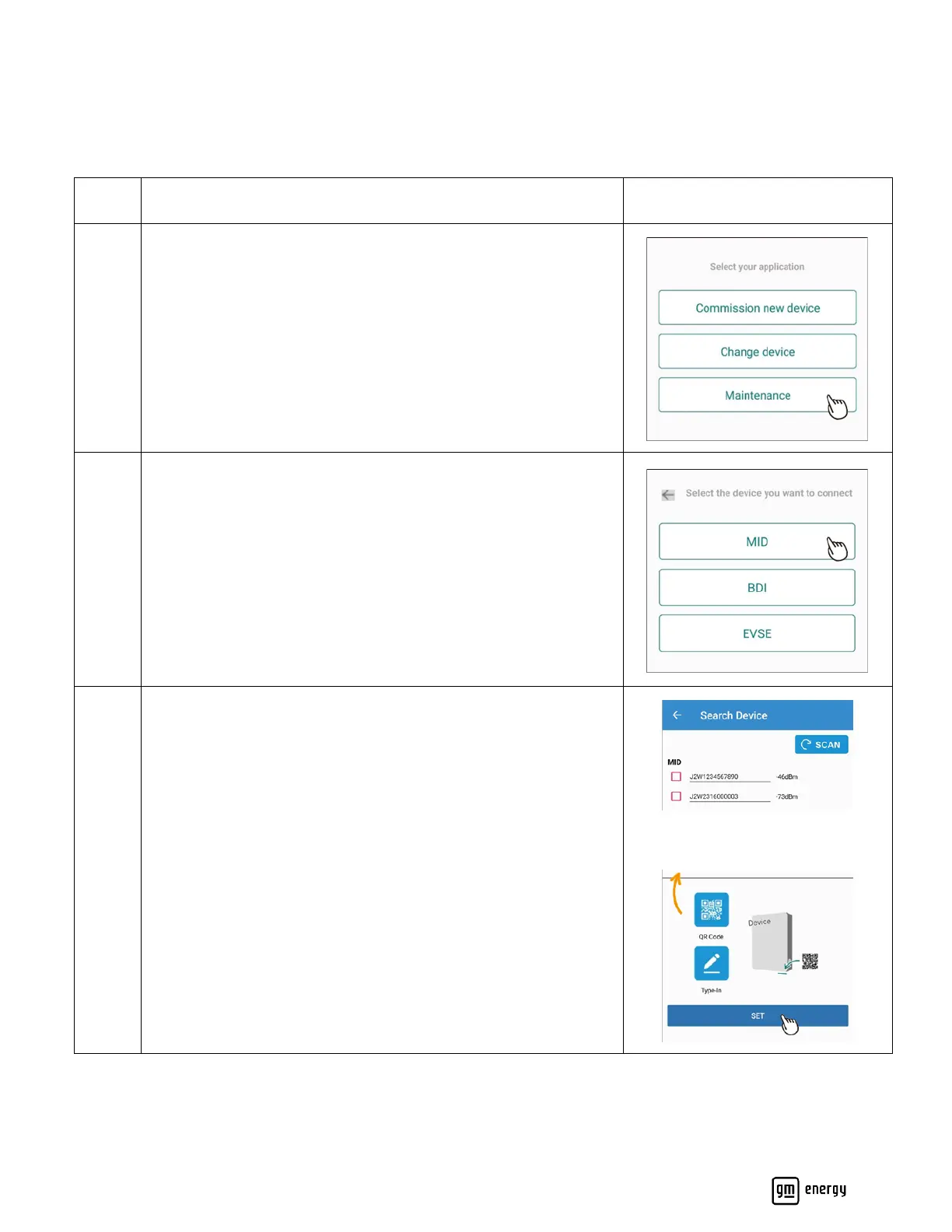
Please reference this section if performing maintenance or service on a system. You may use this to view the system
configuration for troubleshooting purposes, perform FW upgrades, or update device settings. If you are replacing a
component of the system, please refer to the Change Device section, above.
Select “EVSE” if viewing settings for an EVSE-only system
Select “MID” if viewing GM Energy V2H Bundle settings
Note: Direct BDI connections are not needed for standard
maintenance



 To Next Page