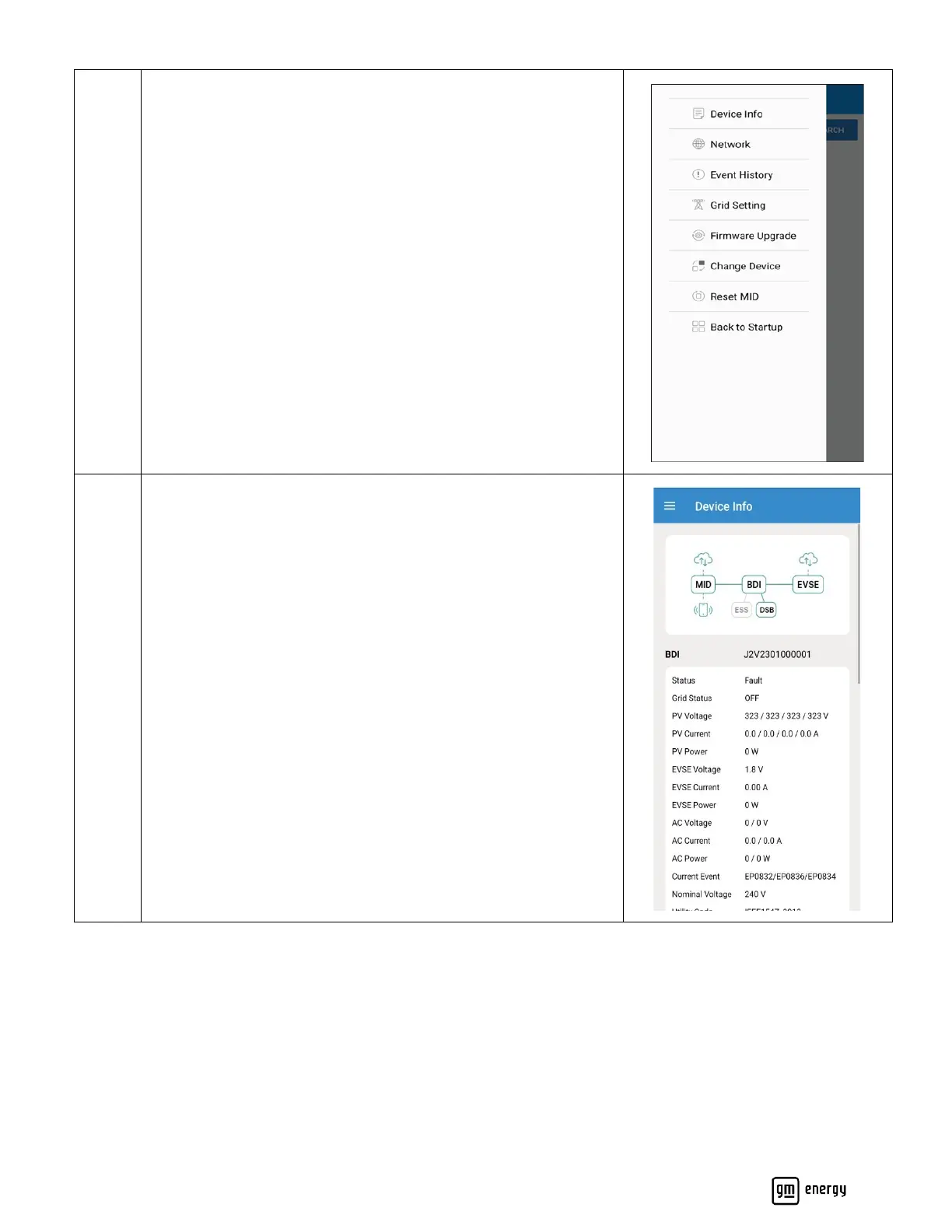
Maintenance Menu:
Please access the maintenance menu by selecting the icon at the
top left of the screen.
Select the target setting you wish to view or alter.
Device info:
Displays device connection status and real-time system
information.
Connection Status:
Monitor the connection status of device and internet.
- Notes
(1) The connected device will display green
(2) The disconnected device will display gray
System Status:
Monitor real-time system values of connected devices or any
event codes (faults, errors, etc.).



 To Next Page