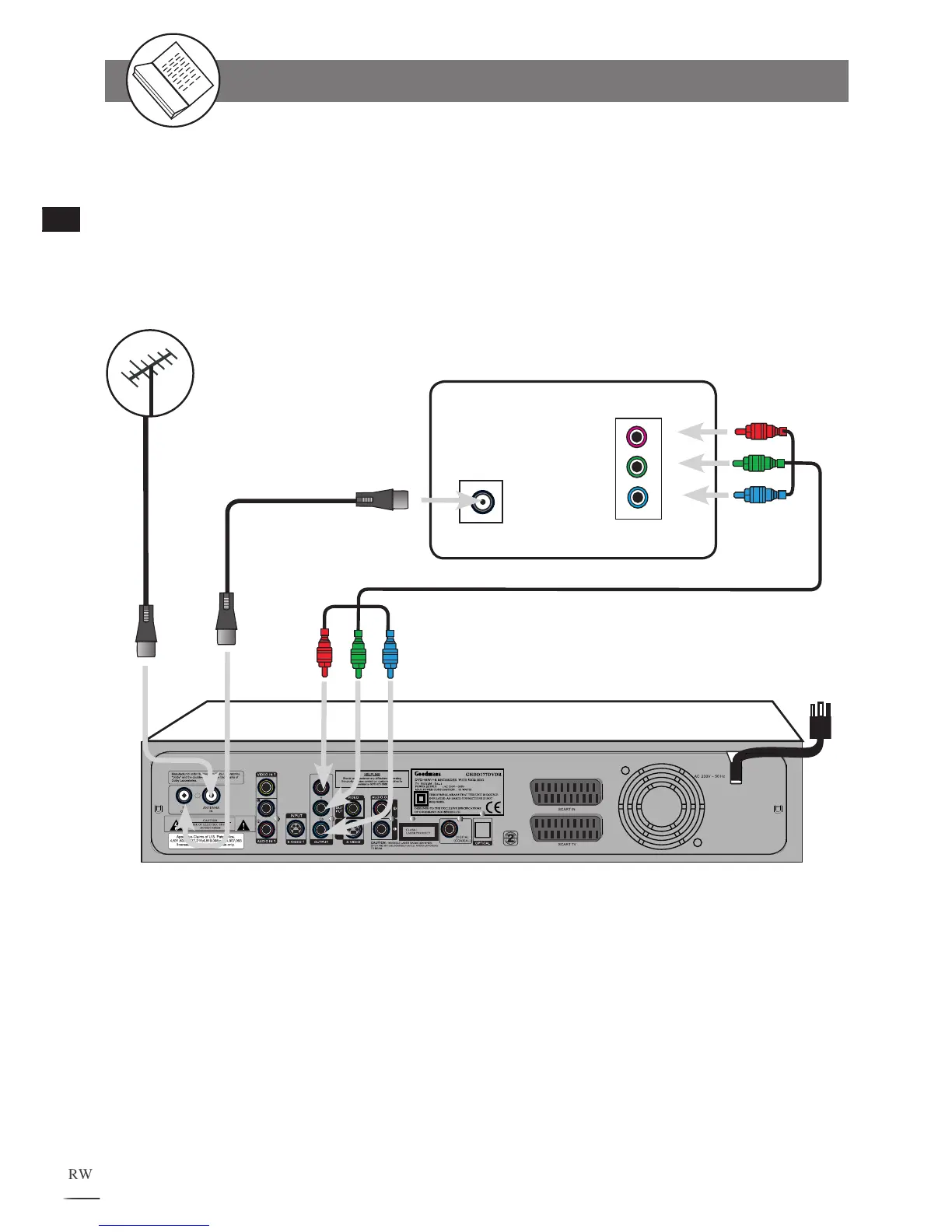
Connecting to a TV Using Component Video Cable
If your TV has Component Video input, connect this DVD Recorder‘s Cr Y Cb sockets to your TV‘s
Cr Y Cb In sockets, this will obtain the best viewing result. Make sure to set Video Output Settings to
RCA Component from VIDEO Setup Screen.
Connecting External Equipment
Cr
Y
Cb
IN
TV
Red
Green
Blue
Red
Green
Blue
Existing
Outdoor Aerial
Component Video Cable
(supplied)
RF Loop through
Aerial cable
(supplied)
Aerial Input
GHDD177DVDR



 To Next Page