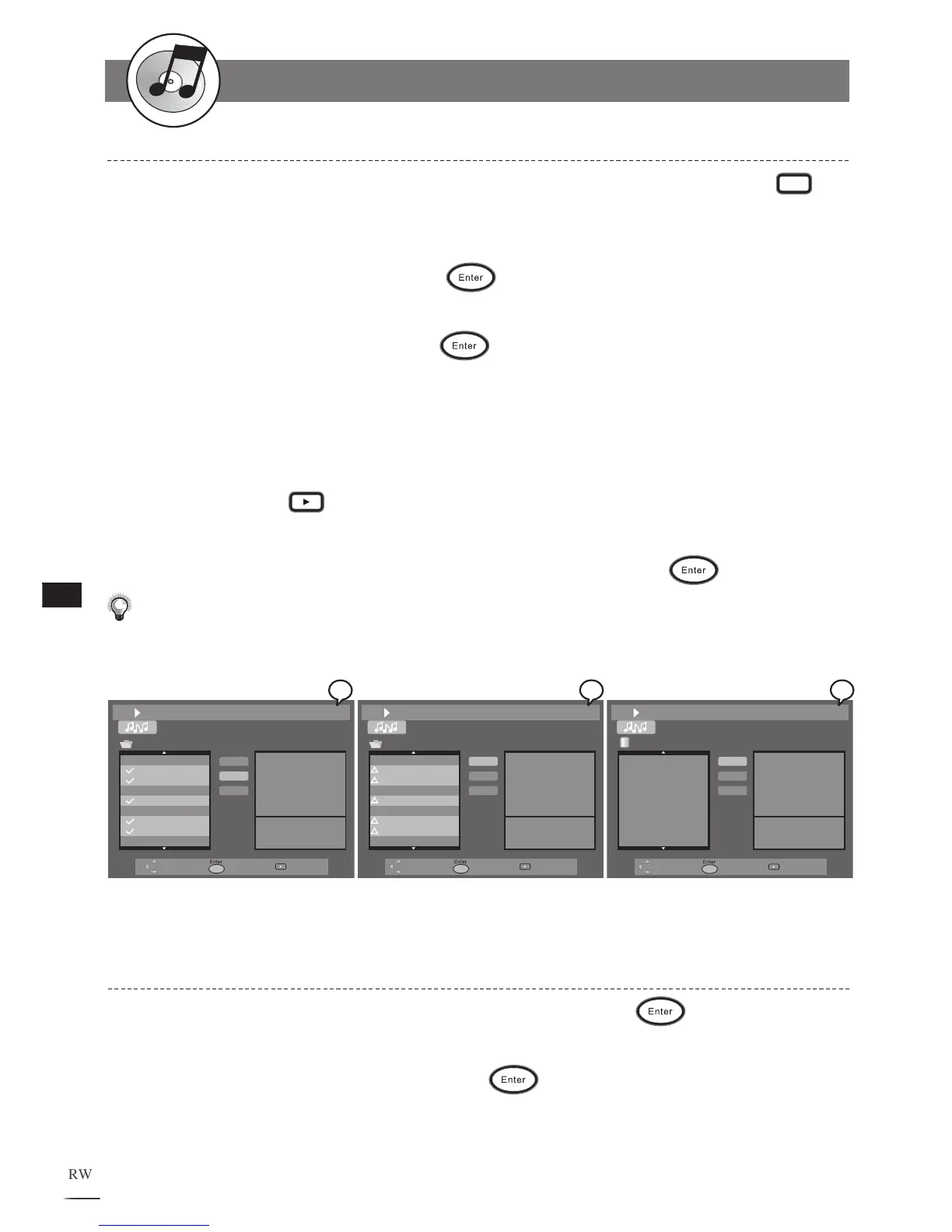
TRACK02.CDA
TRACK03.CDA
TRACK05.CDA
TRACK07.CDA
TRACK08.CDA
TRACK13.CDA
File List
Delete
Delete All
File: TRACK 02.CDA
Length: 05:10
Use / to select the track that you wish to add to the Play List. Press
Edit to select. A check appears next to the selected track.
R
epeat the above step to select other music tracks for Play List. Use
/ to
select the Add tab and then press
.
Triangle appears next to all of the selected music tracks. Use / to s
elect
the P
lay List tab and then press .
The music tracks just selected appear in the Play List in the order according
to the File List. I
f intending to alter the order of the music tracks, press Add
each time after selecting a music track.
To play the music in the Play List, use
/ // to highlight a music track in
the menu. Press
Play to start playback the Play List from the highlighted
track.
T
o return to the File List, select the File List t
ab and press .
Note: The Programming of Play List can be done both in stop mode and during playback.
1
2
3
4
5
6
Adding All Audio CD Tracks into Play List
Use / // to select the Add All tab and then press .
Triangle appears next to all of the music tracks on the file list. Use / to
s
elect the Play List tab and then press
. Play List displays all music
tracks on the disc.
1
2



 To Next Page