EasyManua.ls Logo

Goodmans GHDD177DVDR - Auto Chapter Setting

Goodmans GHDD177DVDR
76 pages
Print Icon
To Next Page IconTo Next Page
To Previous Page IconTo Previous Page
Loading...
59
D
V
D
+
R
/
R
W
R
e
c
o
r
d
e
r
RW
Initial Settings
5
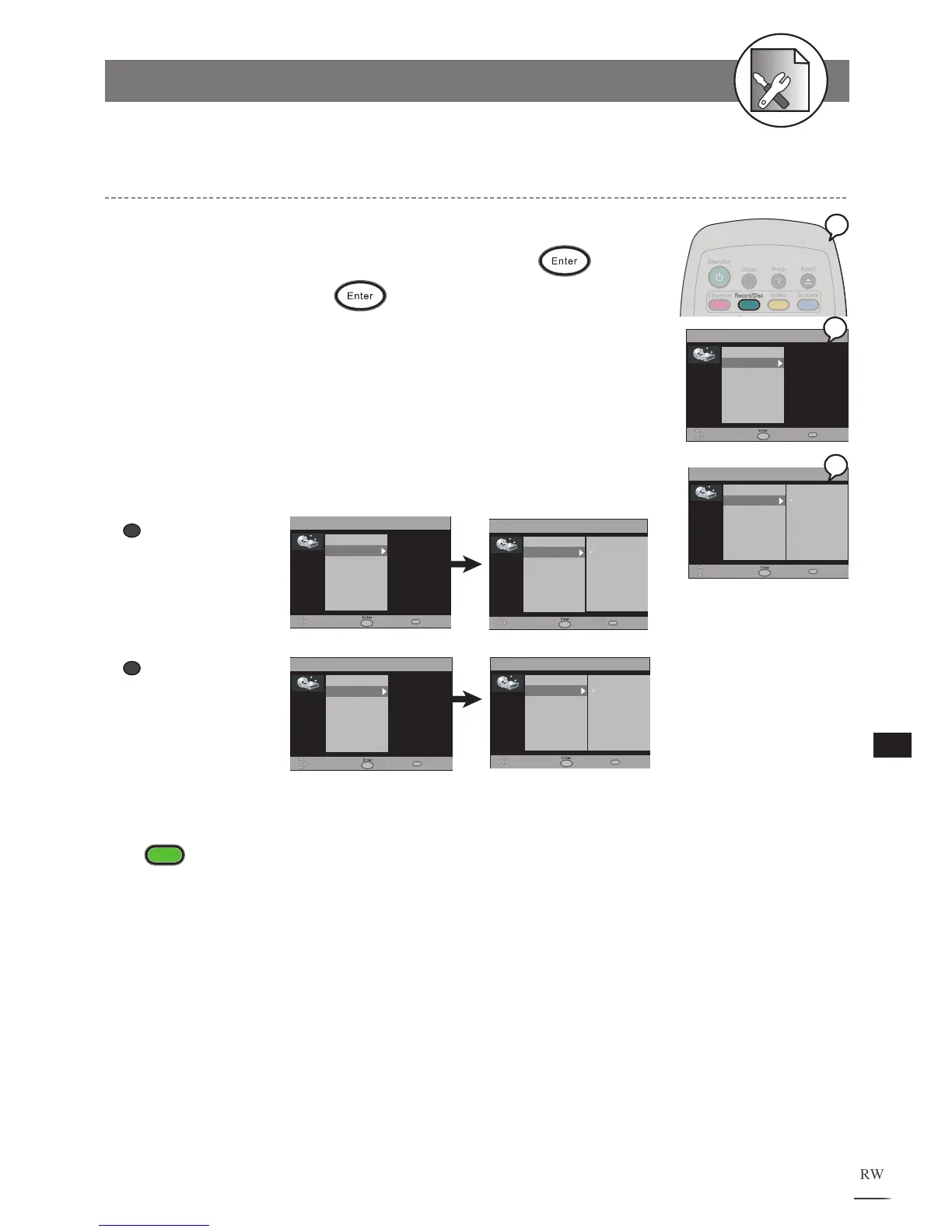
1 Press Record/Disc in the stop mode to display the menu.
2 Press to select “Auto Chapter” and press .
3
Select ON by pressing
to initiate the function of Auto
Chapter
.
Once the Auto Chapter is on, this DVD Recorder will automatically insert a Chapter
marker during recording. You can also manually insert Chapter markers after recording.
For details, please refer to Chapter 1-3: Editing.
The OSD Example in the right is when No Disc is inserted. If you insert a DVD+R or DVD+RW disc,
the OSD will be shown as follows :
To finish the setup operation
Press
Record/Disc
to exit from Record/Disc setup screen.

RECORD/DISC
Record Quality
Auto Chapter
Disc Info
Format HDD
Scandisk HDD
Make Compatible
Erase/Format
Protect Disc
Move Select Exit
Off
5 Min
10 Min
15 Min
RECORD/DISC
Record Quality
Auto Chapter
Disc Info
Format HDD
Scandisk HDD
Make Compatible
Erase/Format
Protect Disc
Move Select Exit
RECORD/DISC
Record Quality
Auto Chapter
Disc Info
Format HDD
Scandisk HDD
Make Finalize
Move Select Exit
Off
5 Min
10 Min
15 Min
RECORD/DISC
Record Quality
Auto Chapter
Disc Info
Format HDD
Scandisk HDD
Make Finalize
Move Select Exit
Auto Chapter Setting
a
When a DVD+R disc
is inserted:
b
When a DVD+RW disc
is inserted:
5-2
RECORD / DISC Setup-continued
RECORD/DISC
Record Quality
Auto Chapter
Disc Info
Format HDD
Scandisk HDD
Move Select Exit
Off
5 Min
10 Min
15 Min
RECORD/DISC
Record Quality
Auto Chapter
Disc Info
Format HDD
Scandisk HDD
Move Select Exit
1
2
3

Table of Contents