EasyManua.ls Logo

Goodmans GHDD177DVDR - Change;Delete PASSWORD Setting [DVD]

Goodmans GHDD177DVDR
76 pages
Print Icon
To Next Page IconTo Next Page
To Previous Page IconTo Previous Page
Loading...
68
D
V
D
+
R
/
R
W
R
e
c
o
r
d
e
r
RW
Initial Settings
5
SYSTEM
Rating
Change Password
Version
Factory Reset
Move Select Exit
Change
Delete
Verify
Password Error, Continue?
Yes No
Change/Delete PASSWORD Setting [DVD]
You can change the password to your DVD by selections.
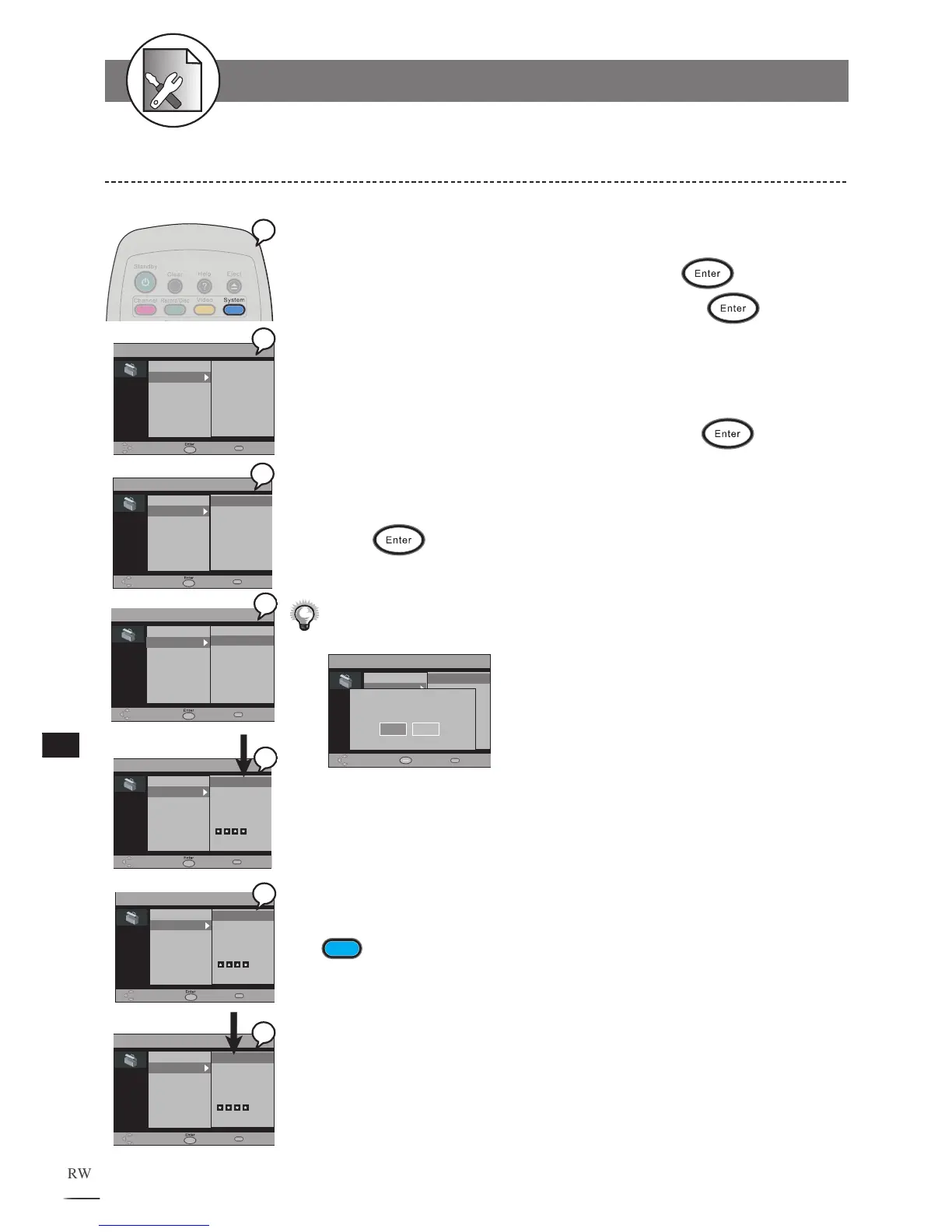
1 Press System at stop mode to display the menu.
2 Select “Change Password” by pressing .
3 Use // to select “Change” then press .
3a
Select “Delete” if you would like to delete your current password.
3b
Input a 4-digit password with the number buttons.
Factory pre-set password : 9999
4 Enter your new password, and then press .
4a
Input a NEW 4-digit password with the number buttons.
5 Enter your new password again for confirmation, and then
press
.
Input the same 4-digit password as in Step 5 with the number buttons.
If you’ve inputted the wrong password, the following screen will appear:
Please then re-enter your password.
If you’ve forgotten your password, please select “Factory Reset“ to restore
to the default setting.
To finish the setup operation
Press
System
to exit from System setup screen.
5-4 SYSTEM Setup-continued

SYSTEM
Rating
Change Password
Version
Factory Reset
Move Select Exit
Change
Delete
Verify
SYSTEM
Rating
Change Password
Version
Factory Reset
Move Select Exit
Change
Delete
New Password
SYSTEM
Rating
Change Password
Version
Factory Reset
Move Select Exit
Change
Delete
Password
SYSTEM
Rating
Change Password
Version
Factory Reset
Move Select Exit
Change
Delete
SYSTEM
Rating
Change Password
Version
Factory Reset
Move Select Exit
Change
Delete
* Input 9999
2
3b
1
3
4
5
SYSTEM
Rating
Change Password
Version
Factory Reset
Move Select Exit
Change
Delete
3a

Table of Contents