Basic Playback
Preparations:
•
Press on the Power button of the TV set, and select “Video” as the TV input.
•
Power on the stereo system if the recorder is connected to a stereo system.
Press
Standby.
Press
HDD/Disc to set the recorder to DVD mode.
Press
Eject to open the disc tray. Place an audio disc onto the tray.
Press
Eject to close the disc tray. After the disc tray is closed, the
recorder will start playback starting from the first track.
T
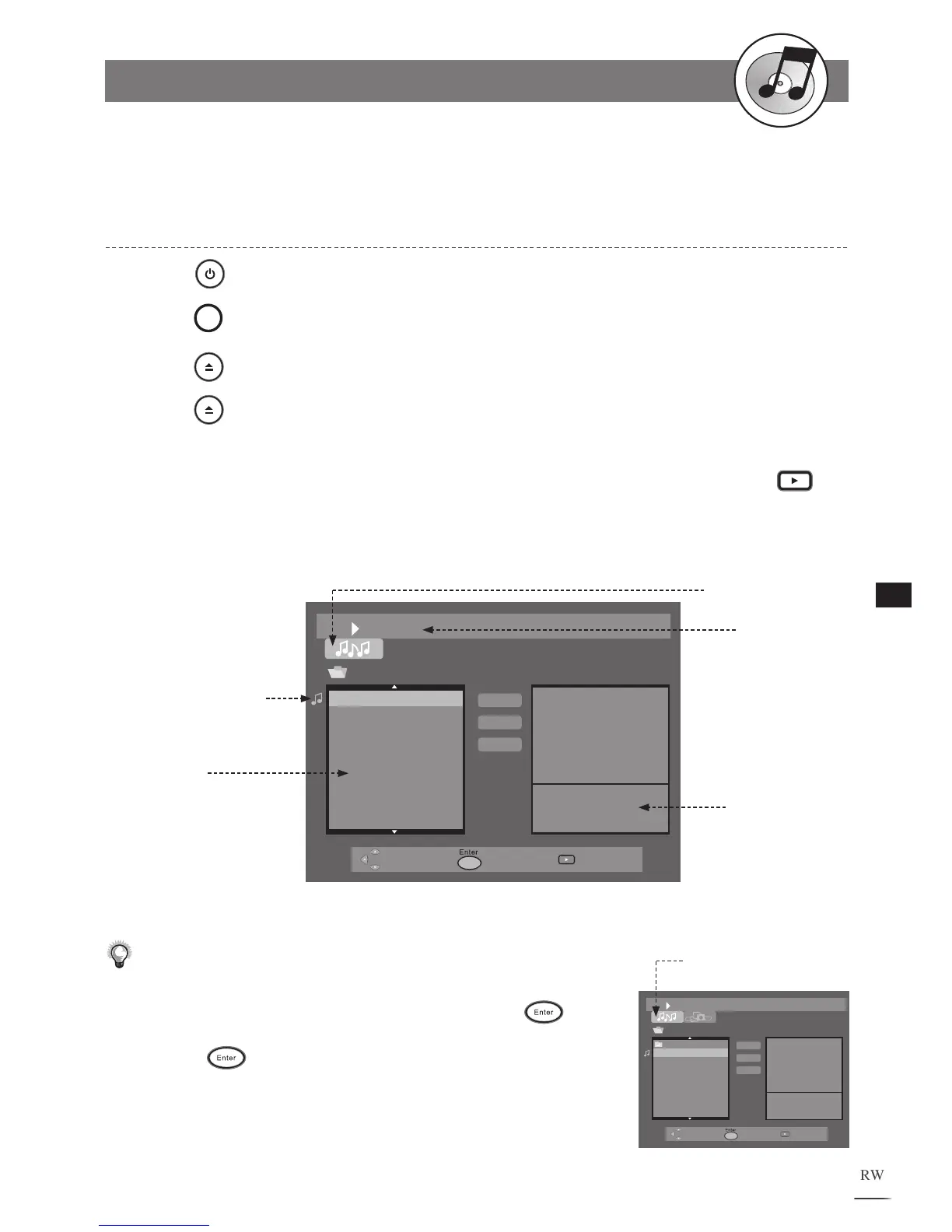
o play a different track, use / to select a title from the menu. Press
Play to start to playback the selected title.
1
2
3
4
5
File: TRACK 01.CDA
Length: 04:35
TRACK01.CDA
TRACK02.CDA
TRACK03.CDA
TRACK04.CDA
TRACK05.CDA
TRACK06.CDA
TRACK07.CDA
TRACK08.CDA
TRACK09.CDA
Play List
Add
Add All
File List
Elapsed Time
of the current
playing track
Currently Playing
Music Track
Audio CD is loaded
Information
of the current
playing track
Prev.
TRACK01.CDA
TRACK02.CDA
TRACK03.CDA
TRACK04.CDA
TRACK05.CDA
TRACK06.CDA
TRACK07.CDA
TRACK08.CDA
File: TRACK 01.CDA
Length: 04:35
Play List
Add
Add
All
Note:
• Some discs may contain both mixed format files. Use
/ //
to
select the audio tab on the upper-lefter corner and press
.
• To enter one of the folders, use
/
to highlight the preferred folder
and press
. The files among the folder will be displayed on the
File List.
Highlight the symbol of Audio
CD to enter Audio CD mode



 To Next Page