3-1 Audio CD Playback - continued
Deleting All Music Tracks from Play List
Use /// to select Delete All and then press .
All music tracks on the Play List are removed. To return to the File List, select
File List a
nd press .
Note: The Programming of Play List can be done both in stop mode and during playback.
1
2
TRACK01.CDA
TRACK02.CDA
TRACK03.CDA
TRACK04.CDA
TRACK05.CDA
TRACK06.CDA
TRACK07.CDA
TRACK08.CDA
TRACK09.CDA
File: TRACK 01.CDA
Length: 05:10
File: TRACK 01.CDA
Length: 05:10
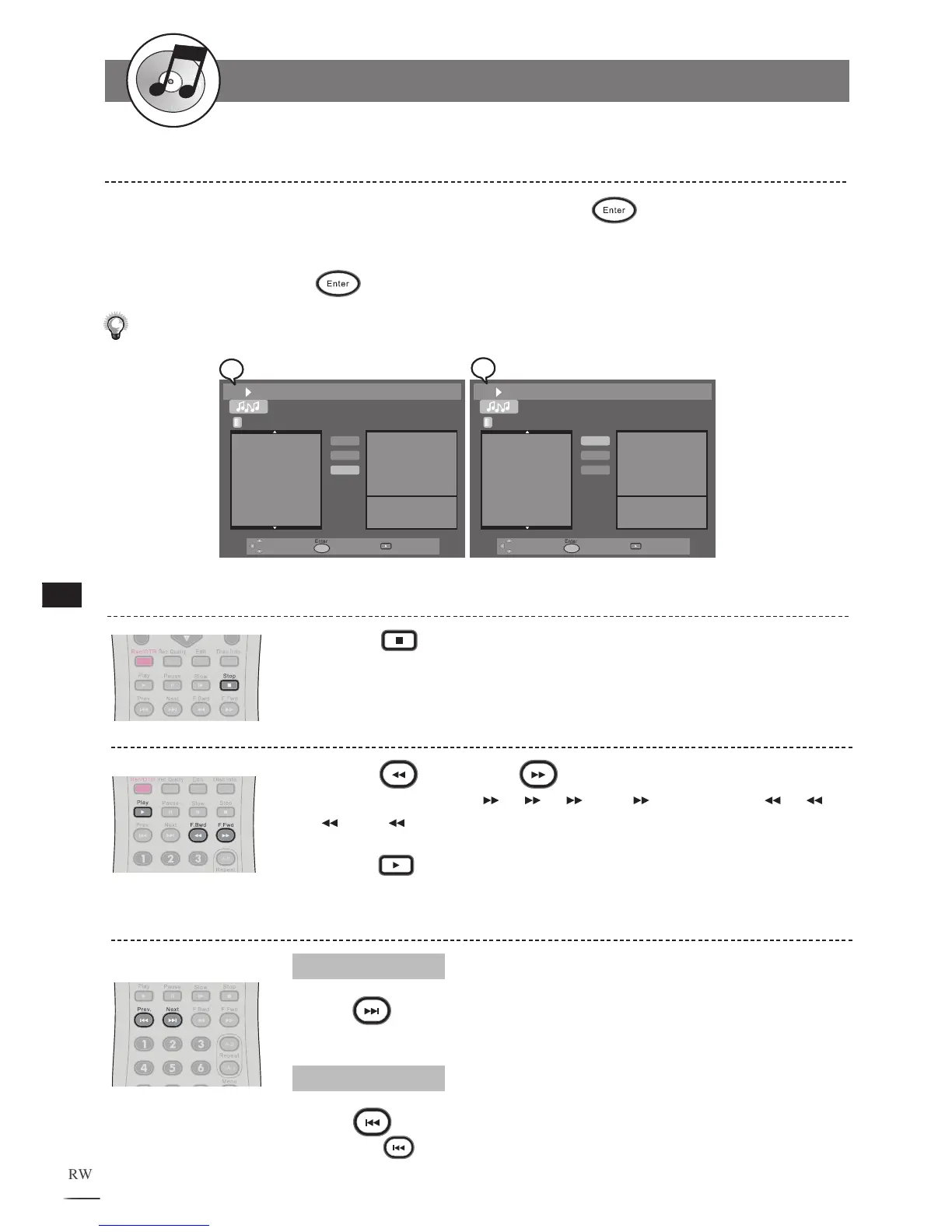
Stopping Playback
1
Press Stop to stop playback.
Fast Forward (Fast Backward)
Press F.BWD or F.FWD during playback.
The speed of advance ( 2x, 4x, 8x and 16x) or reverse ( 2x, 4x,
8x and 16x) changes for each press of F.FWD or F.BWD.
Press Play to return to normal playback.
1
2
Skipping Tracks Ahead or Back
Skipping Ahead
Press
Next during playback.
Skips to the next track each time you press the button.
Skipping Back
Press
Prev. during playback.
Pressing the Prev. midway through a track will return to the previous music
track. The recorder skips a track each time the button is pressed.
File List
Delete
Delete All
File List
Delete
Delete All



 To Next Page