Initial Settings
5
5-5 TIMER Setup
-continued
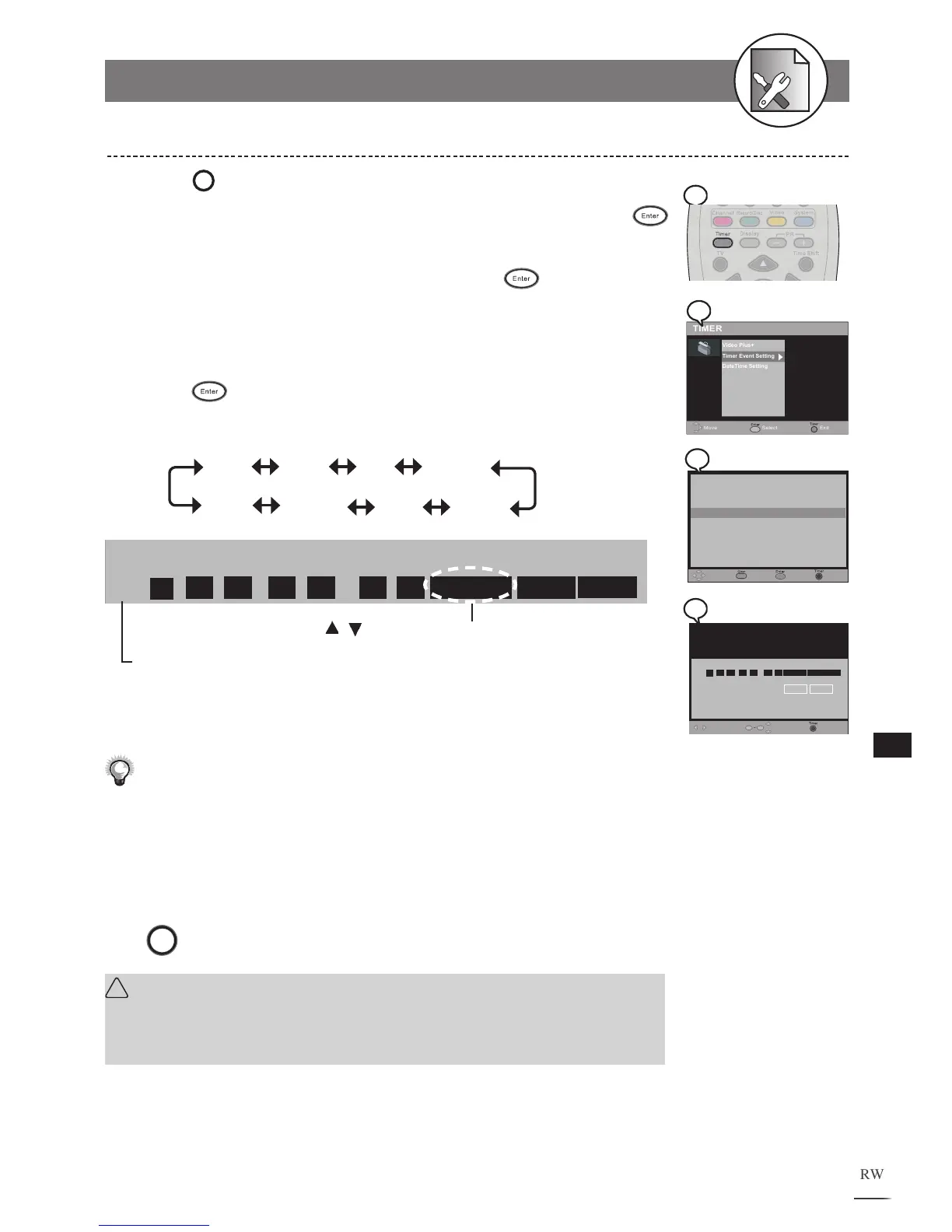
1
Press
Timer
Timer
at stop mode to display the menu.
2
Use to select “Timer Event Setting” and press
Enter.
3
Press / to select one entry, then press Enter.
This DVD Recorder provides up to 8 entries for schedule recording.
4
Use / to select the item you wish to change and use
/ or number buttons to change the settings, then
press
Enter.
5 Use to scroll through the following items.
Date Start End Source
Save
Cancel Freq Mode
Example:
Move Select
Save
Exit
ID Date Start End Source Mode Freq
Recordable time: 040:48:33
Cancel
3 11 / 05 / 05 13 : 30 11 : 00 PR 001 HQ Once
0
9
The default setting will be shown on screen for your reference after you select and
enter one entry.
Use
/
to select the source of your A/V signals.
6 Press Power button to switch to standby mode.
Make sure Date and Time of this DVD Recorder be the same as your local
time. If not, check Date/Time Setting to correct it. (Refer to Timer Setup
section)
Make sure POWER source is uninterrupted during schedule recording.
To finish the setup operation
Press
Timer
to exit from Timer setup screen.
!
Important:
After the recording schedule has been set up, a message will appear reminding
the recording time and storage location. Press the POWER button to switch to
standby mode.
Timer Recording
Move Select
Save
Exit
ID Date Start End Source Mode Freq
Recordable time: 040:48:33
Cancel
3 11 / 05 / 05 13 : 30 11 : 00 PR 001 HQ Once
0
9
TIMER
Video Plus+
Timer Event Setting
DateTime Setting
Move ExitSelect
Timer
Move
ExitEdit
ID Date Start End Source Mode Freq
1 16 / 11 / 05 21 : 30 22 : 20 SCART SP Once
3 -- / -- / -- -- : -- -- : -- --- -- ---------
4 -- / -- / -- -- : -- -- : -- --- -- ---------
5 -- / -- / -- -- : -- -- : -- --- -- ---------
6 -- / -- / -- -- : -- -- : -- --- -- ---------
7 -- / -- / -- -- : -- -- : -- --- -- ---------
8 -- / -- / -- -- : -- -- : -- --- -- ---------
Delete
2 18 / 04 / 05 08 : 30 11 : 00 PR 123 HQ Once



 To Next Page