Initial Settings
5
5-1 AUTO TUNING SYSTEM Setup
5-1 CHANNEL Setup
-continued
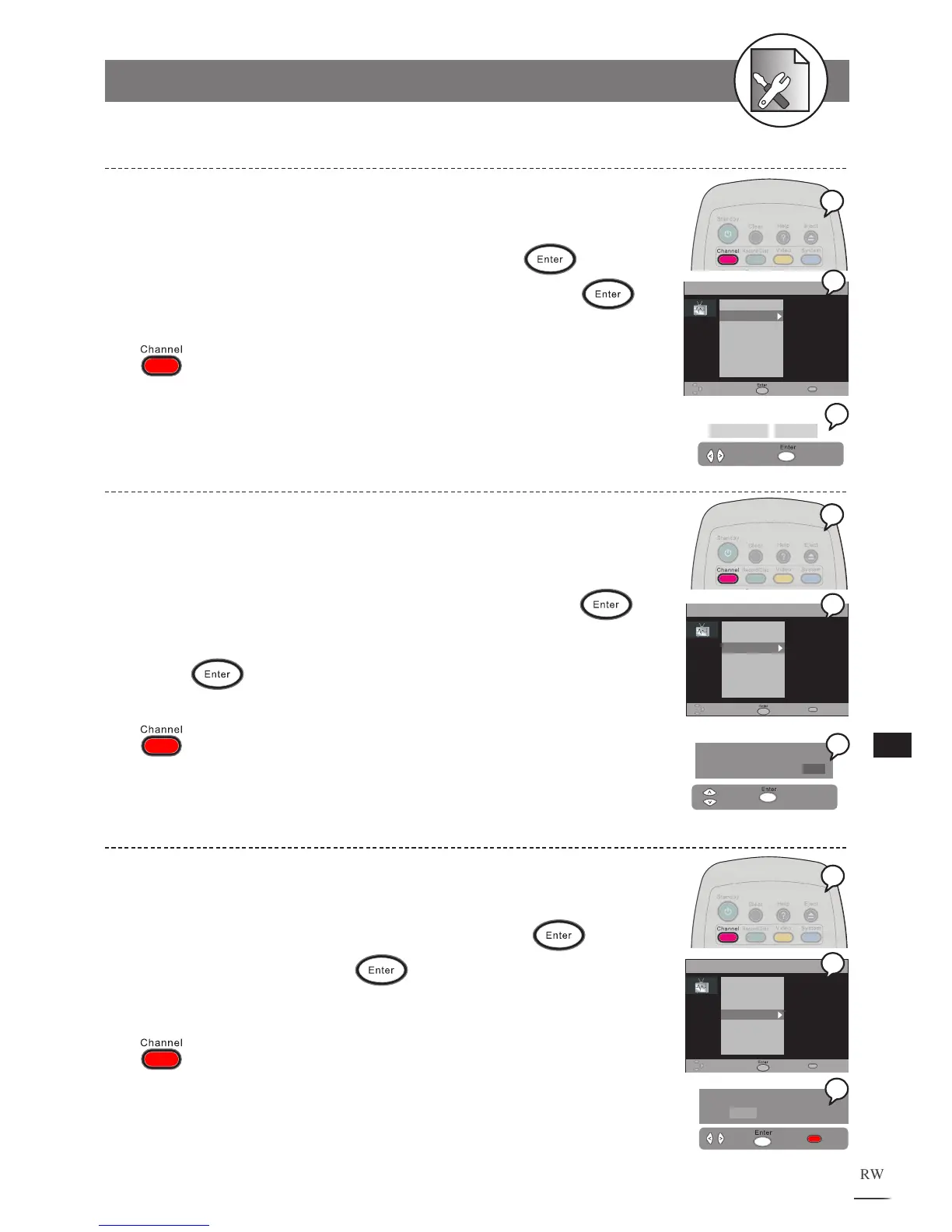
Using Programme Swap to reset the received channel numbers into your favourite
order.
1 Press Channel at stop mode to display the menu.
2 Use / to select “Programme Swap”, then press .
3 Use / to decrease/increase programme numbers, then
press
to confirm.
To finish the setup operation
Press to exit from Channel setup screen.
Programme Swap Setting
Using Fine Tune to adjust the channel station frequency for a best reception result.
1 Press Channel at stop mode to display the menu.
2 Use / to select “Fine Tune”, then press .
3 Use / to decrease/increase intervals, then press .
To finish the setup operation
Press to exit from Channel setup screen.
Fine Tune Setting
1 Press Channel at the playing channel you wish to
erase.
2 Press to select “Erase Programme”, press .
3 Select “YES” then press to erase the channel.
To finish the setup operation
Press to exit from Channel setup screen.
Erase Programme Setting



 To Next Page