© Guldmann GB/US-09/2016 • #550376_3
46
SERVICE AND REPAIR
GH3
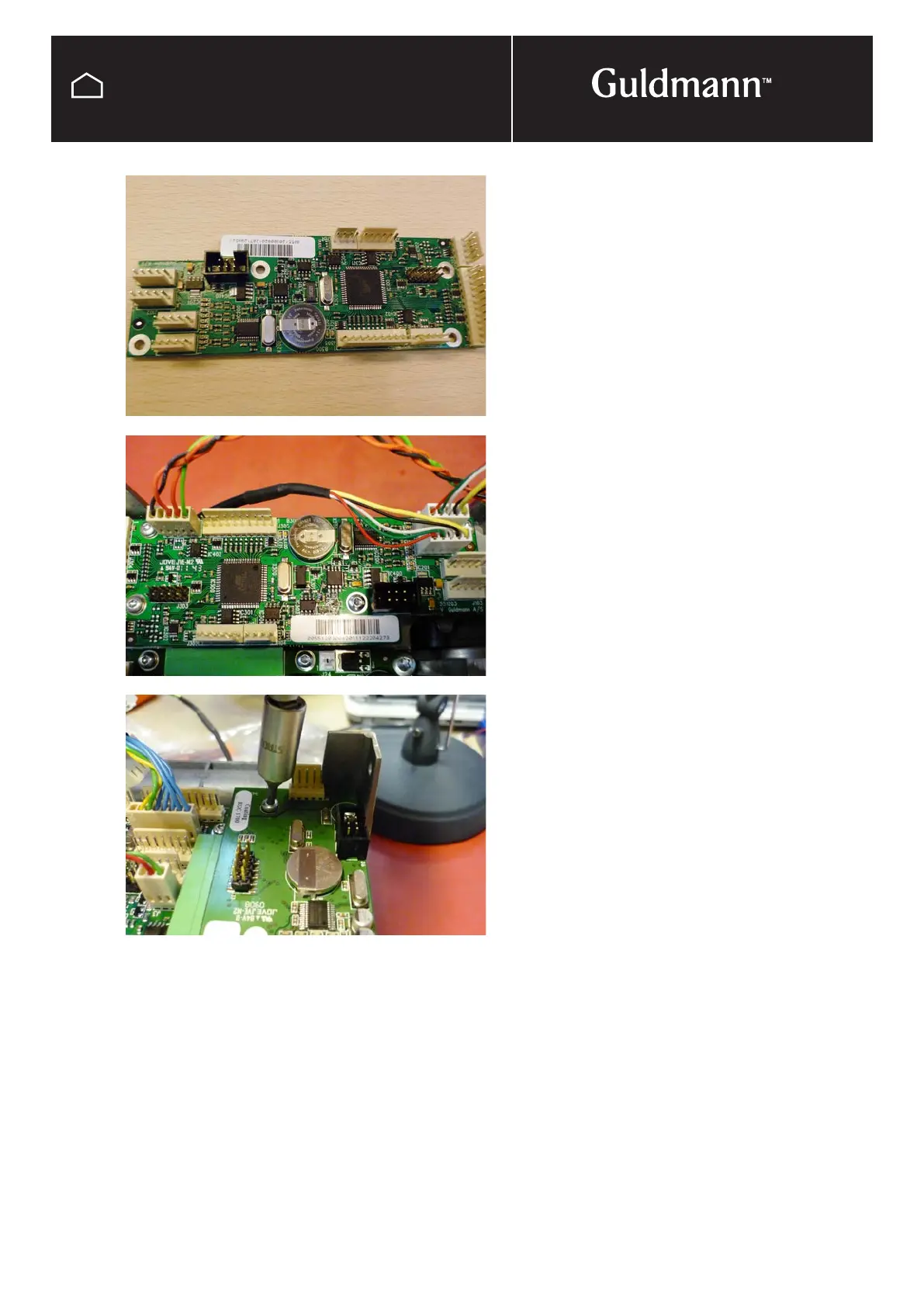
Replacement a Communication PCB
The Communication PCB is the PCB with the battery
attached to it and is located on the emergency pull cord
side of the hoist.
Before removing the Communication PCB it is important to
upload the data on to your computer or note book. This will
be done through the Guldmann service console. The data
is to be saved and loaded on to the replacement PCB.
Follow the instruction in the SIC Technicians Manual.
After data has been uploaded disconnect batteries see
page 27 and remove bottom cover see page 36
Disconnect all wires from the PCB remembering were they
are connected, Taking a photo before un plugging wires is
a good way to record this, also see wiring diagram at back
of manual.
Undo and remove the screws attaching the PCB to the
cooling plate. Take out the PCB and replace it with the new
one. Refix the new PCB to the cooling plate, connect all
wires and reassemble hoist leaving battery until last.
Before the hoist can be put back into service the data
needs to be upload on to the communication PCB. See the
SIC Technicians Manual.
NOTE:
It is important to register all PCB exchanges on the
Guldmann traceability web site.



 To Next Page