© Guldmann GB/US-09/2016 • #550376_3
62
SERVICE AND REPAIR
GH3
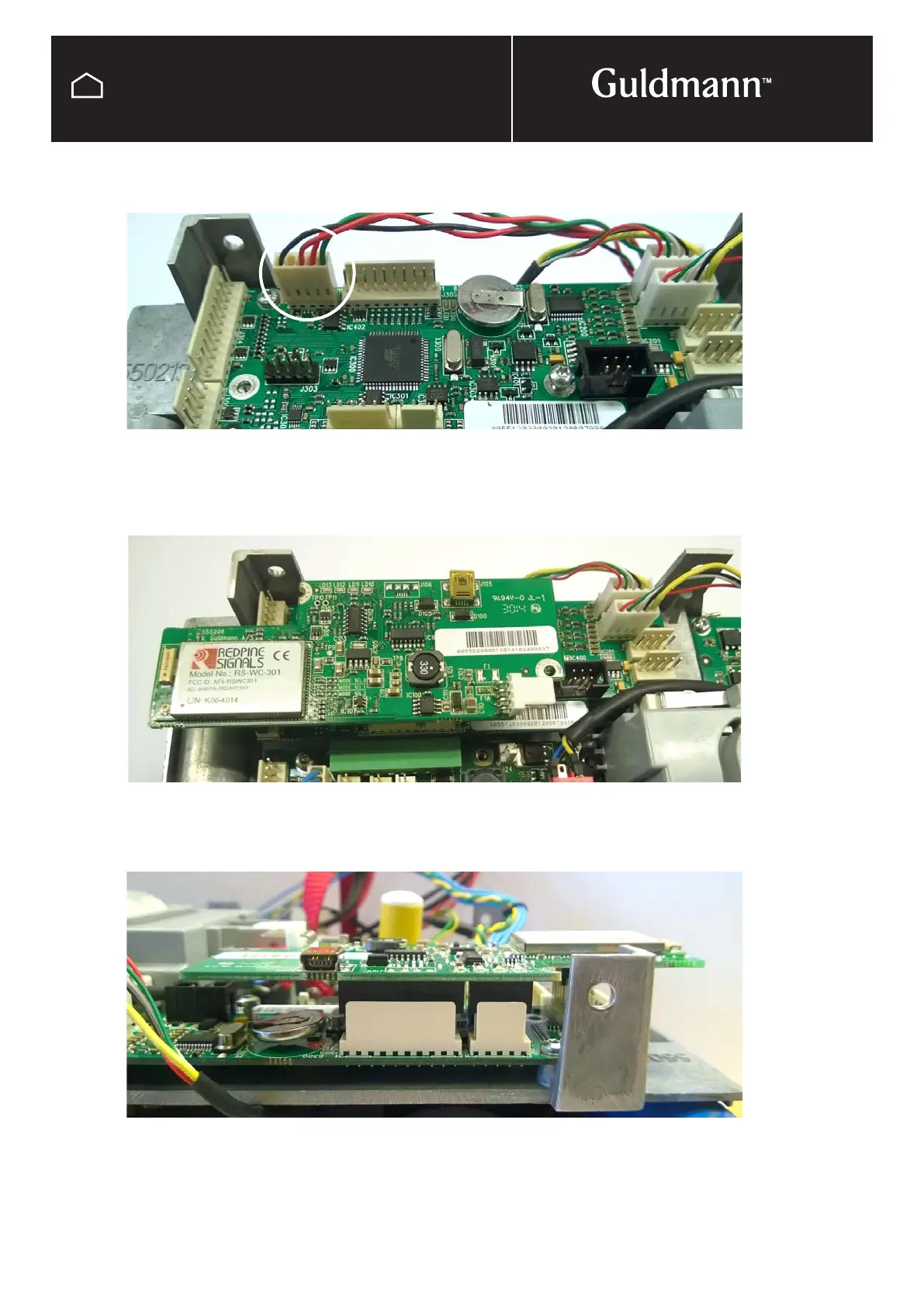
Installation of Wi-Fi PCB
If it is an upgrade:
Remove the communication cable. It shall not be used any more.
If it is a sparepart:
Reuse or replace the communication cable.
Gently align the connectors on the two PCBs. When everything is ok gently press the Wi-Fi PCB onto
the Communication PCB.
Double check that the connectors are aligned.
If it should be necessary to remove the PCB, gently wiggle it from side to side until it comes off.
(Careful, the connectors are fragile)



 To Next Page