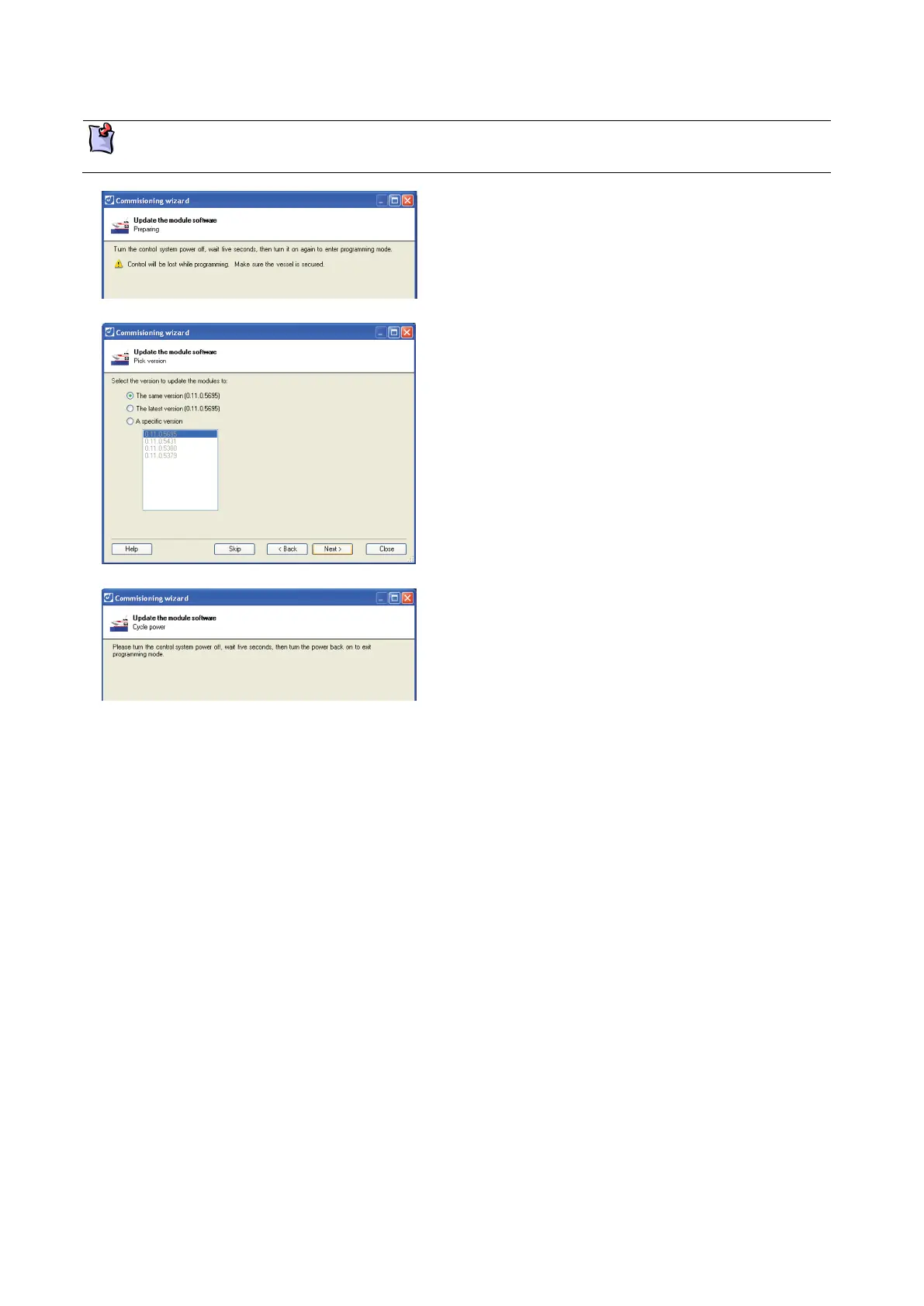
Programming the modules
When programming the modules the alarm sounds continuously and cannot be cancelled until
programming is complete.
Turn off the power to the control system, wait five
seconds, then turn it back on again. The status
lights on the control devices blink dimly and
erratically.
Click Next to continue.
Select which version of the software to install on
the control modules, either:
All modules have the same version.
The latest version.
A specific version from a list.
Click on the version you wish to use.
Click Next to continue.
A progress bar will indicate that the software is
being loaded. When completed, click Next to
continue.
Turn off the power to the control system, wait five
seconds, then turn it back on again. The status
lights on the control devices illuminate normally.
Next



 To Next Page