Alarm browser
The alarm browser allows current and previous alarms to be viewed along with detailed information about
the alert.
Before contacting your distributor for assistance, record the information from the alarm browser.
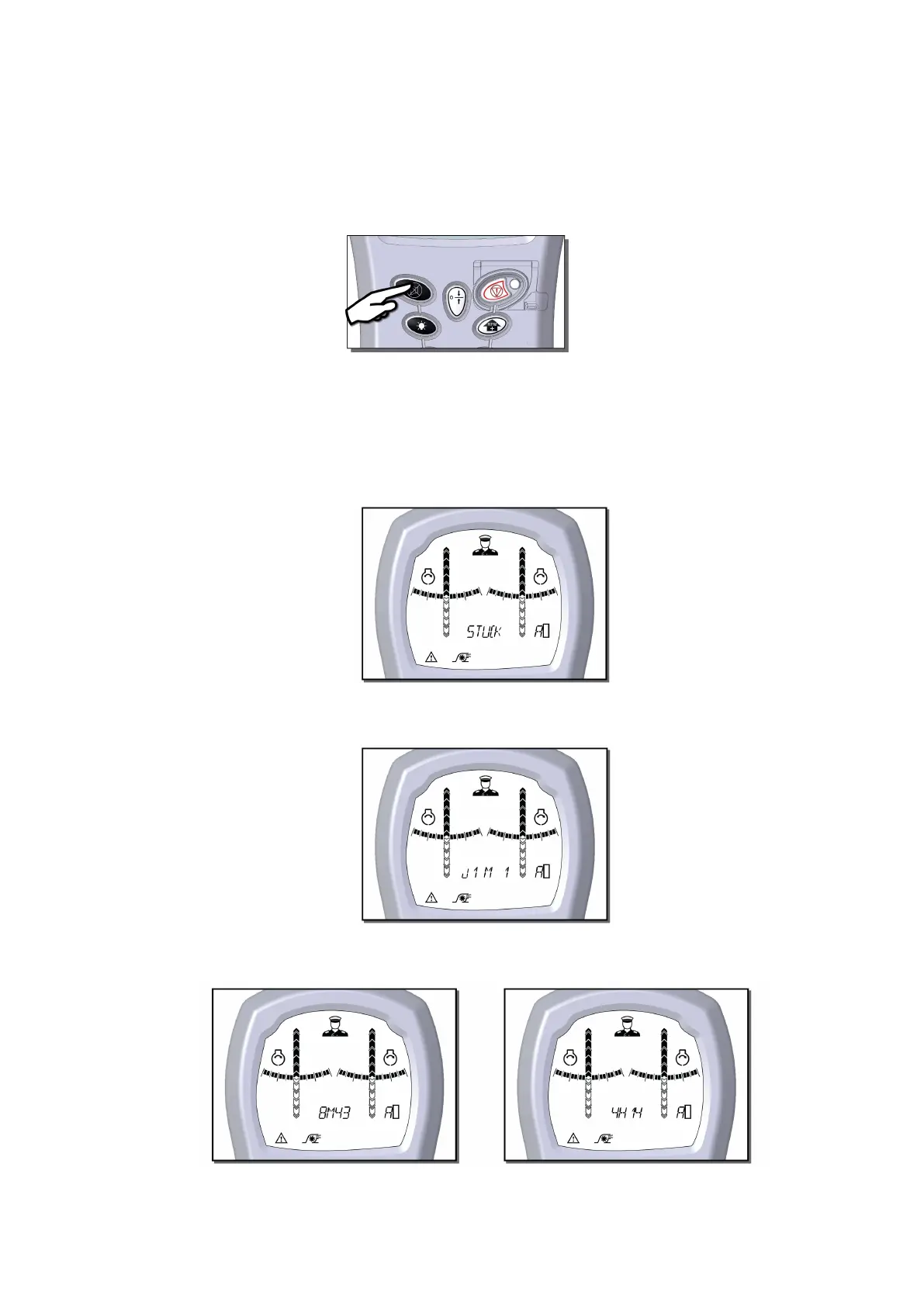
To enter the alarm browser, press and hold the cancel button for 3 seconds.
The letters Ab appear on the right hand side of the display.
Move the jogstick up or down to scroll through the alarms. Jog up for recent alarms and jog down for
older alarms.
Jog right on an alarm for more details.
The text window displays the alarm.
In the following example the alarm is STEER/STUCK.
Jog right to see which module reported the alarm.
In the following example jet interface module 1 has reported an alarm.
Jog right again to display the time since the alarm occurred.
In the following examples the times are 8 minutes and 43 seconds and 4 hours and 14 minutes.



 To Next Page