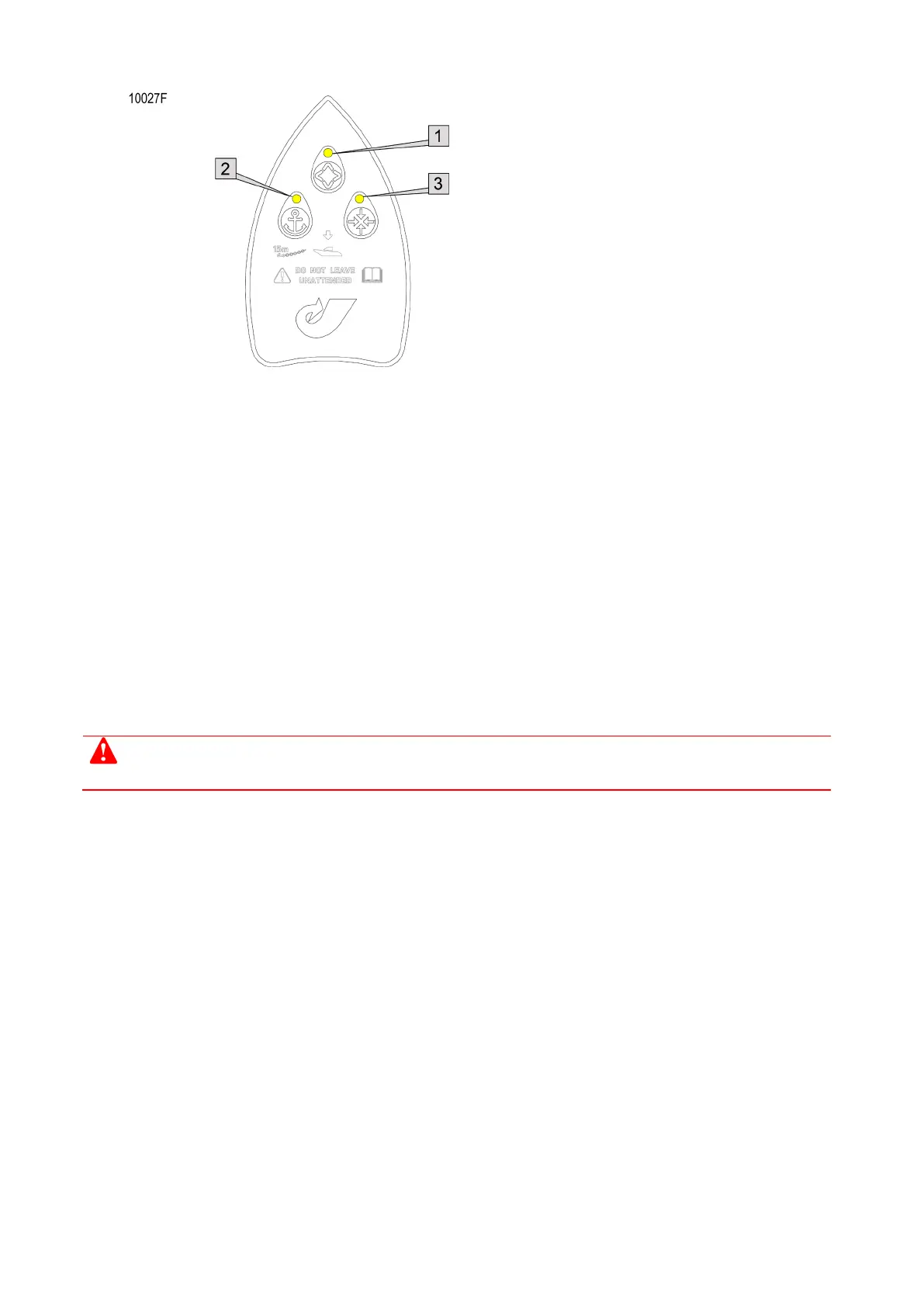
LED indication that JETanchor is in setup or autotune mode:
Thrust hold LED flashes yellow [1], and
Virtual anchor mode LED flashes yellow [2], and
Station keeping LED flashes yellow [3].
The station control panel also displays "AUTOT"
How to manually terminate an autotune test
To terminate an autotune test:
Move the JETanchor Mouseboat, or
Press any JETanchor Mouseboat button, or
Take control at another control input device, or
Click Cancel, Exit or the Autotune Disable button on the Support Tool screen, or
Engage backup mode.
When a test is terminated, control returns to the JETanchor Mouseboat (or to the station control panel if the
control system is in backup).
Autotune also quits and any test currently running is terminated when a waterjet becomes unavailable or a
significant system fault occurs. The following section describes conditions that can cause automatic
termination.
At the completion of each autotune test or when a test is terminated:
Inform the vessel master when the test is complete and confirm who has vessel control.



 To Next Page