Click OK to continue.
Upper limit of the reverse duct.
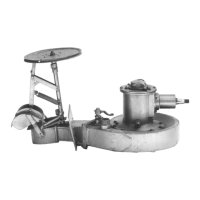
Lift the duct into the fully raised position.
Click OK to continue.
Lower limit of the reverse duct.
Lower the duct into the fully lowered position.
Click OK to continue.
Zero speed position for the reverse duct.
Move the duct into the zero speed position. This position will need to be approximated, and fine-tuned
once the vessel is in the water.
Click OK to continue.
Repeat the calibration procedure on all other jet interface modules.
This completes the unpowered calibration of the jet interface module.
The vessel can be manoeuvred once launched, but some settings need to be fine-tuned. This is done by
running the powered Jet Setup (► page 5-23).
If the control system includes an external control interface (XCI) module or JETanchor control module
(JACM), continue with the following sections to set up those modules.
Stage 2 Post launch (powered calibration)
Can only be done when the jets are in the water, have hydraulic power and are free to move.
Automatically detects and sets many of the jet settings.
A powered calibration must be done to set up the correct values for the jets and reverse ducts. See the
jet setup section for a guide to powered calibration (► page 5-23).



 To Next Page