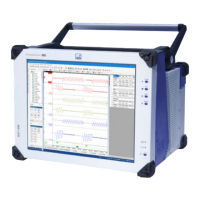
MP60, MP60DP
PROFIBUS INTERFACE DESCRIPTION
(MP60DP ONLY)
72
Octet Bit Parameter
name
Possible values Default Meaning
0 0..7 Reserved 0 0 Do not change
1)
1-2 All Diagnosis 0 = disabled
0xffff = enabled
Enabled External diagnosis
enabled
3 All Data format 0 = 16-bit integer
1 = 32-bit integer
2 = floating point
16-bit
integer
Defines the coding
format for
measured values
5 0 Zeroing
control bit
0 = disabled
1 = enabled
Disabled Enables functional
ity for control via
output control
word
5 1 Taring control
bit
0 = disabled
1 = enabled
Disabled Enables functional
ity for control via
output control
word
5 4 Clear
maximum
control bit
0 = disabled
1 = enabled
Disabled Enables functional
ity for control via
output control
word
5 5 Clear
minimum
control bit
0 = disabled
1 = enabled
Disabled Enables functional
ity for control via
output control
word
5 6 Hold
maximum
control bit
0 = disabled
1 = enabled
Disabled Enables functional
ity for control via
output control
word
5 7 Hold minimum
control bit
0 = disabled
1 = enabled
Disabled Enables functional
ity for control via
output control
word
5 0-1 Parameter set
control bits
0 = disabled
3 = enabled
Disabled Enables functional
ity for control via
output control
word
1)
May be automatically changed by your parameterization tool
Tab. 10.2 Content of the parameterization telegram


 To Next Page