158
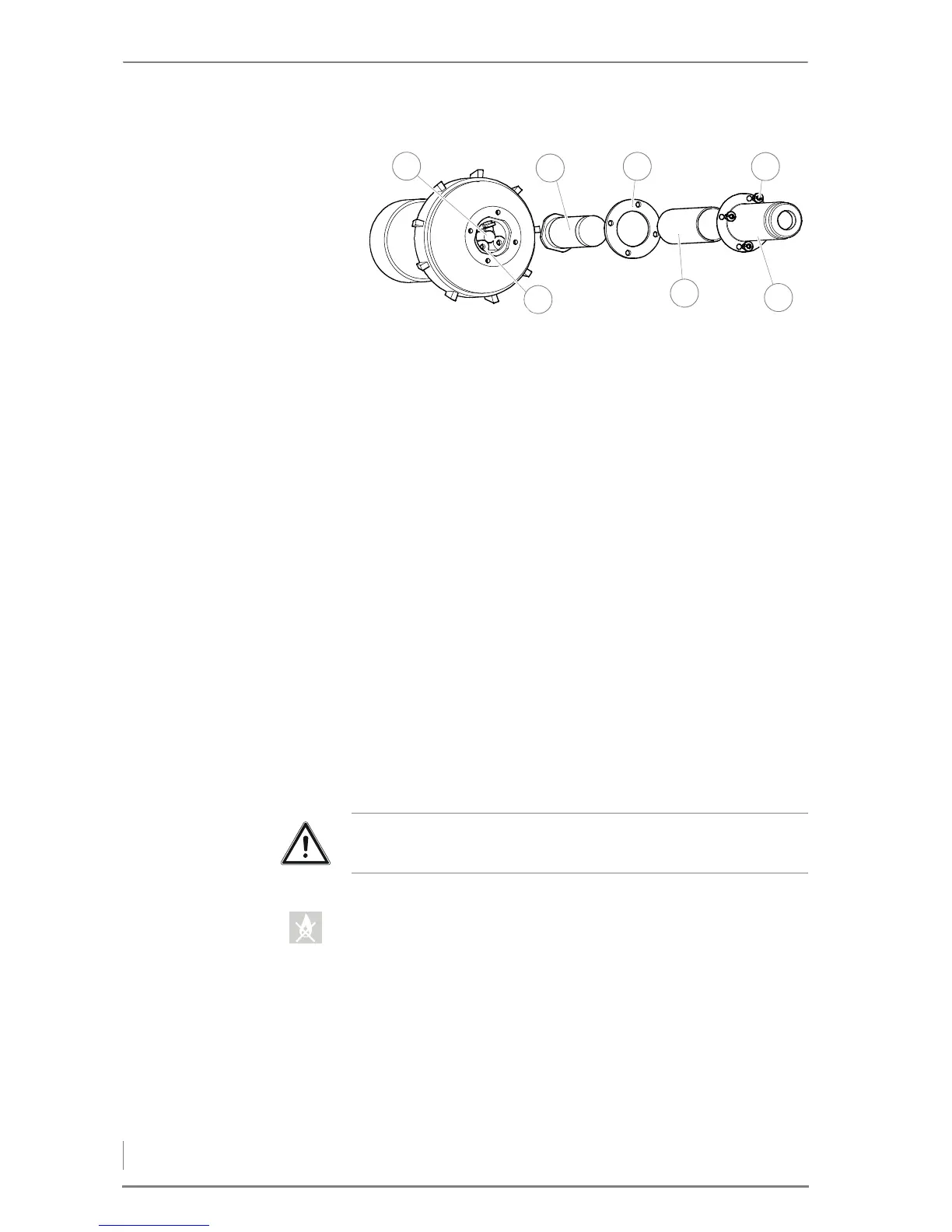
5. Pull the ignition fan (2) out of the retainer.
6. Unscrew the four M4 stainless steel slotted screws (4) of the hot air
nozzle (5).
7. Pull off the hot air nozzle (5).
8. Remove the insulating tube (6) and the seal (3).
9. Pull the heating element (2) out of the plug contacts (7).
10.Check the heating element (2) for dirt.
11.Remove any dirt by blowing it off.
12.Check the photocell (1) for dirt.
13.Remove any dirt using a cotton swab.
14.Reassemble the ignition fan back into the heating system in the
reverse sequence.
15.Switch the heating system on again.
✎ See the chapter entitled “6 Using the heating system”, section
“6.2 Switching on the heating system”.
✓ The cleaning of the ignition fan is completed.
CHECKING AND CLEANING THE LAMBDA SENSOR
1. Set the control to the operating mode OFF.
✓ The OFF symbol lights up.
2. Allow the fire in the heating system to burn out and cool down.
Figure 7/15 - Checking and cleaning the ignition fan



 To Next Page