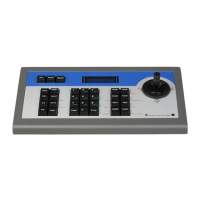
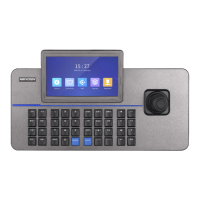
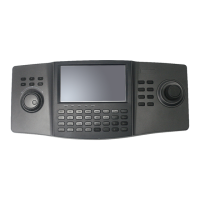
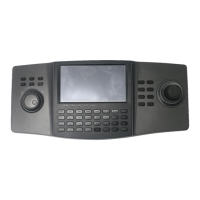
DS-1100KI Network Keyboard User Manual
7
5.3.6 Setting a Tour .......................................................................................................... 78
5.3.7 Calling a Tour ........................................................................................................... 79
5.3.8 Setting a Group Tour ............................................................................................... 80
5.3.9 Calling a Group Tour ................................................................................................ 80
5.3.10 Operating Instant Playback ................................................................................... 81
5.3.11 Operating Video Wall Switch................................................................................. 82
5.3.12 Operating Scene Switch ......................................................................................... 82
5.4 PTZ Control ......................................................................................................................... 83
5.4.1 PTZ Control Function ............................................................................................... 83
5.4.2 Setting a Preset ....................................................................................................... 83
5.4.3 Calling a Preset ........................................................................................................ 84
5.4.4 Setting a Patrol ........................................................................................................ 85
5.4.5 Calling a Patrol ......................................................................................................... 87
5.4.6 Setting a Pattern ...................................................................................................... 88
5.4.7 Calling a Pattern ...................................................................................................... 89
5.4.8 Calling Pan Scan ....................................................................................................... 90
5.5 Aux Functions ..................................................................................................................... 91
5.5.1 Two-way Audio ........................................................................................................ 91
5.5.2 Picture Capture ....................................................................................................... 91
5.5.3 Recording ................................................................................................................ 92
5.5.4 Other Functions ....................................................................................................... 92
5.6 256-ch NVR Access and Operation ..................................................................................... 93
Chapter 6 Server Operation .......................................................................................................... 96
6.1 Control of MVC ................................................................................................................... 96
6.1.1 Login ........................................................................................................................ 96
6.1.2 Device List ............................................................................................................... 96
6.1.3 Camera List .............................................................................................................. 98
6.1.4 Monitor List ........................................................................................................... 100
6.1.5 Scene Settings ....................................................................................................... 103
6.1.6 Screen Settings ...................................................................................................... 104
6.2 Control of Analog Matrix .................................................................................................. 107
6.2.1 Login ...................................................................................................................... 107
6.2.2 Configuring RS-232 Parameters ............................................................................. 108
6.2.3 Operating Analog Matrix ....................................................................................... 109
6.2.4 Configuring RS-485 Parameters ............................................................................. 109
6.2.5 Operating PTZ Control ........................................................................................... 110
6.3 Access by iVMS Platform .................................................................................................. 113
6.3.1 iVMS-5200 Platform Configuration ....................................................................... 113
6.3.3 Displaying Video on Monitor ................................................................................ 116
Chapter 7 Keyboard Configuration by WEB Server ..................................................................... 117
7.1 Configuring by Admin ....................................................................................................... 117
7.1.1 Login ...................................................................................................................... 117
7.1.2 Keyboard Management ......................................................................................... 118
7.1.3 User Management ................................................................................................. 118


 To Next Page
 Loading...