OPERATOR'S STATION
1-27
x
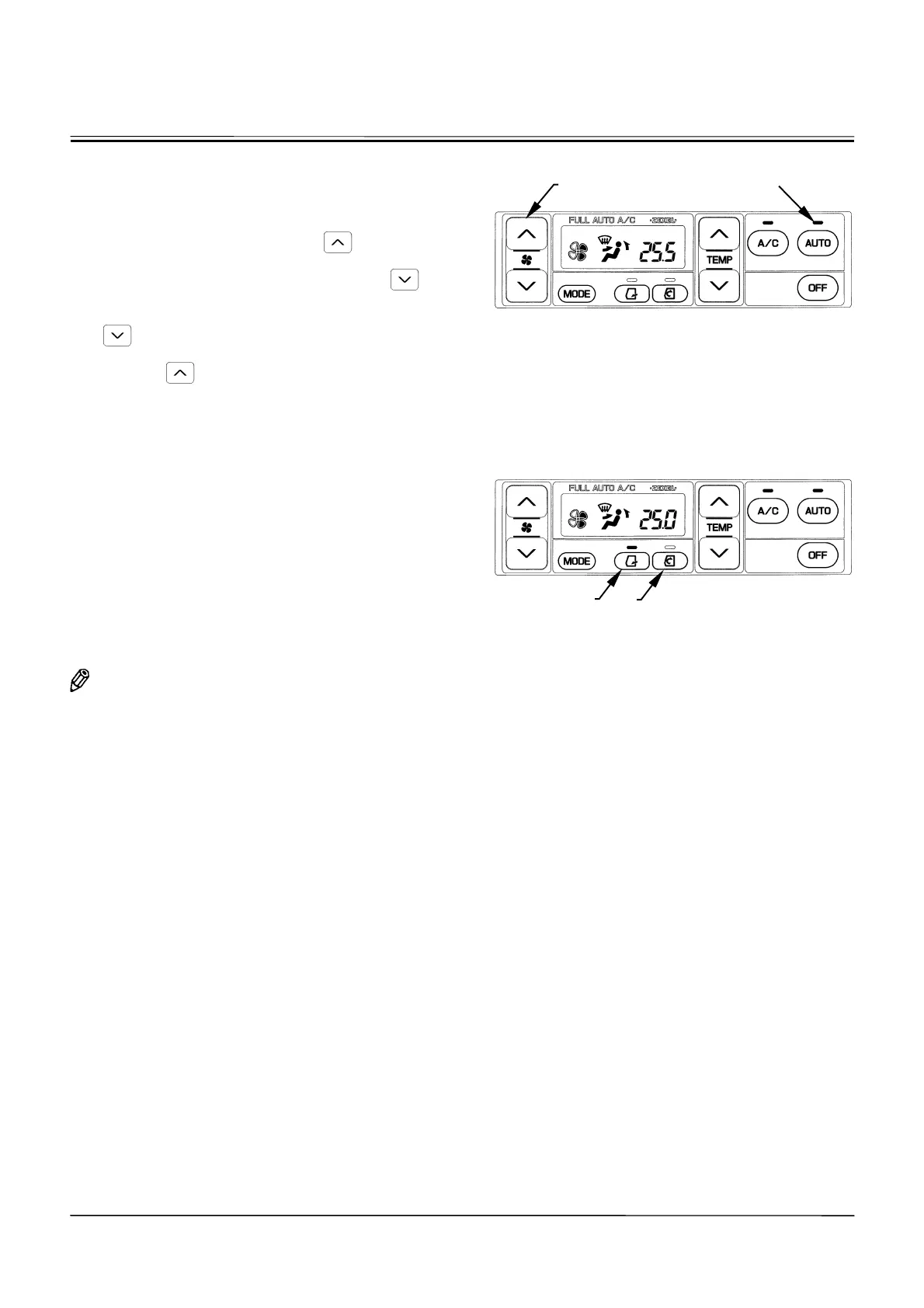
Blower Switch (6)
•
When the AUTO indicator is ON, the blower speed is
automatically controlled.
•
When the AUTO indicator is OFF, the blower speed is
controlled in 4 steps. When the
button is
pressed with the blower OFF, the blower starts run-
ning in the HI mode. Then, each time the
button
is pressed, the blower speed is reduced by one step.
The LCD indicates the blower fan speed. When the
button is pressed with the blower OFF, the
blower starts running in the LO mode. Then, each
time the
button is pressed, the blower speed is
increased by one step. The LCD indicates the corre-
sponding blower fan speed.
x
Circulation Mode Switch (12):
x
Fresh Air Mode Switch (13):
Changes the air circulation mode and automatically selects
the air vent. When fresh air mode switch (13) is pressed,
the indicator comes ON and the fresh air circulation mode
is selected, allowing fresh air to flow in. When fresh air
mode switch (13) is pressed again, the indicator goes OFF
and the fresh air suction port is closed. When circulation
mode switch (12) is pressed, the indicator comes ON and
the circulation mode is selected. When circulation mode
switch (12) is pressed again, the indicator goes OFF and
the fresh air suction port is opened.
NOTE: Operating the above switches controls the fresh
air suction port manually or automatically.
Therefore, even if the AUTO switch is turned
ON, the fresh air suction port status will not be
changed.
M178-01-075
M178-01-078
Display when fresh air vent switch (13) is pressed.
AUTO Indicator
12
13
6



 To Next Page