OPERATOR'S STATION
1-26
•
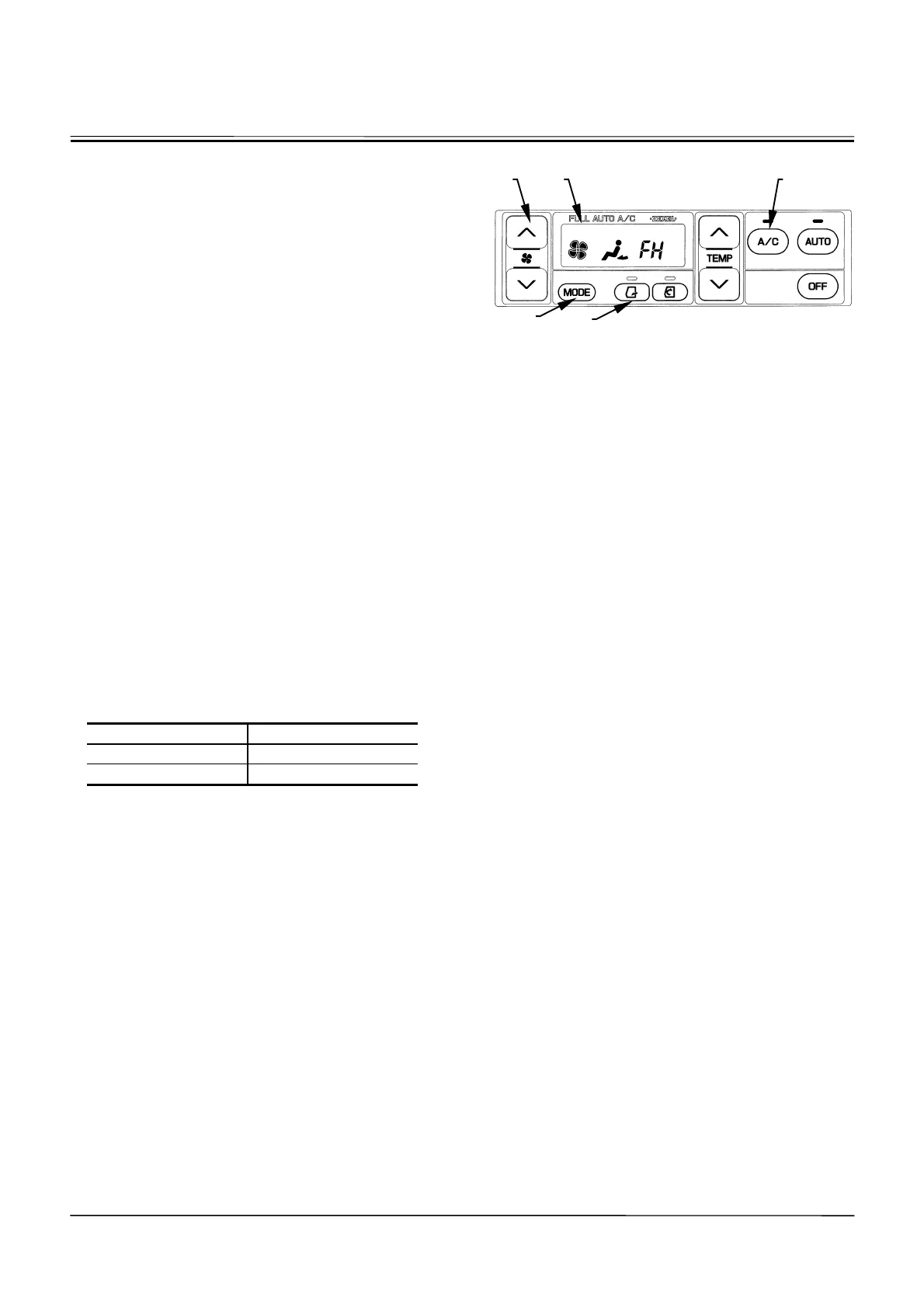
When the “FH” symbol is displayed on LCD (7), air
flow-in temperature at the vent, air vent (front and rear
vents) locations, fresh air suction port, and blower
speed are maintained at the highest heating condi-
tions. However, in case the circulation indicator is ON
before the “FH” symbol is displayed, circulation opera-
tion is maintained.
Selecting Display Between Celsius And Fahrenheit
1. While depressing both (8) A/C and mode (14)
switches, turn the key switch “ON”.
2. The LCD will display “Sd” for approx. 5 seconds.
3. After display “Sd” is deleted, all LED will come ON.
4. After all LED come ON, repeat to press the blower
switch (6) four times.
5. Sequentially, press the A/C (8) and blower (6)
switches at the same time.
6. Then, the selection mode between celsius and fahr-
enheit starts.
Each time the fresh air mode switch (13) is pressed,
the display is shifted between celsius and fahrenheit.
When celsius is displayed, the LED displays “C.”
When fahrenheit is displayed, the LED displays “F.”
Select either one to be preferred.
7. After selection is complete, end by turning the key
switch “OFF”.
The LED will display in the selected mode when the
machine is operated next time.
Display on LCD
Celsius (
q
C) 18.0 to 32.0
Fahrenheit (
q
F) 63 to 91
M178-01-077
Display when the LCD displays
ª
FH
¼
symbol.
7 8
14
13
6



 To Next Page