1-41
•
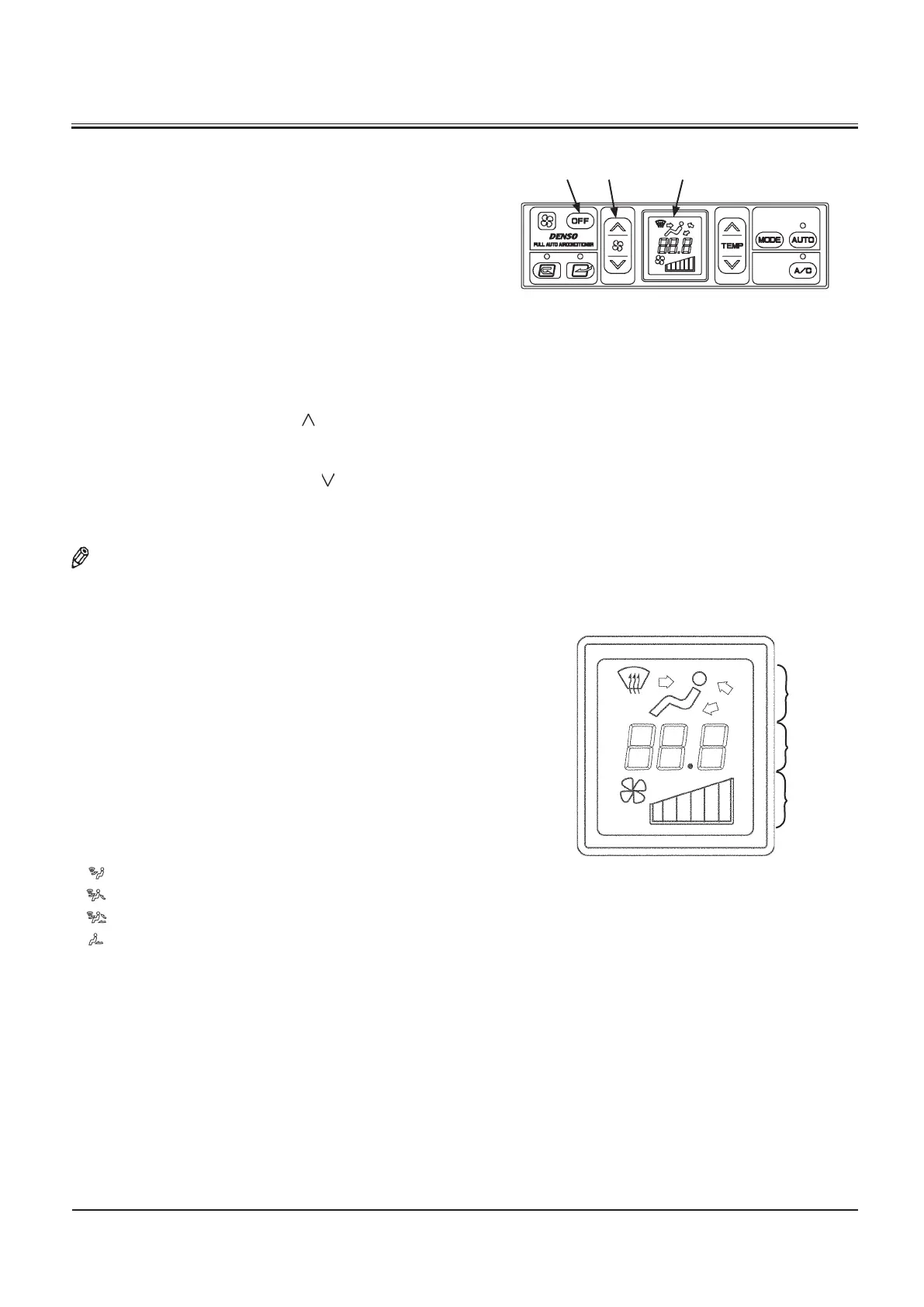
Blower OFF Switch (6)
Stops the blower.
When the switch is pressed, all displays (vent mode, set-
temperature, and blower speed) on the LCD (8) panel will
disappear and the blower stops in both the auto and manu
-
al modes.
•
Blower Switch (7)
Controls the blower speed from Low to High in 6 stages in
the manual mode. The blower speed is displayed at the bot
-
tom on the LCD (8).
• Increasing Blower Speed
Each time the top side mark “ ” on blower switch (7) is
pressed, the blower speed is increased by one increment.
• Decreasing Blower Speed
Each time the bottom side mark “
” on blower switch (7)
is pressed, the blower speed is decreased by one incre-
ment.
NOTE: In the AUTO mode operation, the fan speed will be
automatically controlled with the fan speed indicator
flashing.
•
LCD (8)
Displays the set-status of the air conditioner operating tem
-
perature, fan speed, and vent mode.
• Temperature Display
Indicates the set-temperature (18 to 32.0 °C, 65 to 90 °F)
by 0.5 °C (0.9 °F) increments at the panel center.
• Blower Speed Display
Indicates the blower speed in 6 stages by lighting the seg
-
ment at the panel bottom.
• Vent Mode Display
Indicates the selected vent mode at the panel top.
The vent modes are as shown below:
: Front/Defroster Vent Mode
: Front/Rear/ Defroster Vent Mode
: Front/Rear/Foot/ Defroster Vent Mode
: Foot Vent Mode
M4GB-01-071
M178-01-017
Vent mode
Temperature
Blower Speed



 To Next Page