MDR 710 – WWL Conveyor | Maintenance Manual | 29349817 43
November 16, 2020
4. Install the replacement I/O module on the frame mount. Verify module mounting as
described in the next section.
5. At the power supply, remove tag, unlock and turn on the power to the conveyor
section.
4.6.1 Mounting a Remote I/O Module Mounting
The remote I/O module must be mounted so that ends of the roller axles do not
contact or interfere with module connections or cables. After the remote I/O module
is installed, check and verify that the module is mounted to the conveyor in the
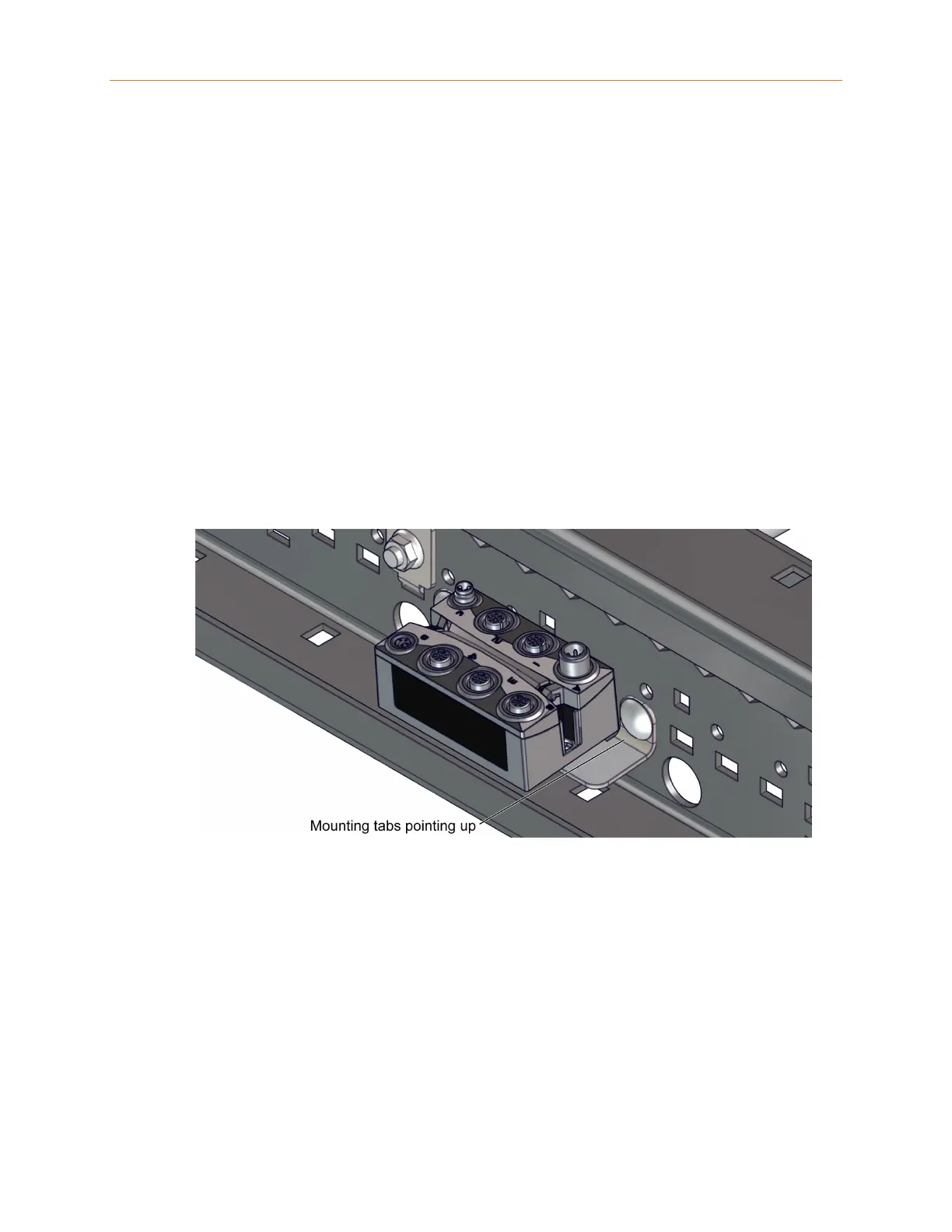
correct orientation for the conveyor configuration: straight or curve. Installed in a
straight section, the remote I/O module mounting bracket is installed
so that the
module is angled away from the side frame, with the mounting tabs pointing up, as
shown below.
Figure 4-1 Remote I/O Installed in a Straight Section
When installed in a curve section the remote I/O module mounting bracket is
installed so that the module is angled towards the side frame, with the mounting tabs
pointed down, as shown below.










 To Next Page