4 Assembly
Linear actuators MC100 • MC103
18 Version 2.1 - March 2011 Operating Manual
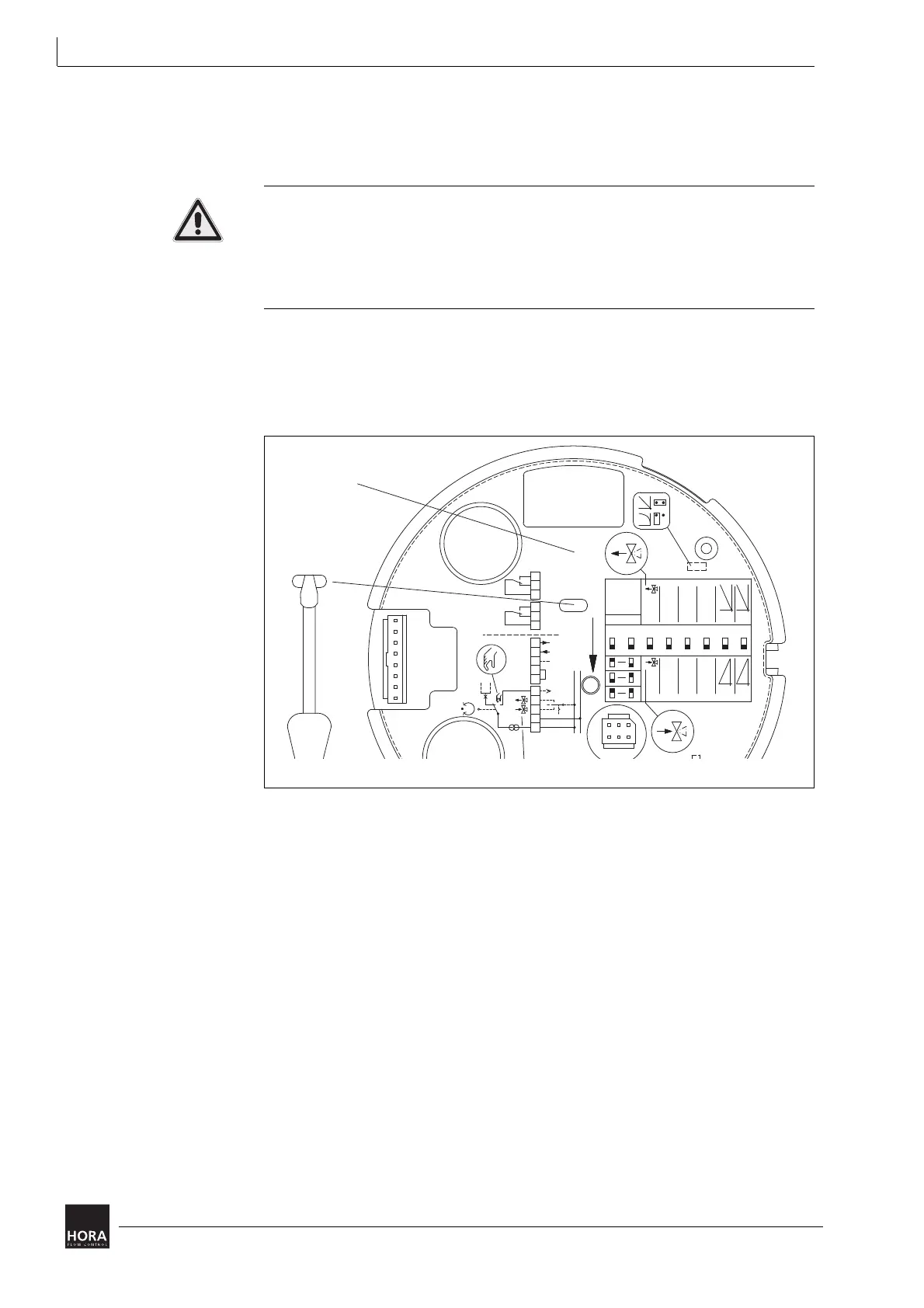
4.5.2 Removing the PCB cover
To set the linear actuator by using the encoding switch you will first have to
remove the PCB cover. (33)
Risk of injury from electric shock by live parts!
When the power supply is on there is a danger of electric shock due to live parts.
• Prior to commencing any work, ensure that the actuator is safely disconnected
from the power supply system.
• Secure against unauthorised restarting.
1 Insert the screwdriver in one of the notches on the cover (201) and lift off the
cover (201).
2 Insert a small screwdriver in the designated notch on the printed circuit cover
(33) and lift if off.
3 Access to encoding switches S1 to S8 as well as jumpers JP1 and JP2 is
achieved by removing the PCB cover (33) in the actuator casing (1).
33 Sheeting
diagram 10 Remove the PCB cover in the actuator housing
33
mm
4s
mm
9s
mm
12s
JP1
GND
30 VAC;
4 VAC;
4 VDC
(GND)
U
T
XY
N2B2B1
R32
N1
UB
20 21 22 23 24 25
WE1 WE2
x
y
0...10 V
(0...20 mA)
ausein
12345678
x
2...10 V
(4...20 mA)
Hysterese
0,5 V
Pause
Autotest
Endpos.
y
Hysterese
0,15 V
Pause
Autotest
Endpos.
1,9 s/mm
ON
t
S
INIT


 To Next Page