5 Commissioning
Linear actuators MC100 • MC103
24 Version 2.1 - March 2011 Operating Manual
5.4 Setting the hysteresis
Additional information: 2.4.5 Hysteresis on page 9
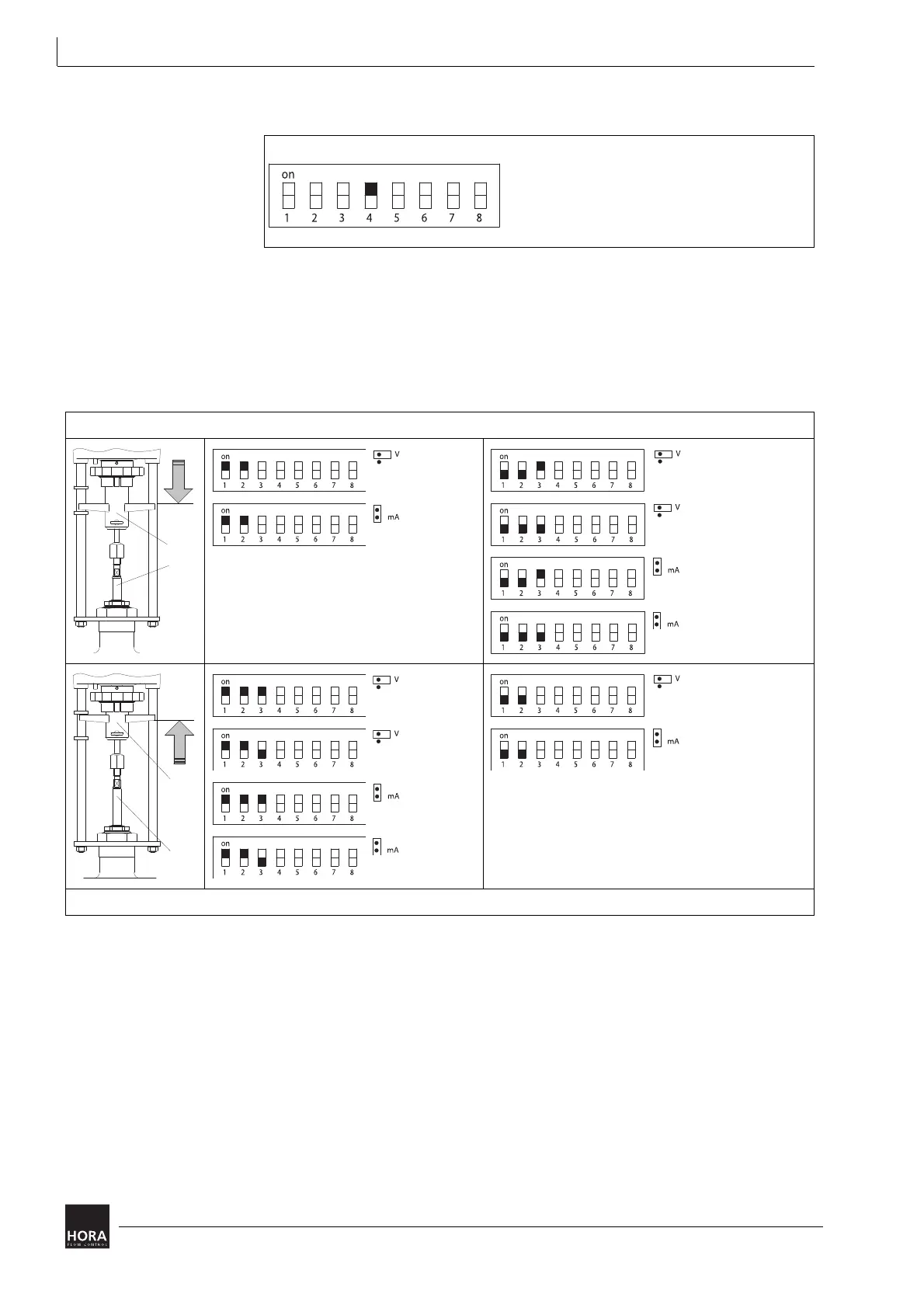
5.5 Setting the actuating direction
You can use the encoding switch (reverse operation) to reverse the actuating
direction of the linear actuator.
5.6 Setting auto test and auto pause
Auto test and auto pause are enabled when encoding switch S5 is set to ON.
Approximately every 10 days the auto test triggers a start-up towards the limit
position in rapid traverse mode. Rebalancing takes place at the same time.
During auto pause a break of 3 seconds (measuring cycle 2 min) takes place after
more than 20 direction varying traverse commands per minute.
These two functions cannot be selected individually.
diagram 19 Set hysteresis
Actuator setting Normal operation Reverse operation (X and Y reversed)
Y = 10 V DC
Y = 20 mA
Y = 0 V DC
Y = 2 V DC
Y = 0 mA
Y = 4 mA
Y = 0 V DC
Y = 2 V DC
Y = 0 mA
Y = 4 mA
Y = 10 V DC
Y = 20 mA
Encoding switch S1: X (output signal), encoding switch S2: Y (input signal)
table 5 Setting the actuating direction


 To Next Page