C-18
Before assigning a SCSI device ID to your drive, you need to check
your existing SCSI device IDs. To determine which SCSI device IDs
are available for your device, use the ioscan command in a terminal
window:
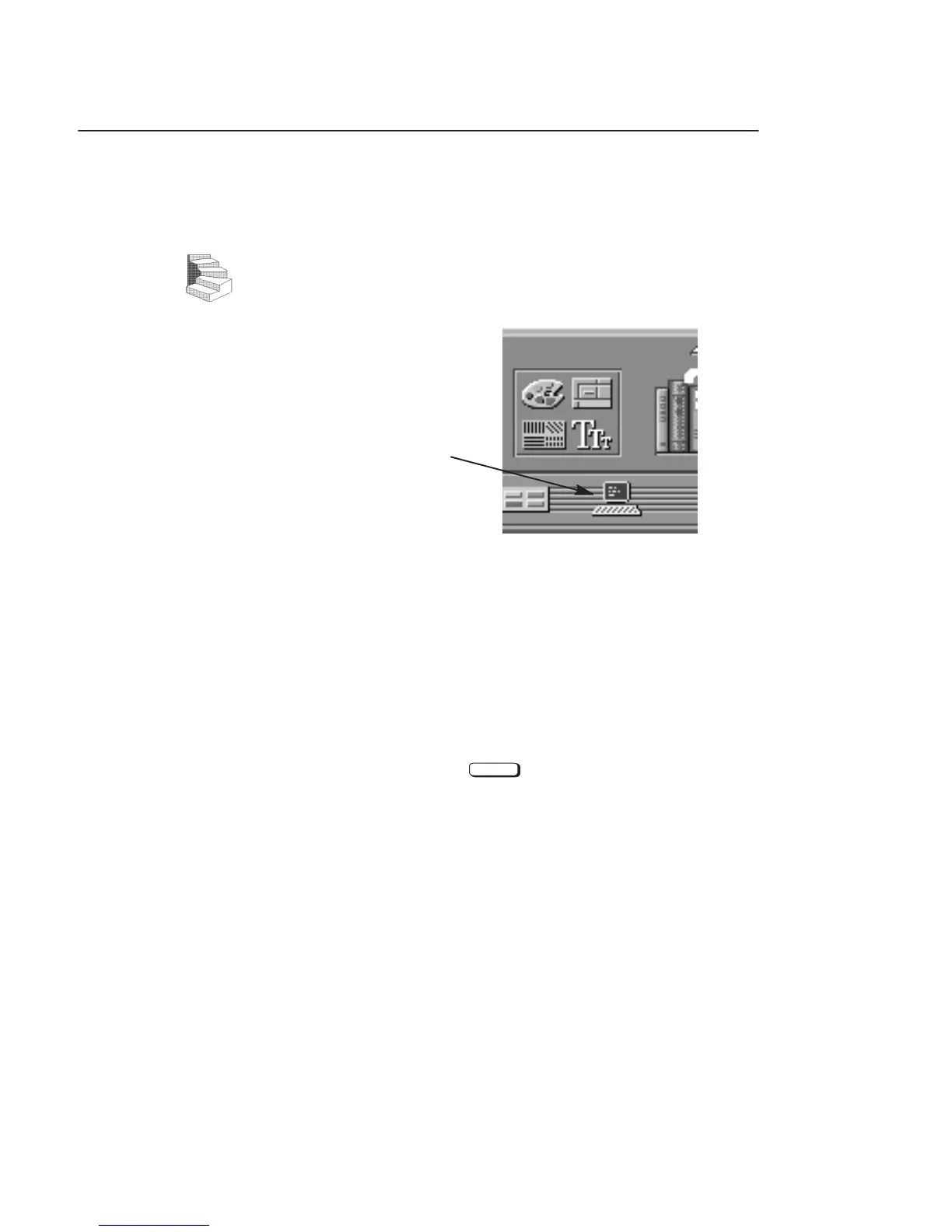
1. Click on the Terminal Control on the Front Panel of your
Workspace.
Terminal Control
A terminal window opens.
2. Move the mouse cursor into the terminal window and single-
click the left mouse button.
3. Enter the following at the prompt:
/usr/sbin/ioscan –f
Enter
After a few moments the ioscan utility lists all of the SCSI I/O
devices it could find. The list appears similar to the following:
Assigning SCSI
Device IDs



 To Next Page