+$%&
2
HP
PrecisionScan Pro
User’s Guide
48
A tour of the scanning
software
Book Contents
Index
➮
➮
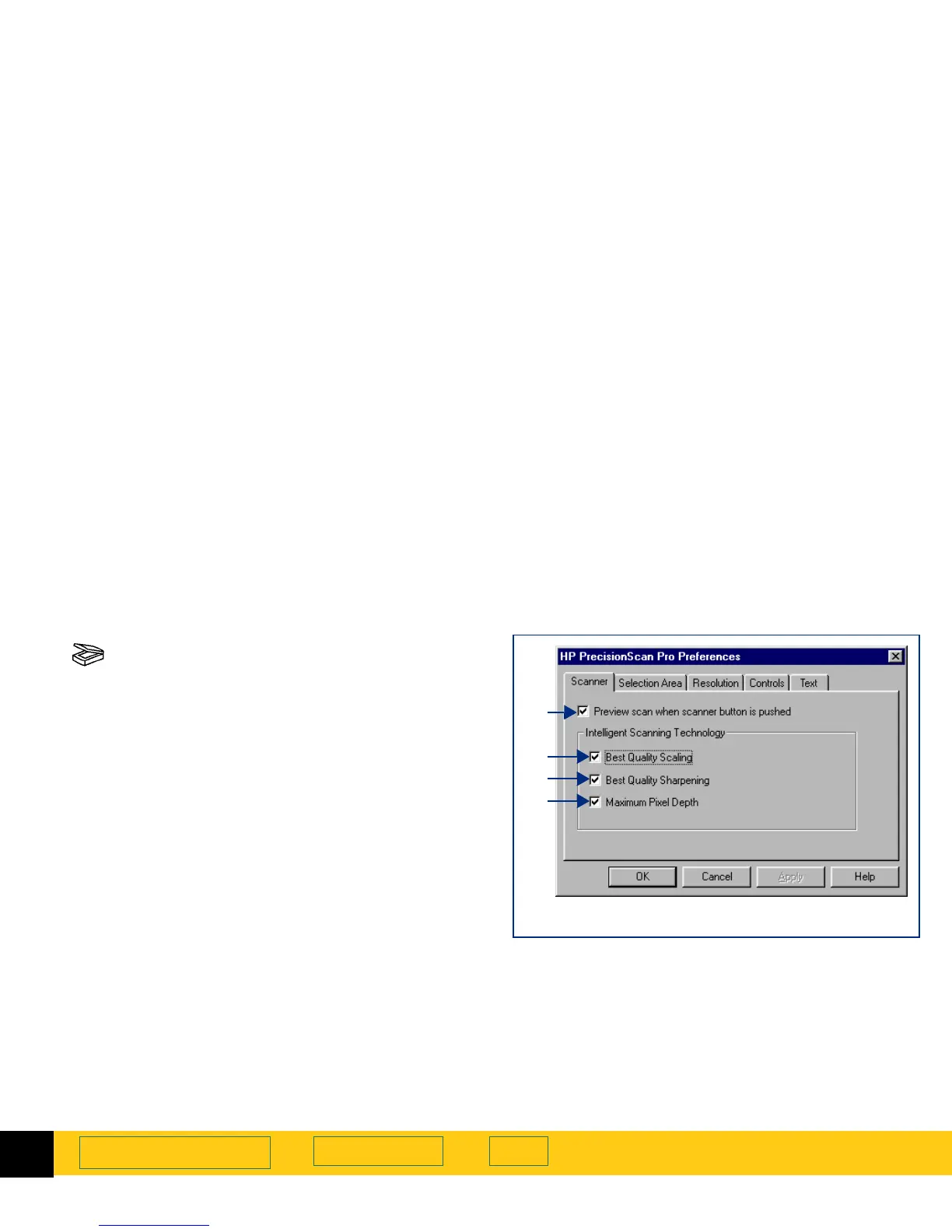
Scanner tab
The
Scanner
tab of the
HP PrecisionScan Pro
Preferences
dialog box has checkboxes for enabling:
➊
a
Preview
scan when the scanner’s Scan button
is pushed (page
49
)
➋
best quality scaling (page
49
)
➌
best quality sharpening (page
49
)
➍
maximum pixel depth (page
49
)
To change settings:
1
Select the checkboxes you want to turn on or off.
2
Click
Apply
.
3
Click another tab, or click
OK
to close the
HP PrecisionScan Pro
Preferences
dialog box.
➊
➋
➌
➍
All the checkbox choices in this tab are turned on








 To Next Page