+$%&
5
HP
PrecisionScan Pro
User’s Guide
98
Scanning text
Book Contents Index
➮
➮
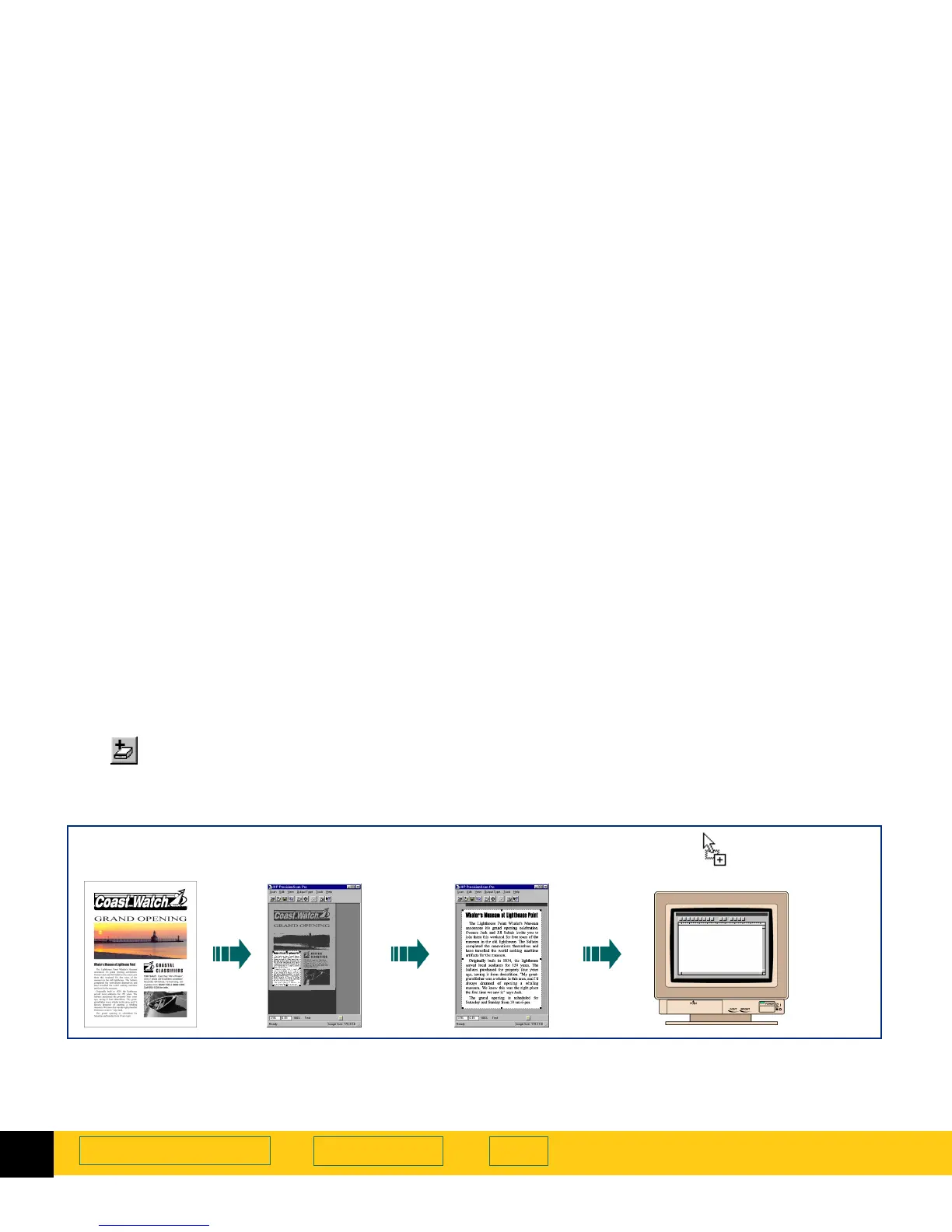
Scan and convert a block of text
A block of text can be selected in the preview image for
conversion to editable, unformatted text.
1 Preview
scan (page
57
).
2
Create a selection area (see page
58
).
3
From the
Output Type
menu, select
Text
as the output
type.
4
To enlarge the view of the selection area:
•
click , the
Zoom
button in the toolbar, or
•
from the
Scan
menu, choose
Zoom
.
The scanner scans the selection area and the
selection area fills the preview area.
5
Adjust the selection area to include all the characters
you want in the final scan (see page
62
).
6
To begin the final scan and the character conversion:
•
scan to a destination (see page
99
), or
•
drag-and-drop to another program (see page
99
),
or
• Copy
to the
Clipboard
(see page
100
), or
•Save
to a file (see page
100
).
Original Zoomed imagePreview image Drag-and-drop
with selection area
or
Copy
and
Paste
,
or
Save
to a file.








 To Next Page