+$%&
2
HP
PrecisionScan Pro
User’s Guide
31
A tour of the scanning
software
Book Contents
Index
➮
➮
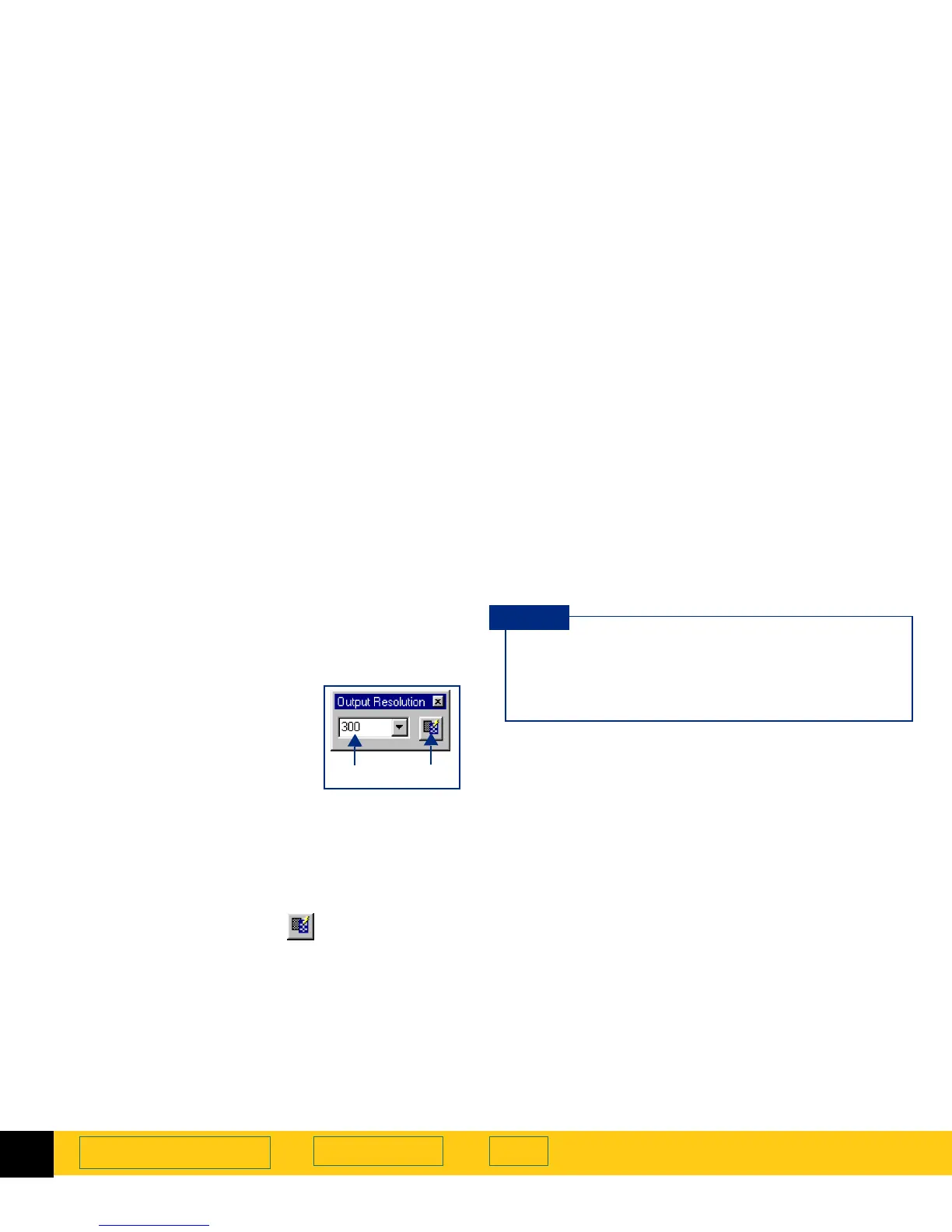
Output Resolution tool
The
Output Resolution
tool lets you determine the
amount of data for the final scan of an image of a
picture. See
Set output resolution
on page
90
for more
about when to use the
Output Resolution
tool.
After you have drawn a selection area, use this tool to:
➊
change the resolution setting, if
necessary
➋
reset the resolution setting to
the optimal value for the current
output type
AutoResolution
When you choose an
Output Type
, the scanning
software automatically applies the optimal output
resolution to the selection area. For example, output
resolution is automatically set to 200 when the
True
Color
output type is selected, and set to 300 for the
Black & White Bitmap (raster)
output type.
To re-apply
AutoResolution
, click in the
Output
Resolution
tool.
Custom resolution
When you choose an output type from the
Output Type
menu, the scanning software automatically applies the
optimal output resolution to the image. You may
override the automatic setting by selecting a different
value from the list box in the
Output Resolution
tool or
by typing any value between 12 and 999,999 in the field
of the
Output Resolution
tool.
Images to be displayed on a monitor
Always use 75 as the resolution setting if the image
will be viewed on a monitor, such as in email or on a
Web page.
➊➋
You can add commonly-used resolution settings
to the
Output Resolution
tool’s list box in the
Resolution
tab of the
HP PrecisionScan Pro
Preferences
dialog box (see page
52
).
TIP








 To Next Page