+$%&
3
HP
PrecisionScan Pro
User’s Guide
64
Scanning pictures
Book Contents Index
➮
➮
Return to the preview image (Undo Zoom)
After you have used the
Zoom
command to enlarge the
view of the selection area, you can use the
Undo Zoom
command to view the preview image without
performing another
Preview
scan. This can be useful
when you have several pictures on the scanner glass
and you want to use each one individually.
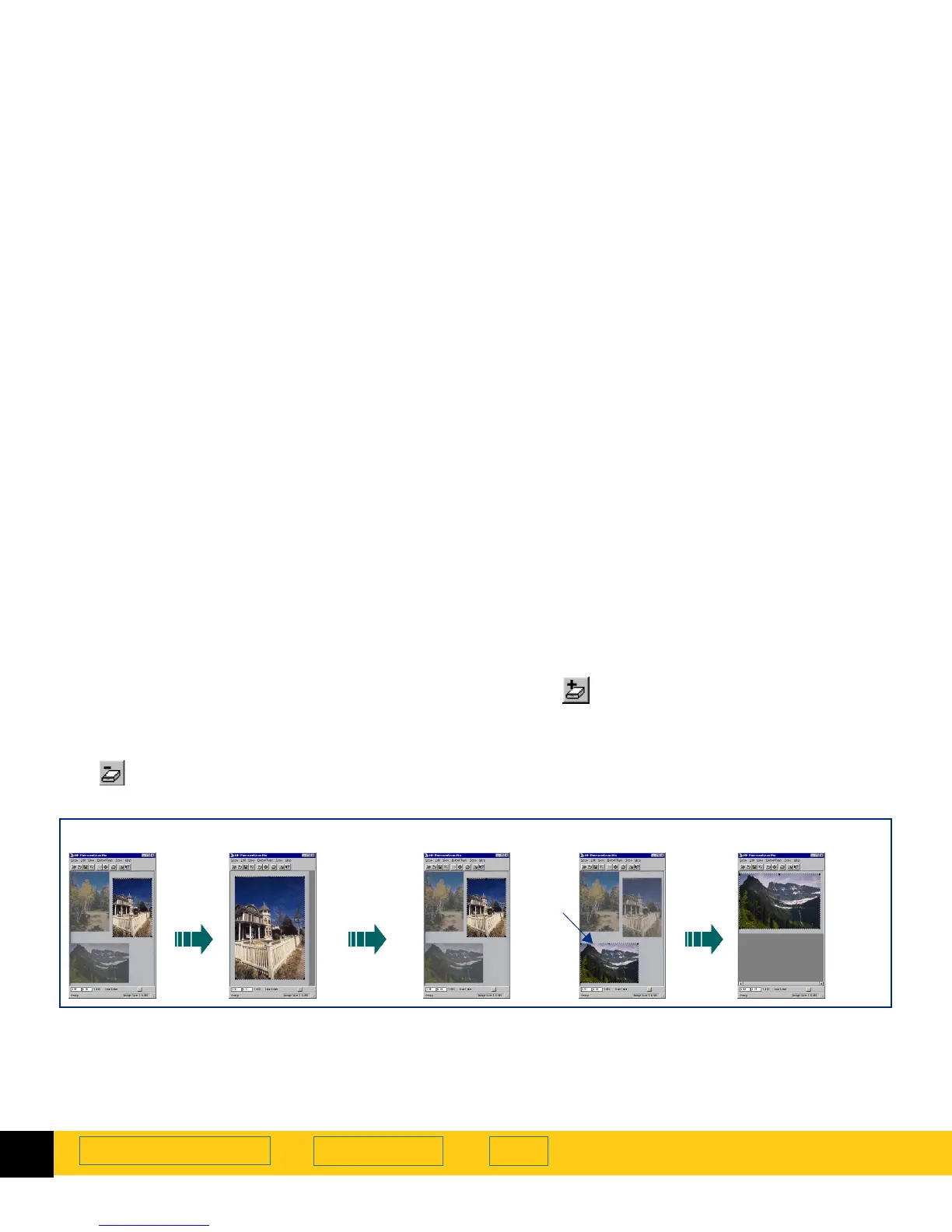
Using Undo Zoom
Use the
Undo Zoom
command when you want to create
a different selection area in the preview image.
1
Click , the
Undo Zoom
button in the toolbar,
– or –
from the
View
menu, choose
Undo Zoom
.
The preview image appears with all settings
preserved.
2
Select a different area of the preview image.
3
Click , the
Zoom
button in the toolbar,
– or –
from the
Scan
menu, choose
Zoom
.
The scanner scans the selection area.
The view of the new selection area appears enlarged.
Preview image
Zoom
First zoomed image Preview image Preview image
Undo Zoom Click Zoom
Second zoomed image
➊➋➌








 To Next Page