+$%&
2
HP
PrecisionScan Pro
User’s Guide
28
A tour of the scanning
software
Book Contents
Index
➮
➮
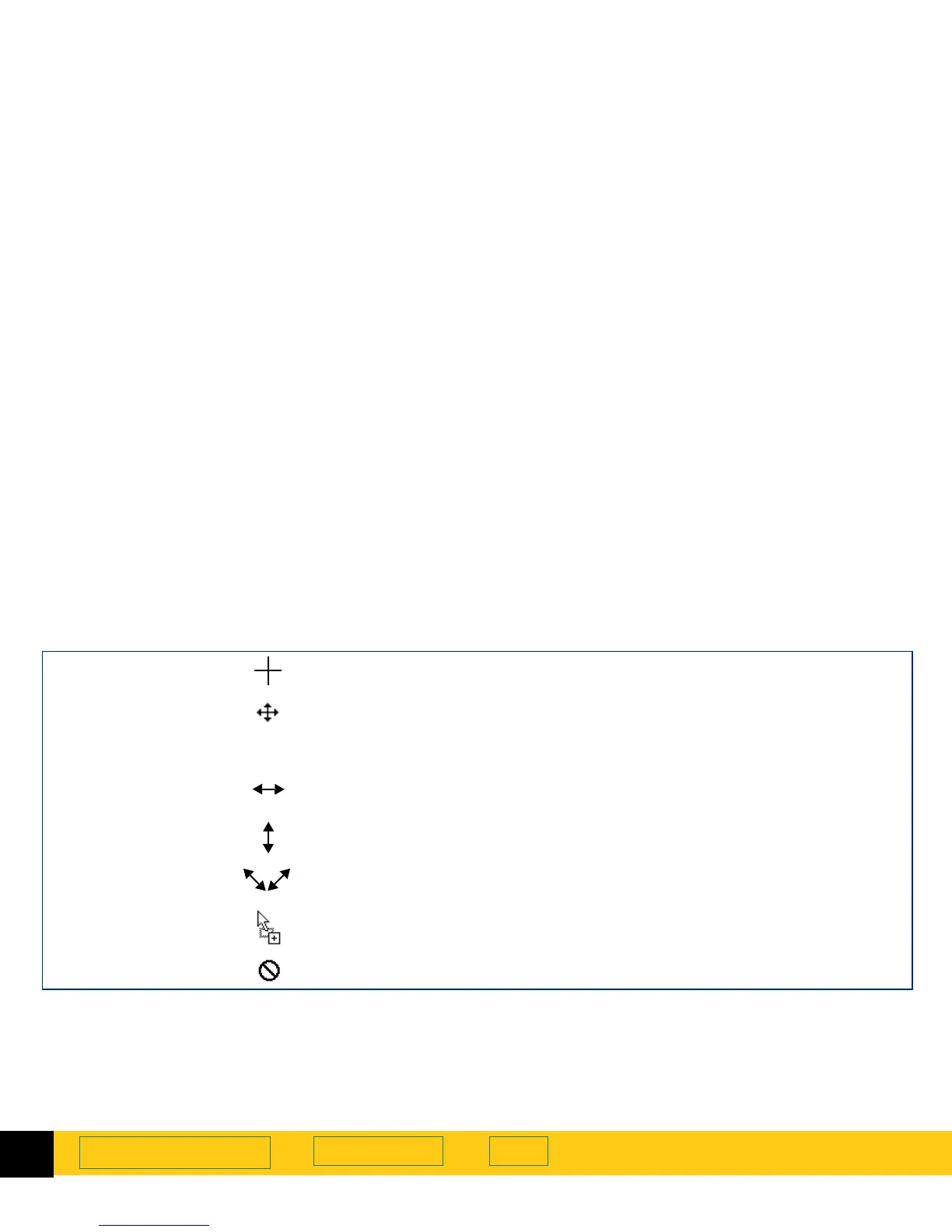
Context-sensitive pointers
The shape of the pointer indicates the type of activity
you can perform in the scanning software.
Selection area pointers
New selection area
Draw a new selection area.
Move selection area
■
Move the selection area to a new location in the preview area.
■
Drag the selection area to another program’s open document.
■
When
Ctrl
key is pressed, drag the selection area to the Windows desktop or
to a folder in the Windows
Explorer
.
Resize selection area
horizontally
Drag the mouse from a handle on a side of the selection area to resize the width
of the selection area.
Resize selection area
vertically
Drag the mouse from a handle on the top or bottom of the selection area to
resize the height of the selection area.
Resize selection area
diagonally
Drag the mouse from a handle on a corner of the selection area to resize both
the height and the width of the selection area.
Drop allowed
The program or folder the image has been dragged to accepts this kind of drop.
Drop not allowed
The program the image has been dragged to does not accept this kind of drop.








 To Next Page