!
IOIOI
LNK
SPD
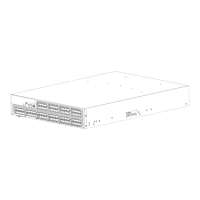
Figure 14 Sec uring the inner rails to t he 4/64 SAN Switch
NOTE:
For factory integration
only
, tighten the #8-3 2 x 5/16-inch Phillips pan-head SEMS screws
andtorquebetween6and8inch-pounds.
8. If installing one of the following switches, install the plenum that ships in the switch accessory kit:
• SAN Switch 2/8V
•SANSwitch2/16
•SANSwitch2/16V
•4/8SANSwitch
•4/16SANSwitch
•4/32BSANSwitch
•8/8SANSwitch
•8/24SANSwitch
See “Installing the p lenum (if required)” on page 36 for complete installation instructions.
If not installing one of the devices listed in step 8, go to
“Securing the switch to the outer rails” on page 37, to complete the rack mount procedure.
Installing the plenum (if required)
Check to see if you are installing one of the SAN switches listed above in Step 8 , and if so, follow
the steps to install the plenum:
1. Place the device (with inner rails attached) on a flat surface (see Figure 15).
NOTE:
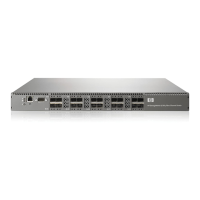
Although Figure 15 illustrates ho w to attach the plenum to the 4/8 or 4/16 SAN Switch
specifically, the procedure and fig ure also apply to installing the plenum on other models.
36
Installing and configuring an 8Gb SAN Switch



 To Next Page
 Loading...