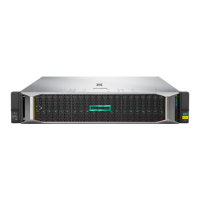

EasyManua.ls Logo

HP StoreEver MSL2024 - Service Manual

HP StoreEver MSL2024
220 pages
Print Icon
To Next Page IconTo Next Page
Loading...
HPE StoreEver MSL2024, MSL4048,
MSL8048, and MSL8096 Tape
Libraries
User and Service Guide
Abstract
This guide provides information on installing, configuring, upgrading, and troubleshooting the tape library. This guide is intended
for system administrators and other users who need physical and functional knowledge of the tape library.
Part Number: AK378-96087
Published: December 2015
Edition: 8

Table of Contents

Other manuals for HP StoreEver MSL2024

Questions and Answers

  • S
    susansantosSep 12, 2025
    What does yellow power supply LED mean on HP StoreEver MSL2024 Storage (MSL4048, MSL8048, and MSL8096)?
    • A
      Ashley SandovalSep 12, 2025
      If the yellow power supply LED is lit on your HP Storage device (MSL4048, MSL8048, and MSL8096), it indicates that the power supply fan is not rotating at an acceptable speed. Check the power supply fan for obstructions and, if necessary, replace the power supply.
  • B
    Brooke ShortSep 13, 2025
    What does blue power supply LED mean on HP Storage (MSL4048, MSL8048, and MSL8096)?
    • K
      Keith GreenSep 13, 2025
      If the blue power supply LED is lit and the green power supply LED is off on your HP Storage device (MSL4048, MSL8048, and MSL8096), the blue LED indicates that the power supply is plugged into a good outlet, but the green LED being off means the power supply isn't producing good power. In this case, replace the power supply.
  • B
    bwilliamsSep 15, 2025
    Why cleaning or data cartridge incompatible with drive in HP Storage?
    • G
      George DuffySep 15, 2025
      Make sure you are using data and cleaning cartridges that are compatible with the drive and model of your HP Storage device and that you are using the correct cartridge type for the operation. The device automatically unloads incompatible cartridges, the Attention LED flashes, and an exclamation point (!) displays in the inventory display for the indicated slot number. Export the media to clear the state.

Summary

Features

Front panel

Details the user interface components on the front of the tape library.

Back panel

Describes the rear panel connectors and ports for various connections.

Library options

Explains optional features like redundant power supplies, encryption kits, and library extenders.

Installing the tape library

Planning the FC configuration

Guides on planning Fibre Channel connections, speeds, and cable requirements.

Planning the SAS configuration

Outlines SAS interface requirements, HBA considerations, and cabling.

Planning the parallel SCSI configuration

Covers SCSI bus setup, HBA requirements, and SCSI ID addressing.

Preparing the host

Details steps for host computer preparation, including software, drivers, and diagnostic tools.

Choosing a location

Provides criteria for selecting an appropriate installation site for the tape library.

Tape cartridges and magazines

Tape cartridges

Information on tape cartridge types, compatibility, and usage guidelines.

Using and maintaining tape cartridges

Best practices for handling, cleaning, and preserving tape cartridge life.

Magazines

Details on removable magazines and their access procedures.

Operating the tape library

Using the RMI

Accessing the library remotely via a web browser interface for monitoring and control.

Using the MSL2024 OCP

Operating the library using the front panel's Operator Control Panel (OCP).

Using the MSL4048, MSL8048, and MSL8096 OCP

Operating the library using the front panel's Operator Control Panel (OCP) for larger models.

Troubleshooting

Fibre Channel connection problems

Diagnosing and resolving issues related to Fibre Channel connectivity.

Detection problems after installing a SAS drive

Troubleshooting steps for SAS drive detection issues after installation.

Operation problems

Addresses common operational issues like power, movement, and media problems.

Error codes

Explains how to find and interpret error codes displayed on the OCP, RMI, or L&TT.

Upgrading and servicing the tape library

Possible tools needed

Lists essential tools required for library servicing and upgrades.

Installing a new tape drive

Step-by-step guide for physically installing new tape drives into the library.

Removing and replacing a tape drive

Instructions for safely removing and replacing existing tape drives.

Removing and replacing a magazine

Procedures for removing and replacing tape cartridge magazines.

Installing a redundant power supply (MSL4048, MSL8048, and MSL8096 only)

Details on installing an optional redundant power supply for increased reliability.

Replacing the library controller (MSL4048, MSL8048, and MSL8096)

Steps for replacing the library controller component.

Support and other resources

Accessing Hewlett Packard Enterprise Support

Information on how to contact HPE support and access online resources.

Accessing updates

Guidance on how to find and download software and firmware updates.

Specifications

Library capacity

Details the form factor, slot counts, and drive capacities for different library models.

Supported interfaces

Lists the supported interfaces (FC, SAS) for different LTO generations.

Data storage capacity and transfer rate

Provides storage capacity and data transfer rates for various LTO drive generations.

Warranty and regulatory information

Warranty information

Provides links to HPE warranty information for various product lines.

Regulatory information

Includes markings and declarations related to regulatory compliance.

Electrostatic discharge

Preventing electrostatic damage

Precautions to avoid damage from static electricity when handling components.

Grounding methods

Recommended grounding techniques and tools for handling static-sensitive parts.

HP StoreEver MSL2024 Specifications

General IconGeneral
Dimensions (WxDxH)87 x 480 x 806 mm
Media typeTape Cartridge
Form factor2U
Product typeStorage auto loader & library
Standard interfacesSerial Attached SCSI (SAS)
Number of slots (max)24
Storage media types supportedLTO-7

Related product manuals