Chapter 12 Firewall
B222s User’s Guide
107
12.2 The General Screen
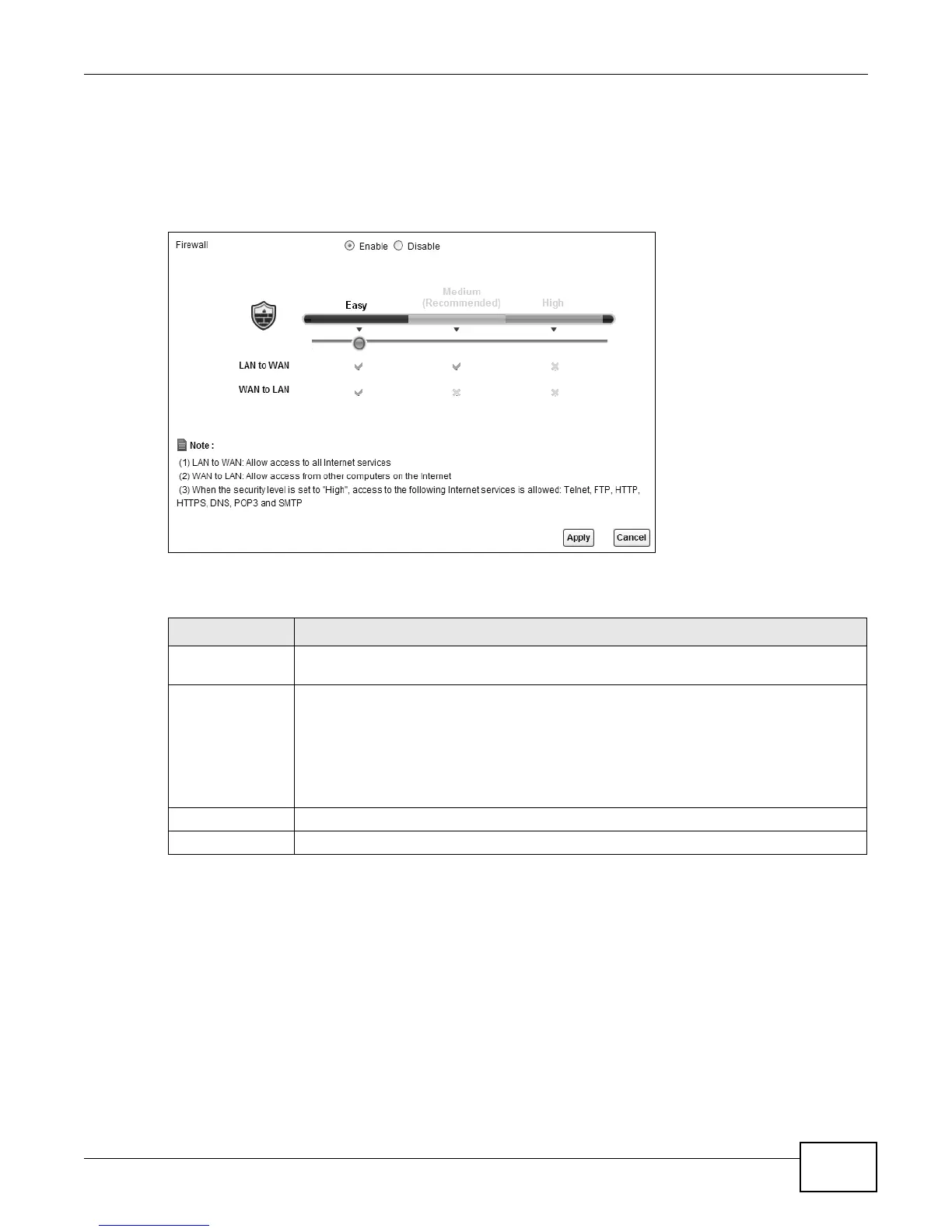
Use this screen to enable or disable the LTE Device’s firewall. Click Security > Firewall to open the
General screen.
Figure 60 Security > Firewall > General
The following table describes the labels in this screen.
Table 40 Security > Firewall > General
LABEL DESCRIPTION
Firewall Select Enable to activate the firewall. The LTE Device performs access control and
protects against Denial of Service (DoS) attacks when the firewall is activated.
Easy, Medium,
High
Select Easy to have the firewall allow both LAN-to-WAN and WAN-to-LAN traffic to flow
through the LTE Device.
Select Medium to have the firewall only allow traffic sent from the LAN to the WAN. All
traffic sent or access from the WAN will be blocked.
Select High to have the firewall only allow Telnet, FTP, HTTP, HTTPS, DNS, POP3, and
SMTP traffic sent from the LAN to the WAN. Other traffic will be blocked.
Apply Click Apply to save your changes.
Cancel Click Cancel to restore your previously saved settings.











 To Next Page