B222s User’s Guide 157
CHAPTER 19
Remote MGMT
19.1 Overview
Remote MGMT allows you to manage your LTE Device from a remote location through the
following interfaces:
•LAN and WLAN
•WAN only
Note: The LTE Device is managed using the web configurator.
19.1.1 What You Need to Know
The following terms and concepts may help as you read this chapter
19.2 The Remote MGMT Screen
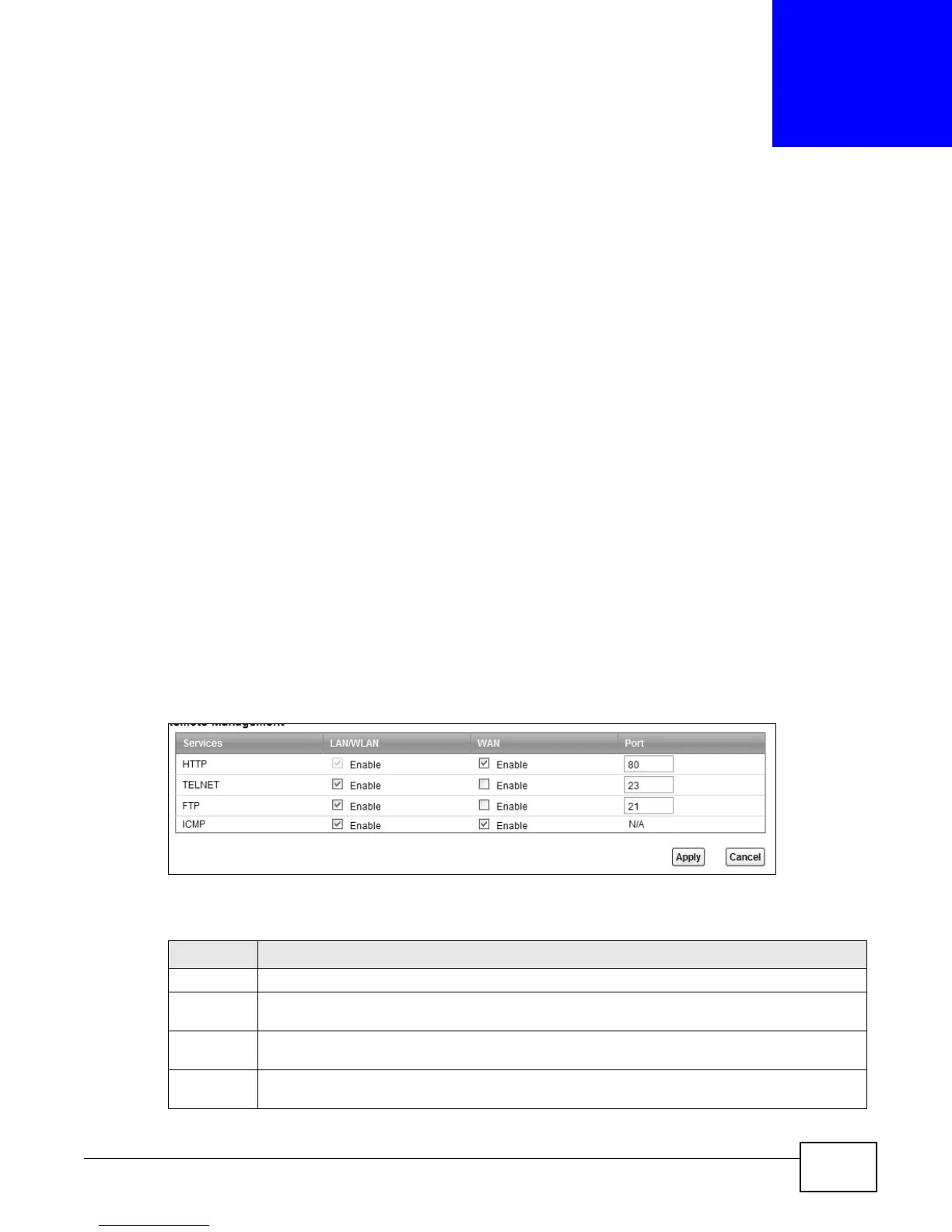
Use this screen to decide what services you may use to access which LTE Device interface. Click
Maintenance > Remote MGMT to open the following screen.
Figure 88 Maintenance > Remote MGMT
The following table describes the fields in this screen.
Table 67 Maintenance > Remote MGMT
LABEL DESCRIPTION
Services This is the service you may use to access the LTE Device.
LAN/WLAN Select the Enable check box for the corresponding services that you want to allow access to
the LTE Device from the LAN and WLAN.
WAN Select the Enable check box for the corresponding services that you want to allow access to
the LTE Device from the WAN.
Port You may change the server port number for a service if needed, however you must use the
same port number in order to use that service for remote management.











 To Next Page