Chapter 9 Quality of Service (QoS)
B222s User’s Guide
89
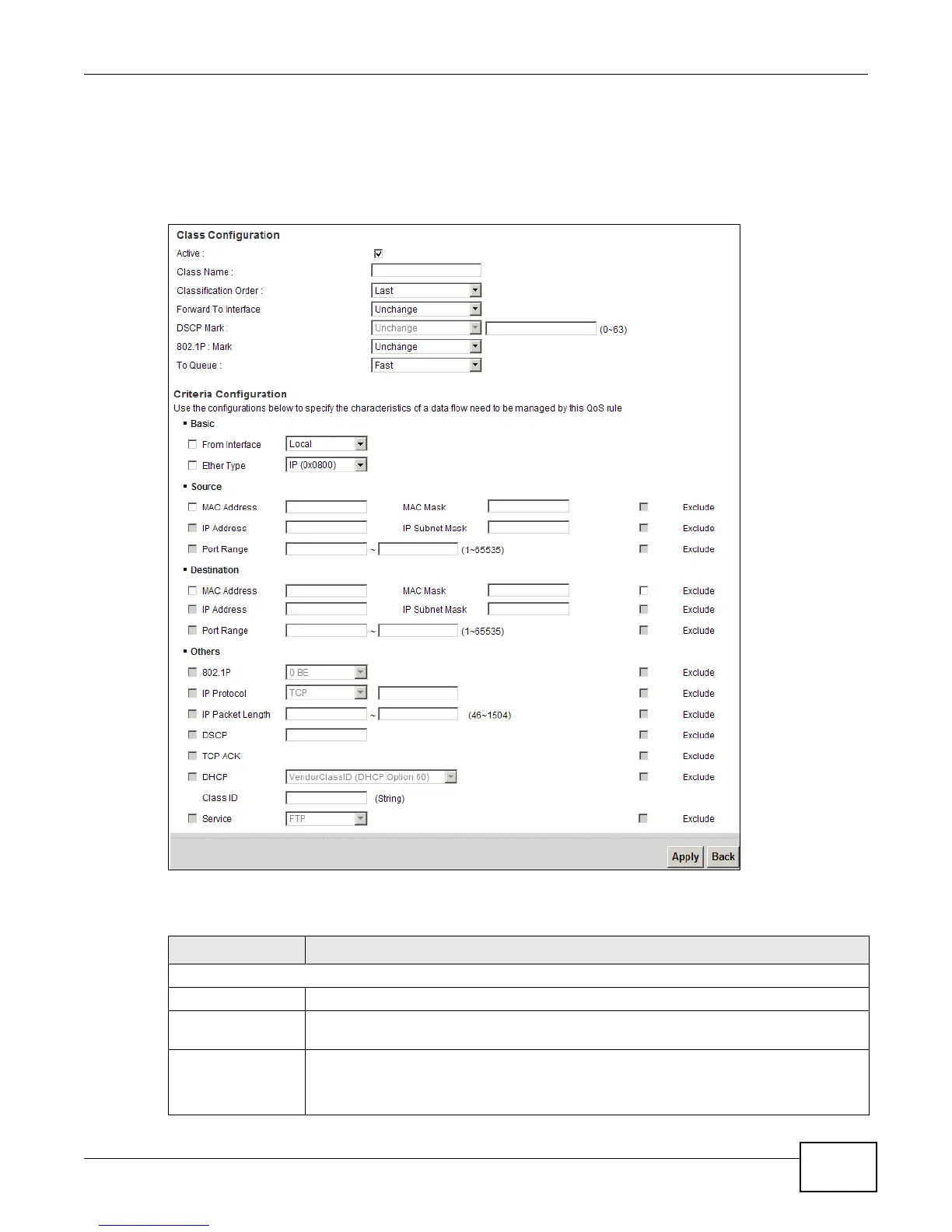
9.4.1 Add/Edit QoS Class
Click Add new Classifier in the Class Setup screen or the Edit icon next to an existing classifier
to configure it.
Figure 50 Class Setup: Add/Edit
The following table describes the labels in this screen.
Table 31 Class Setup: Add/Edit
LABEL DESCRIPTION
Class Configuration
Active Select to enable this classifier.
Class Name Enter a descriptive name of up to 32 printable English keyboard characters, including
spaces.
Classification Order Select an existing number for where you want to put this classifier to move the classifier
to the number you selected after clicking Apply.
Select Last to put this rule in the back of the classifier list.











 To Next Page