Chapter 3 Connection Status and System Info
B222s User’s Guide
31
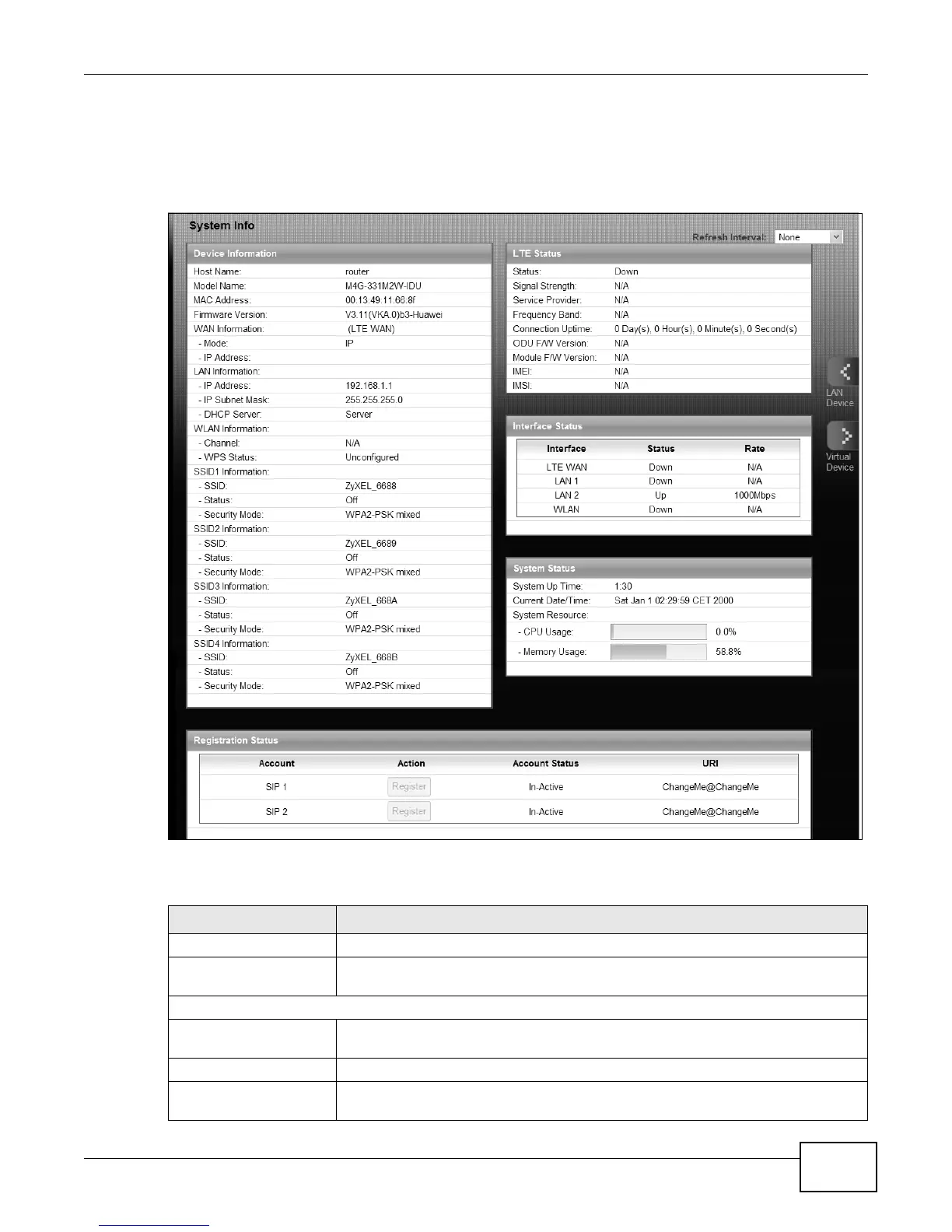
3.3 The System Info Screen
Click Connection Status > System Info to open this screen.
Figure 13 System Info Screen
Each field is described in the following table.
Table 3 System Info Screen
LABEL DESCRIPTION
Language Select the web configurator language from the drop-down list box.
Refresh Interval Select how often you want the LTE Device to update this screen from the drop-
down list box.
Device Information
Host Name This field displays the LTE Device system name. It is used for identification. You
can change this in the Maintenance > System screen’s Host Name field.
Model Name This is the model name of your device.
MAC Address This is the MAC (Media Access Control) or Ethernet address unique to your LTE
Device.











 To Next Page