Chapter 15 VoIP
B222s User’s Guide
133
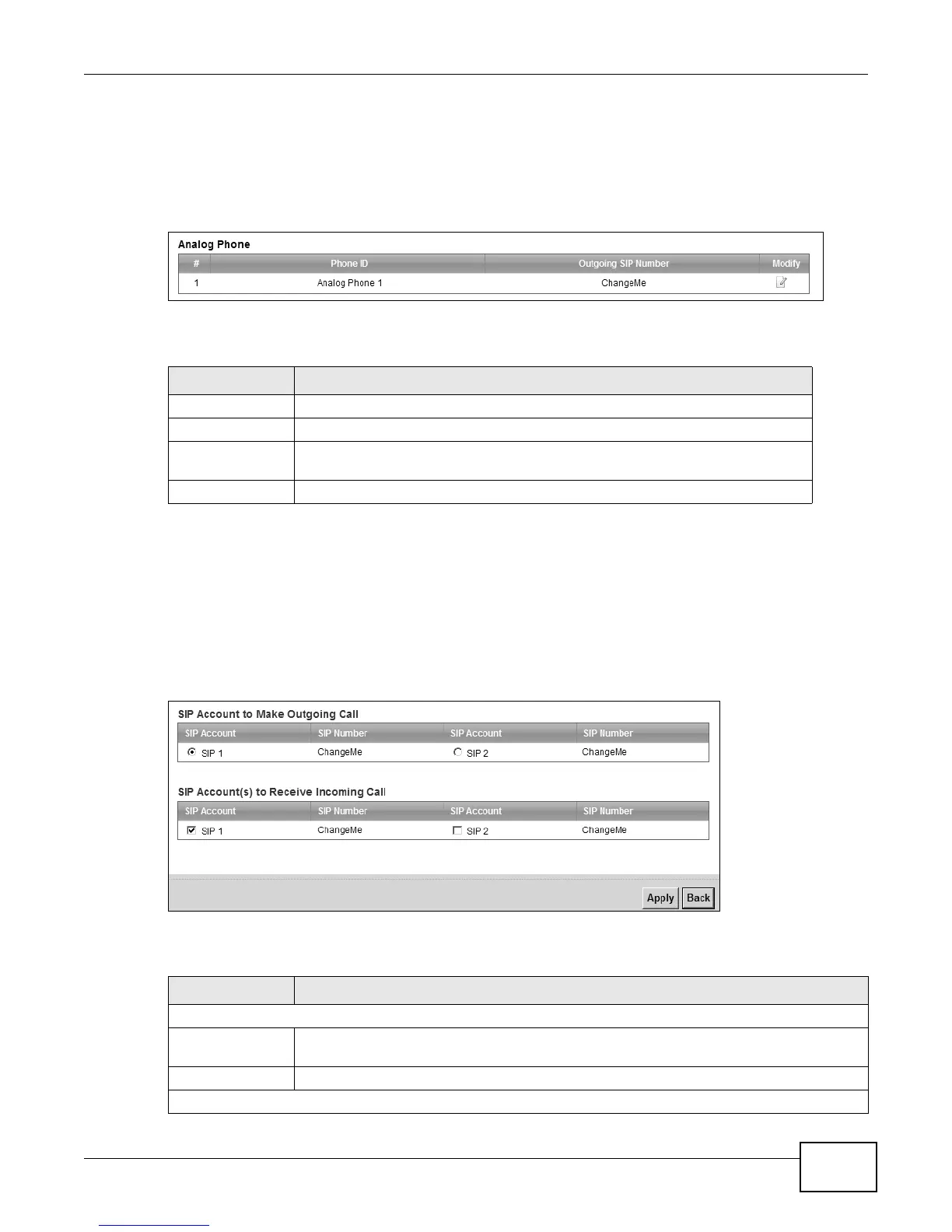
15.5 Phone Screen
Use this screen to control which SIP accounts the phone uses. Click VoIP > Phone to access the
Phone Device screen.
Figure 72 VoIP > Phone > Phone Device
The following table describes the labels in this screen.
15.5.1 Edit Phone Device
You can decide which SIP accounts the phone connected to the LTE Device use by clicking the Edit
icon next to a Phone ID. The following screen displays.
You cannot edit the account if it is not activated. Go to VoIP > SIP > SIP Account > Edit to
activate a SIP account (see Section 15.3 on page 129 for more information).
Figure 73 Phone Device: Edit
The following table describes the labels in this screen.
Table 52 VoIP > Phone > Phone Device
LABEL DESCRIPTION
# This is the index number of the entry.
Phone ID This is the phone device number.
Outgoing SIP
Number
This is the outgoing SIP number of the phone device.
Modify Click the Edit icon to configure the SIP account.
Table 53 Phone Device: Edit
LABEL DESCRIPTION
SIP Account to Make Outgoing Call
SIP Account Select the SIP account you want to use when making outgoing calls with the analog
phone connected to this phone port.
SIP Number
This shows the SIP account number.
SIP Account(s) to Receive Incoming Call











 To Next Page