Chapter 15 VoIP
B222s User’s Guide
132
15.4 Multiple SIP Accounts
You can set up two SIP accounts on your LTE Device and your LTE Device is equipped with two
phone ports. By default, SIP1 of the LTE Device maps to phone port 1 for incoming and outgoing,
and SIP2 maps to phone port 2 for incoming and outgoing.
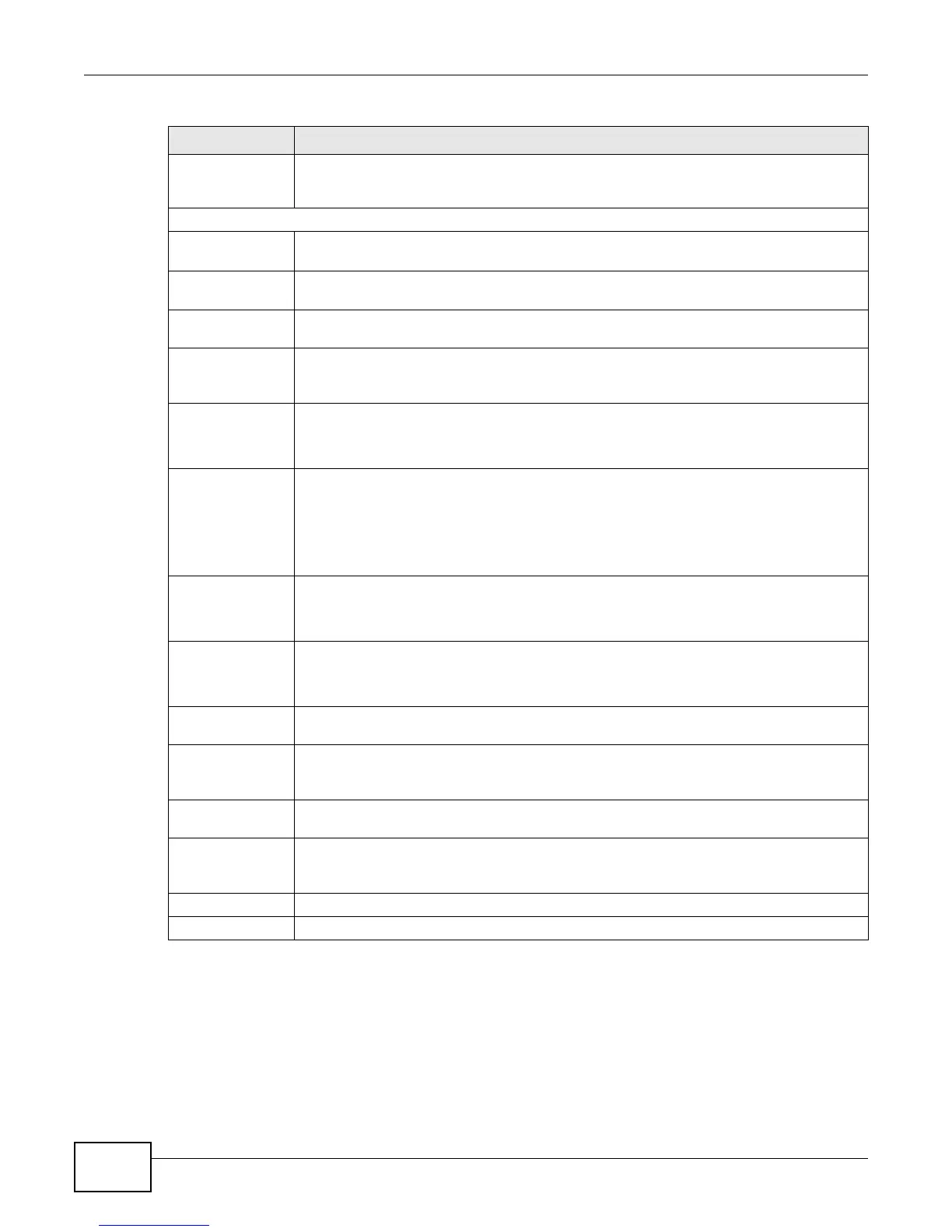
Active VAD
(Voice Active
Detector)
Select this if the LTE Device should stop transmitting when you are not speaking. This
reduces the bandwidth the LTE Device uses.
Call Features
Send Caller ID Select this if you want to send identification when you make VoIP phone calls. Clear this if
you do not want to send identification.
Active Call
Transfer
Select this to enable call transfer on the LTE Device. This allows you to transfer an
incoming call (that you have answered) to another phone.
Active Call
Waiting
Select this to enable call waiting on the LTE Device. This allows you to place a call on hold
while you answer another incoming call on the same telephone (directory) number.
Active Call
Waiting Reject
Time
Specify a time of seconds that the LTE Device waits before rejecting the second call if you
do not answer it.
Active
Unconditional
Forward
Select this if you want the LTE Device to forward all incoming calls to the specified phone
number.
Specify the phone number in the To Number field on the right.
Active Busy
Forward
Select this if you want the LTE Device to forward incoming calls to the specified phone
number if the phone port is busy.
Specify the phone number in the To Number field on the right.
If you have call waiting, the incoming call is forwarded to the specified phone number if
you reject or ignore the second incoming call.
Active No Answer
Forward
Select this if you want the LTE Device to forward incoming calls to the specified phone
number if the call is unanswered. (See No Answer Time.)
Specify the phone number in the To Number field on the right.
No Answer Ring
Time
This field is used by the Active No Answer Forward feature.
Enter the number of seconds the LTE Device should wait for you to answer an incoming
call before it considers the call is unanswered.
Hot Line/Warm
Line Enable
Enable Warm Line or Hot Line feature on the LTE Device. A hot line or warm line
number is a phone number.
Hot Line/
Warm Line
number
Enter the number to be dialed once the phone is off the hook immediately (Hot Line) or
after the time the phone remains off the hook has surpassed the delay period (Warm
Line).
Warm Line
Timer (sec)
Enter the duration the phone can remain off the hook before automatically dialing the
warm line number. You can set the delay from 1 to 15 seconds.
Active
Anonymous Call
Block
Select this if you do not want the phone to ring when someone tries to call you with caller
ID deactivated.
Apply
Click Apply to save your changes.
Back Click Back to return to the previous screen without saving.
Table 51 SIP Account: Edit (continued)
LABEL DESCRIPTION



 To Next Page