Chapter 12 Firewall
B222s User’s Guide
109
Each field is described in the following table.
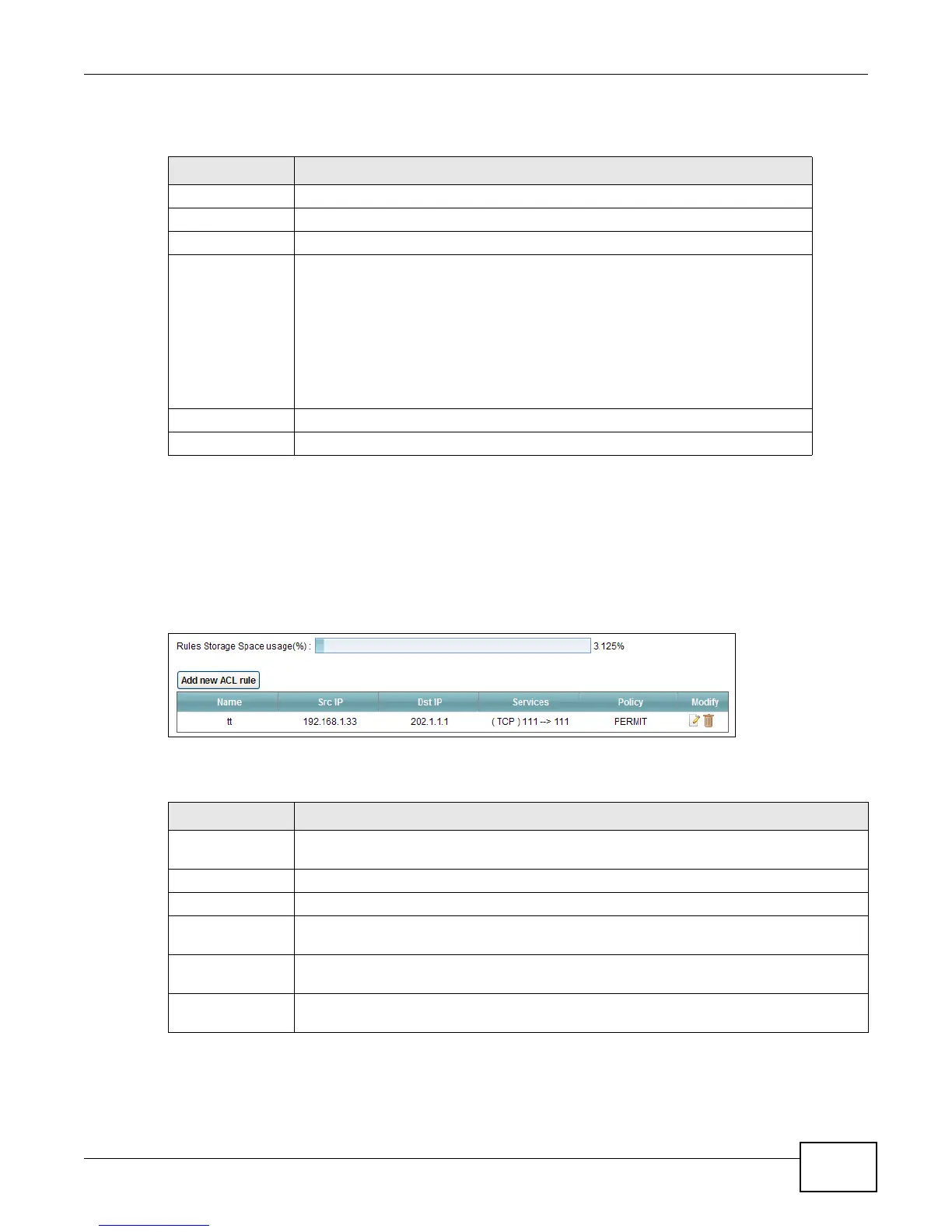
12.4 The Access Control Screen
Click Security > Firewall > Access Control to display the following screen. This screen displays a
list of the configured incoming or outgoing filtering rules.
Figure 63 Security > Firewall > Access Control
Each field is described in the following table.
Table 42 Security > Firewall > Services > Add New Service Entry
LABEL DESCRIPTION
Name Type a descriptive name for the service.
Type Select the protocol type (TCP, UDP or ICMP or Others) of the service.
Protocol Number Enter the protocol number of the service type.
Source Port,
Destination Port
The source port defines from which port number(s) the service traffic is sent.
The destination port defines the port number(s) the destination hosts use to
receive the service traffic.
Select Single if the service uses one and only one source or destination port,
then enter the port number.
Select Multiple if the service uses two or more source or destination ports, then
enter a port range. For example, suppose you want to define the Gnutella
service. Select TCP type and enter a port range of 6345-6349.
Apply Click Apply to save your changes.
Back Click Back to exit this screen without saving your changes.
Table 43 Security > Firewall > Access Control
LABEL DESCRIPTION
Rules Storage
Space usage(%)
This bar shows the percentage of the LTE Device’s space has been used. If the usage is
almost full, you may need to remove an existing filter rule before you create a new one.
Add new ACL rule
Click this to go to add a filter rule for incoming or outgoing IP traffic.
Name This displays the name of the rule.
Src IP This displays the source IP addresses to which this rule applies. Please note that a blank
source address is equivalent to Any.
Dst IP This displays the destination IP addresses to which this rule applies. Please note that a
blank destination address is equivalent to Any.
Services
This displays the protocol type and a port range that define the service to which this rule
applies.











 To Next Page