B222s User’s Guide 161
CHAPTER 21
Time Setting
21.1 Overview
You can configure the system’s time and date in the Time Setting screen.
21.2 The Time Setting Screen
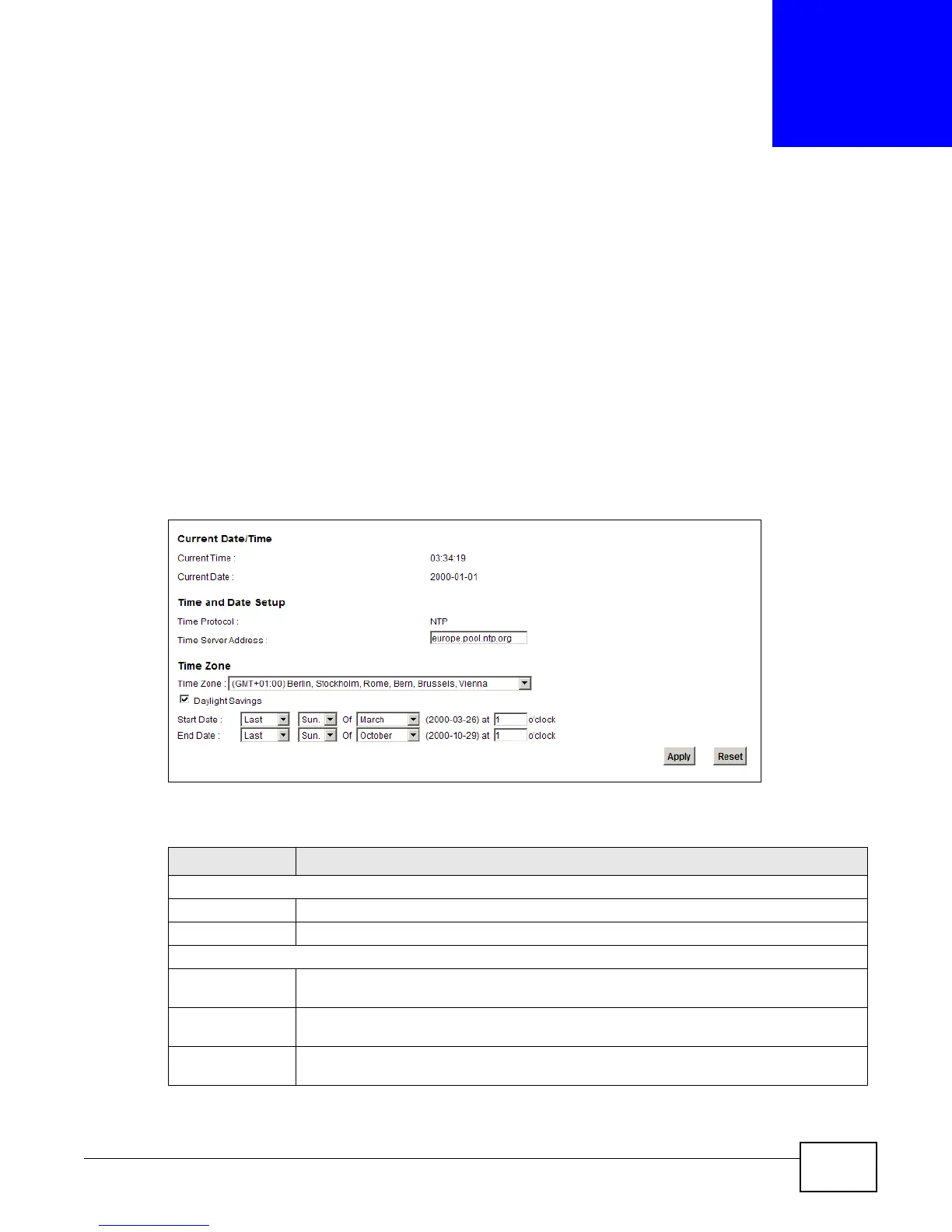
To change your LTE Device’s time and date, click Maintenance > Time. The screen appears as
shown. Use this screen to configure the LTE Device’s time based on your local time zone.
Figure 90 Maintenance > Time Setting
The following table describes the fields in this screen.
Table 69 Maintenance > System > Time Setting
LABEL DESCRIPTION
Current Date/Time
Current Time This field displays the time of your LTE Device.
Current Date This field displays the date of your LTE Device.
Time and Date Setup
Time Protocol This shows the time service protocol that your time server sends when you turn on the
LTE Device.
Time Server
Address
Enter the IP address or URL (up to 31 extended ASCII characters in length) of your time
server. Check with your ISP/network administrator if you are unsure of this information.
Time Zone Choose the time zone of your location. This will set the time difference between your time
zone and Greenwich Mean Time (GMT).











 To Next Page