Chapter 4 Broadband
B222s User’s Guide
39
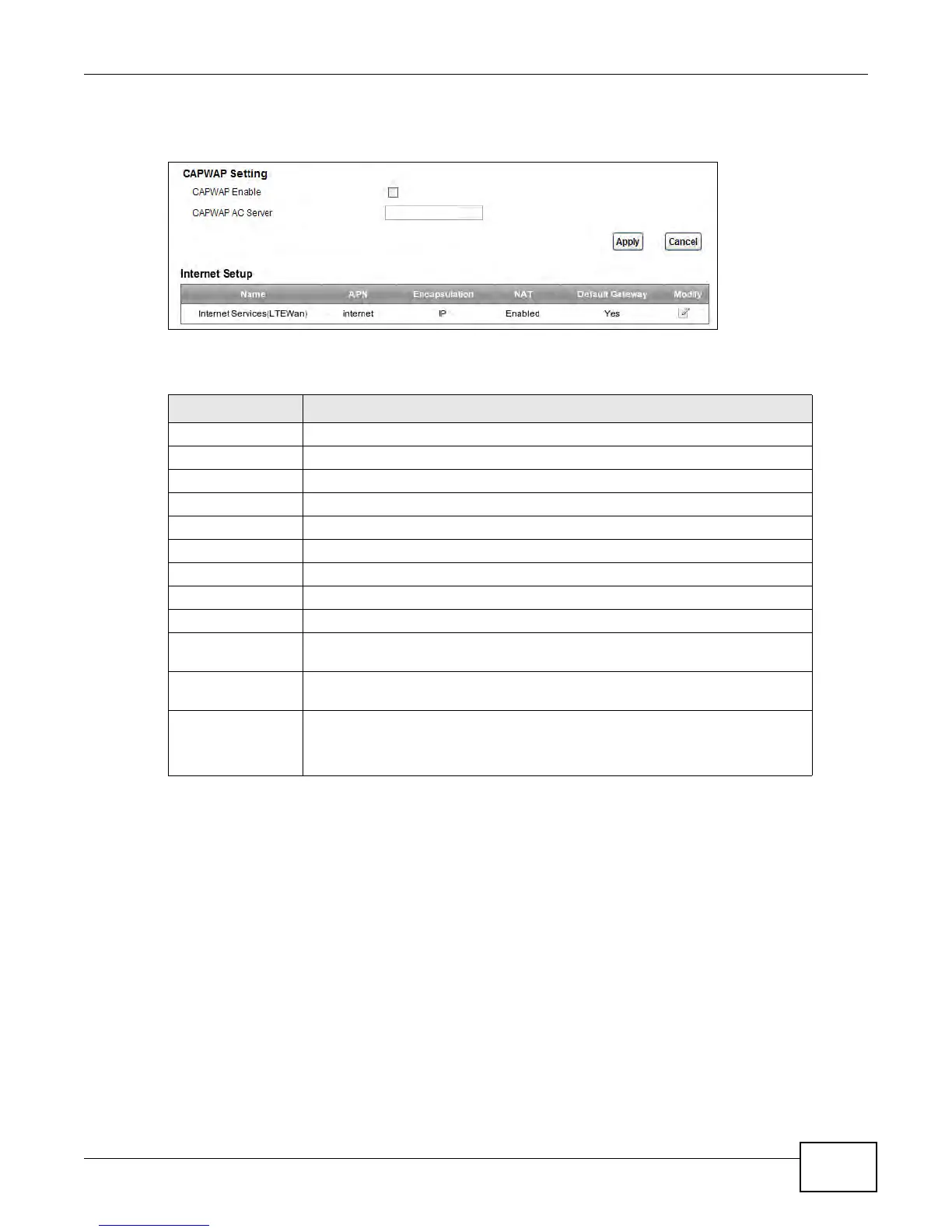
Click Network Setting > Broadband. The following screen opens.
Figure 17 Network Setting > Broadband
The following table describes the fields in this screen.
4.2.1 Add/Edit Internet Connection
Use this screen to configure a WAN connection. The screen varies depending on the interface type,
encapsulation, and WAN service type you select.
Table 4 Network Setting > Broadband
LABEL DESCRIPTION
CAPWAP Setting
CAPWAP Enable Select this to activate ??
CAPWAP AC Server Enter the IP address of the AC server.??
Apply Click this to save the change in this section.
Cancel Click this to restore your previously saved settings in this section.
Internet Setup
Name This is the service name of the connection.
APN This is the name of the LTE network to which the LTE Device will connect.
Encapsulation This shows the method of encapsulation used by this connection.
NAT This shows whether NAT is activated or not for this connection. NAT is not
available when the connection uses the bridging service.
Default Gateway This shows whether the LTE Device uses the interface of this connection as the
system default gateway.
Modify Click the Edit icon to configure the connection.
Click the Delete icon to delete this connection from the Device. A window
displays asking you to confirm that you want to delete the connection.











 To Next Page