Chapter 9 Quality of Service (QoS)
B222s User’s Guide
92
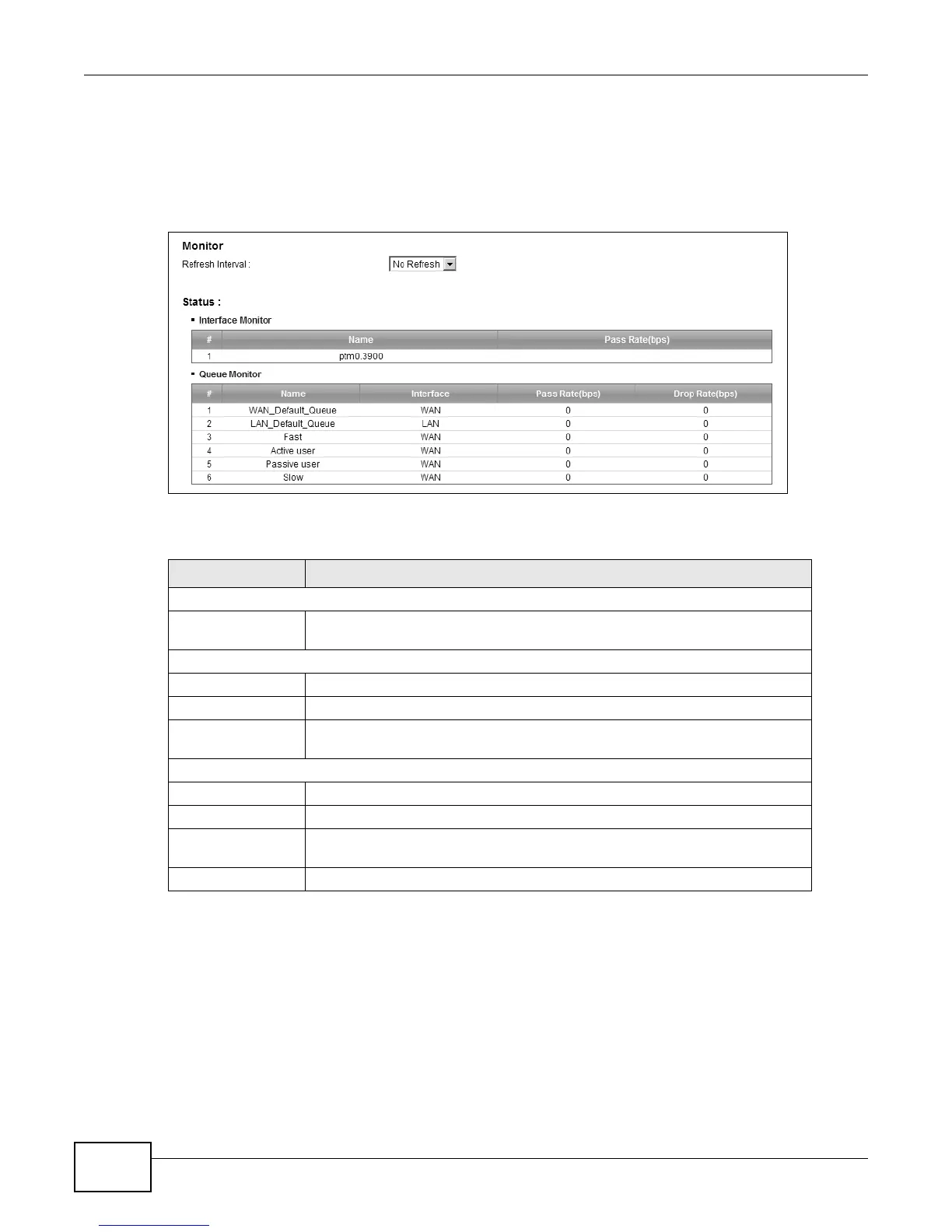
9.5 The QoS Monitor Screen
To view the LTE Device’s QoS packet statistics, click Network Setting > QoS > Monitor. The
screen appears as shown.
Figure 51 Network Setting > QoS > Monitor
The following table describes the labels in this screen.
9.6 QoS Technical Reference
This section provides some technical background information about the topics covered in this
chapter.
Table 32 Network Setting > QoS > Monitor
LABEL DESCRIPTION
Monitor
Refresh Interval Select how often you want the LTE Device to update this screen. Select No
Refresh to stop refreshing statistics.
Status
# This is the index number of the entry.
Name This shows the name of the WAN interface on the LTE Device.
Pass Rate (bps) This shows how much traffic (bps) forwarded to this interface are transmitted
successfully.
Queue Monitor
# This is the index number of the entry.
Name This shows the name of the queue.
Pass Rate (bps) This shows how much traffic (bps) assigned to this queue are transmitted
successfully.
Drop Rate (bps) This shows how much traffic (bps) assigned to this queue are dropped.











 To Next Page