Chapter 15 VoIP
B222s User’s Guide
135
rule, you can use a shortcut (the speed dial number, #01 for example) on your phone's keypad to
call the phone number.
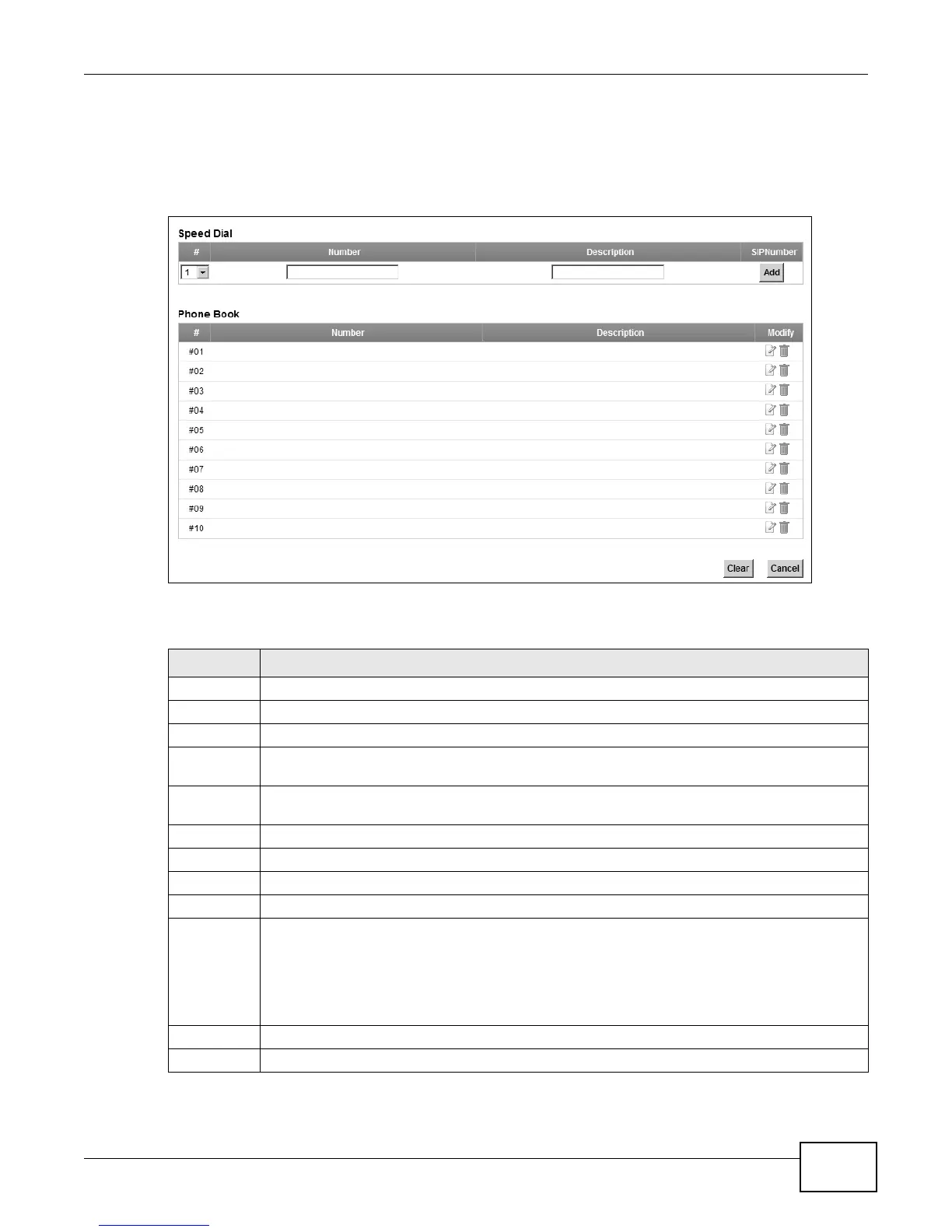
To access this screen, click VoIP > Call Rule.
Figure 75 VoIP > Call Rule
Each field is described in the following table.
Table 55 VoIP > Call Rule
LABEL DESCRIPTION
Speed Dial Use this section to create or edit speed-dial entries.
# Select the speed-dial number you want to use for this phone number.
Number Enter the SIP number you want the LTE Device to call when you dial the speed-dial number.
Description Enter a short description to identify the party you call when you dial the speed-dial number.
You can use up to 127 printable ASCII characters.
Add Click this to use the information in the Speed Dial section to update the Speed Dial Phone
Book section.
Phone Book Use this section to look at all the speed-dial entries and to erase them.
# This field displays the speed-dial number you should dial to use this entry.
Number This field displays the SIP number the LTE Device calls when you dial the speed-dial number.
Description This field displays a short description of the party you call when you dial the speed-dial number.
Modify Use this field to edit or erase the speed-dial entry.
Click the Edit icon to copy the information for this speed-dial entry into the Speed Dial
section, where you can change it. Click Add when you finish editing to change the
configurations.
Click the Delete icon to erase this speed-dial entry.
Clear
Click this to erase all the speed-dial entries.
Cancel Click this to set every field in this screen to its last-saved value.


 To Next Page
 Loading...







