Chapter 5 Wireless
B222s User’s Guide
56
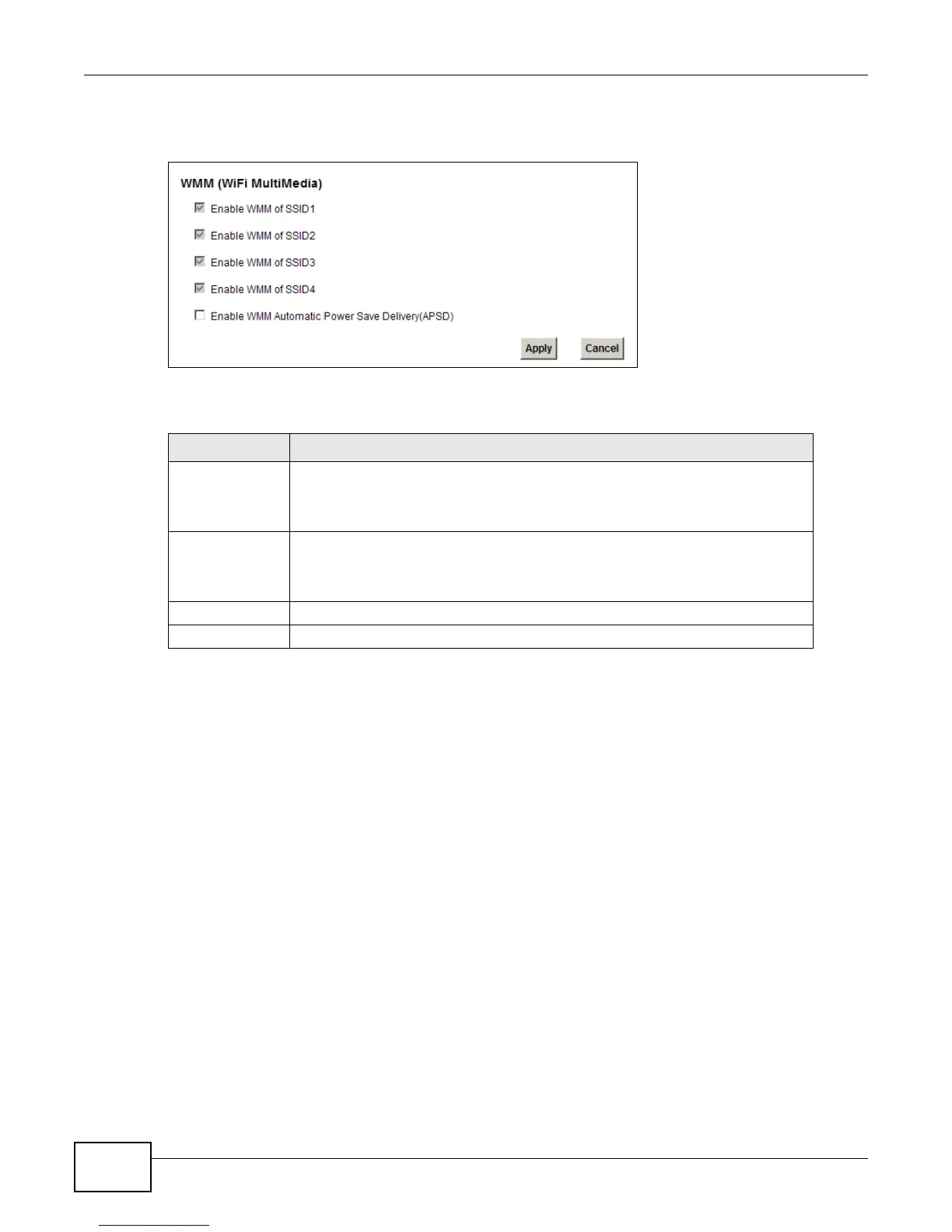
Click Network Setting > Wireless > WMM. The following screen displays.
Figure 28 Network Setting > Wireless > WMM
The following table describes the labels in this screen.
Table 15 Network Setting > Wireless > WMM
LABEL DESCRIPTION
Enable WMM of
SSID1~4
This enables the LTE Device to automatically give a service a priority level
according to the ToS value in the IP header of packets it sends. WMM QoS (Wifi
MultiMedia Quality of Service) gives high priority to voice and video, which makes
them run more smoothly.
Enable WMM
Automatic Power
Save Deliver
(APSD)
Click this to increase battery life for battery-powered wireless clients. APSD uses
a longer beacon interval when transmitting traffic that does not require a short
packet exchange interval.
Apply Click Apply to save your changes.
Cancel Click Cancel to restore your previously saved settings.











 To Next Page